这是我参与11月更文挑战的第17天,活动详情查看:2021最后一次更文挑战
首先需要了解有关 OptionsMenu、ContextMenu 的知识。
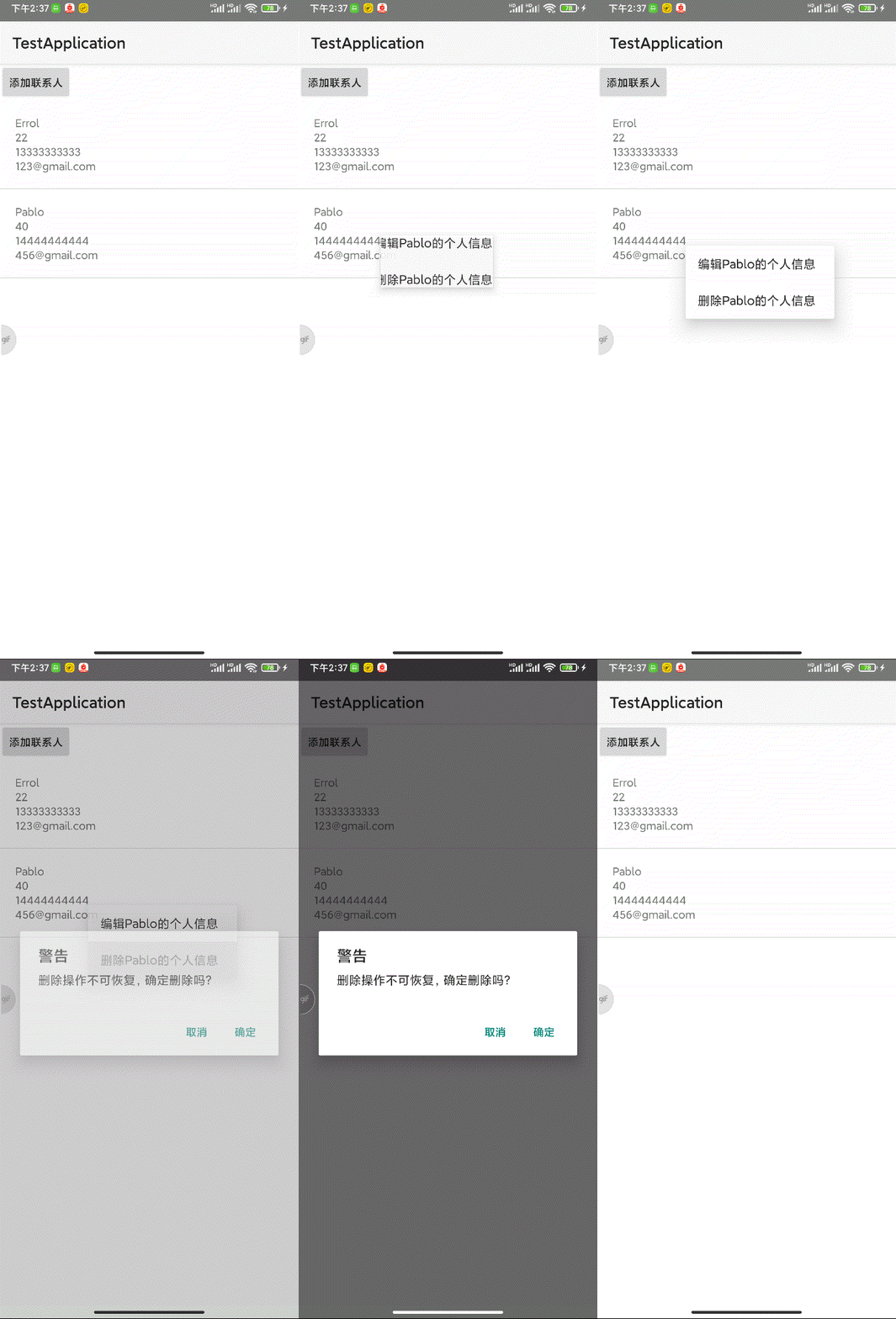
我们先做出如下效果:
MainActivity
public class MainActivity extends AppCompatActivity implements View.OnClickListener, DialogInterface.OnClickListener {
    ......
    @Override
    protected void onCreate(Bundle savedInstanceState) {
        ......
        //为listview注册ContextMenu
        registerForContextMenu(lv_contacts);
    }
	......
    public static final int MENU_ITEM_EDIT = 1;
    public static final int MENU_ITEM_DELETE = 2;

    private int actionPosition;
    @Override
    public void onCreateContextMenu(ContextMenu menu,
                                    View v,
                                    ContextMenu.ContextMenuInfo menuInfo) {
        //将参数转换为AdapterView.AdapterContextMenuInfo类型
        AdapterView.AdapterContextMenuInfo info = (AdapterView.AdapterContextMenuInfo) menuInfo;
        actionPosition = info.position;
        Person p = persons.get(actionPosition);
        menu.add(Menu.NONE, MENU_ITEM_EDIT, Menu.NONE, "编辑" + p.getName() + "的个人信息");
        menu.add(Menu.NONE, MENU_ITEM_DELETE, Menu.NONE, "删除" + p.getName() + "的个人信息");
        super.onCreateContextMenu(menu, v, menuInfo);
    }

    @Override
    public boolean onContextItemSelected(MenuItem item) {
        switch (item.getItemId()) {
            case MENU_ITEM_EDIT:
                break;
            case MENU_ITEM_DELETE:
                //弹出确认对话框
                AlertDialog.Builder builder = new AlertDialog.Builder(this);
                AlertDialog dialog = builder.setTitle("警告")
                        .setMessage("删除操作不可恢复,确定删除吗?")
                        .setPositiveButton("确定", this)
                        .setNegativeButton("取消", null)
                        .create();
                dialog.show();
                break;
        }
        return super.onContextItemSelected(item);
    }

    @Override
    public void onClick(DialogInterface dialog, int which) {

    }
}
其中我们要把操作的 position 作为全局变量记录下来,赋值给 actionPosition
然后我们增加删除功能
IDao
public interface IDao<T> {
    long insert(T t);

    List<T> query(String whereClause, String[] whereArgs, String orderBy);

    int delete(int id);
}
PersonDao 中重写 delete() 方法,暂时先不实现
@Override
public int delete(int id) {
	return 0;
}
然后 MainActivity 增加点击删除的事件
@Override
    public void onClick(DialogInterface dialog, int which) {
        //删除
        PersonDao personDao = new PersonDao(this);
        int affectedRows = personDao.delete(persons.get(actionPosition).getId());
        if (affectedRows > 0) {
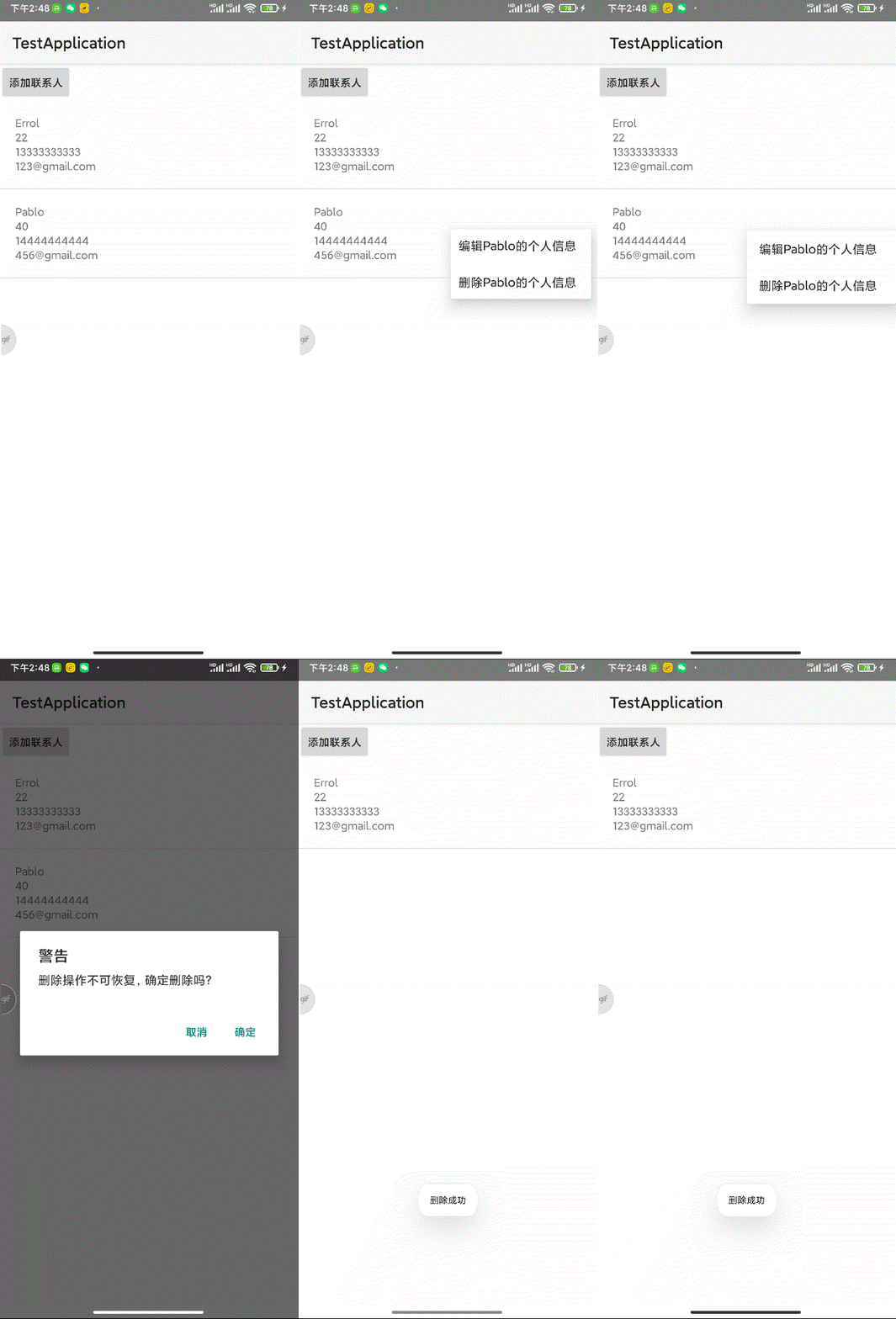
            Toast.makeText(this, "删除成功", Toast.LENGTH_SHORT).show();
            //获取新数据,刷新页面
            persons.clear();
            persons.addAll(personDao.query(null, null, "_name ASC"));
            adapter.notifyDataSetChanged();
        } else {
            Toast.makeText(this, "删除失败,请联系管理员", Toast.LENGTH_SHORT).show();
        }
    }
现在我们来重点看下 PersonDao 中的delete()方法如何实现
@Override
    public int delete(int id) {
        //获取SQLiteDatabase对象
        DBOpenHelper dbOpenHelper = new DBOpenHelper(context);
        SQLiteDatabase db = dbOpenHelper.getWritableDatabase();
        //执行业务:删除数据
        String table = "users";
        String whereClause = "_id = ?";
        String[] whereArgs = {id + ""};
        int affectedRoew = db.delete(table, whereClause, whereArgs);
        //释放资源
        db.close();
        db = null;
        //返回
        return affectedRoew;
    }
运行程序: