使用cv和nlp完成图像的读取缩放旋转等
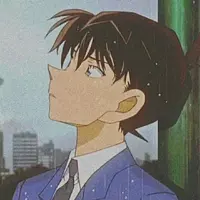
图1.jpg
读取图片
filename = '1.jpg'
## [Load an image from a file]
img = cv2.imread(filename)
img = cv2.cvtColor(img, cv2.COLOR_BGR2RGB)
plt.imshow(img)
图像 缩放
resize=cv2.resize(img,(600, 600))
plt.imshow(resize)
img=cv2.resize(img, (h, w)) # 最后彩蛋
图片翻转
dst = cv2.flip(img, 0)
plt.imshow(dst)
图片旋转
rows,cols,h = img.shape
M = cv2.getRotationMatrix2D(((cols-1)/2.0,(rows-1)/2.0),45, 0.7)
dst = cv2.warpAffine(img,M,(cols,rows))
plt.imshow(dst)
亮度调节
rows, cols, chunnel = img.shape
blank = np.zeros([rows, cols, chunnel], img.dtype)
dst = cv2.addWeighted(img, 0.6, blank,0.6,0.6)
plt.imshow(dst)
随机裁剪
import random
import math

class RandomErasing(object):
    def __init__(self, EPSILON=0.5, sl=0.02, sh=0.4, r1=0.3,
                 mean=[0., 0., 0.]):
        self.EPSILON = EPSILON
        self.mean = mean
        self.sl = sl
        self.sh = sh
        self.r1 = r1

    def __call__(self, img):
        if random.uniform(0, 1) > self.EPSILON:
            return img

        for attempt in range(100):
            area = img.shape[0] * img.shape[1]

            target_area = random.uniform(self.sl, self.sh) * area
            aspect_ratio = random.uniform(self.r1, 1 / self.r1)

            h = int(round(math.sqrt(target_area * aspect_ratio)))
            w = int(round(math.sqrt(target_area / aspect_ratio)))
            # print(img,h,w)

            '''
            已经知道裁剪后的长和宽 只需按照 x和y进行保存即可
            '''


            # 此处插入代码
            return img


erase = RandomErasing()
img2=erase(img)
plt.imshow(img2)
品,细品!