1、静态方法getDerivedStateFromProps():
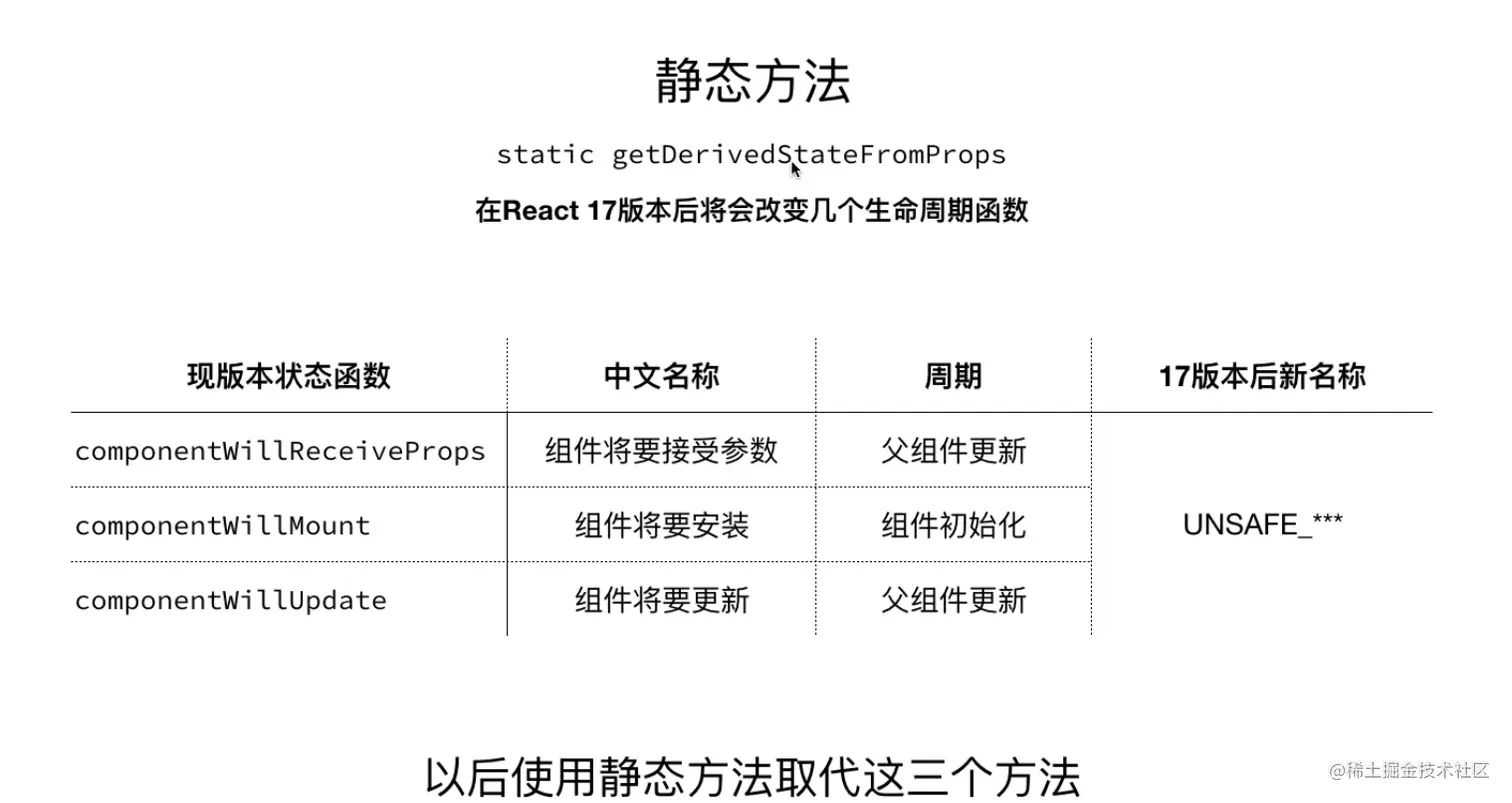
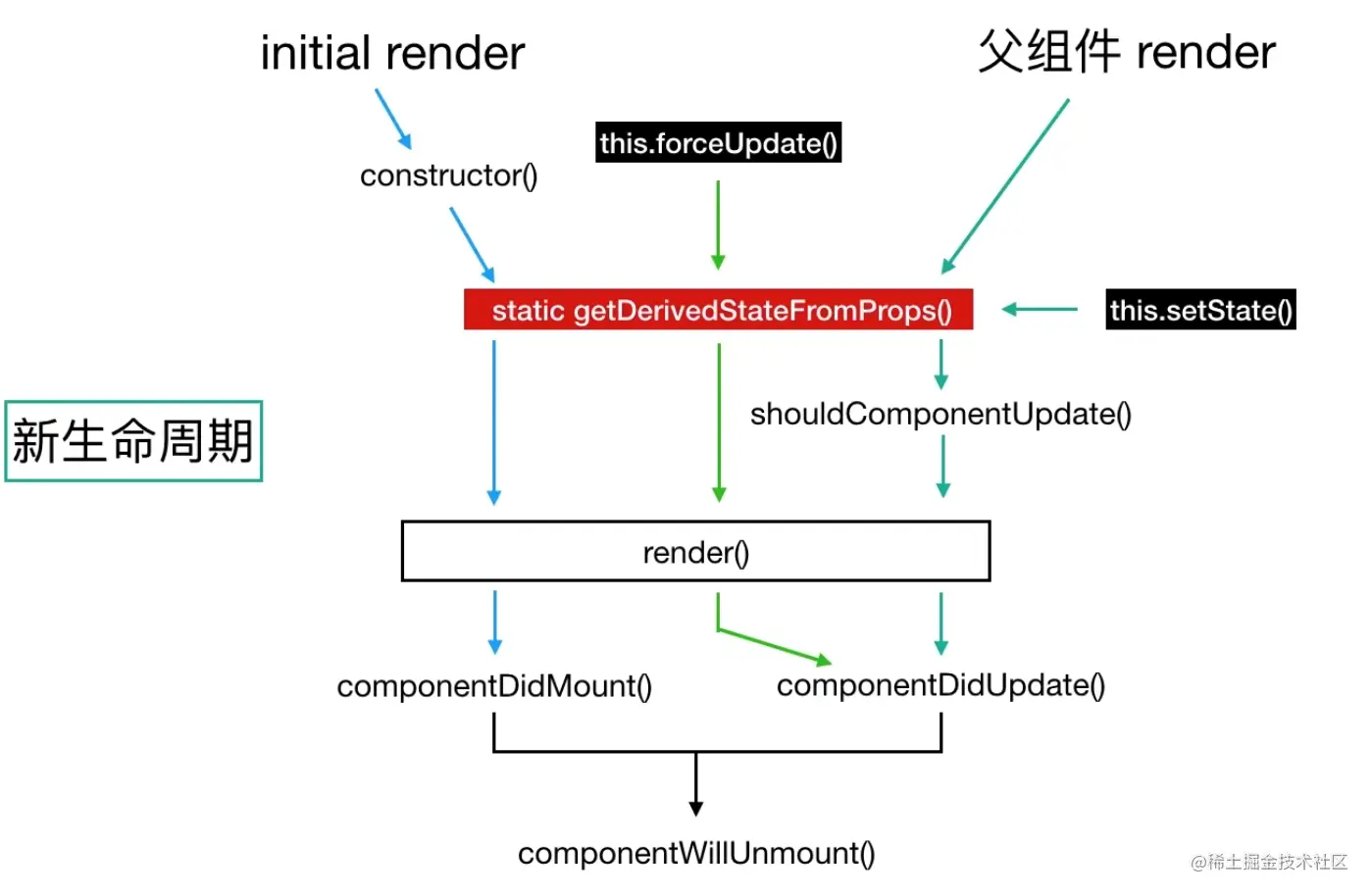
组件的生命周期:
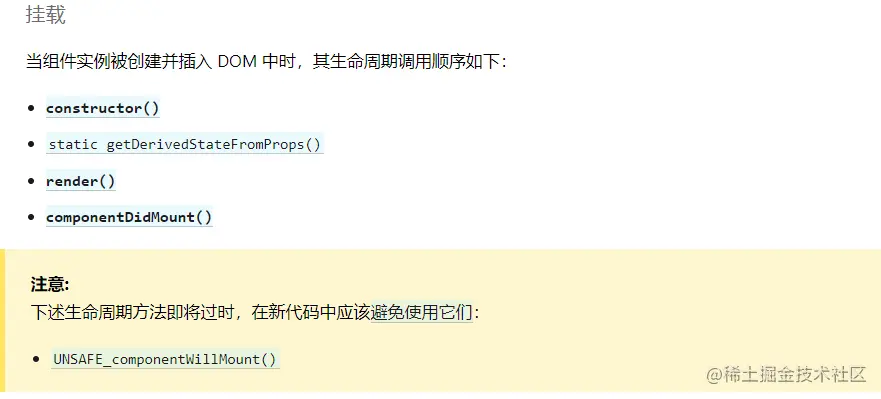
挂载
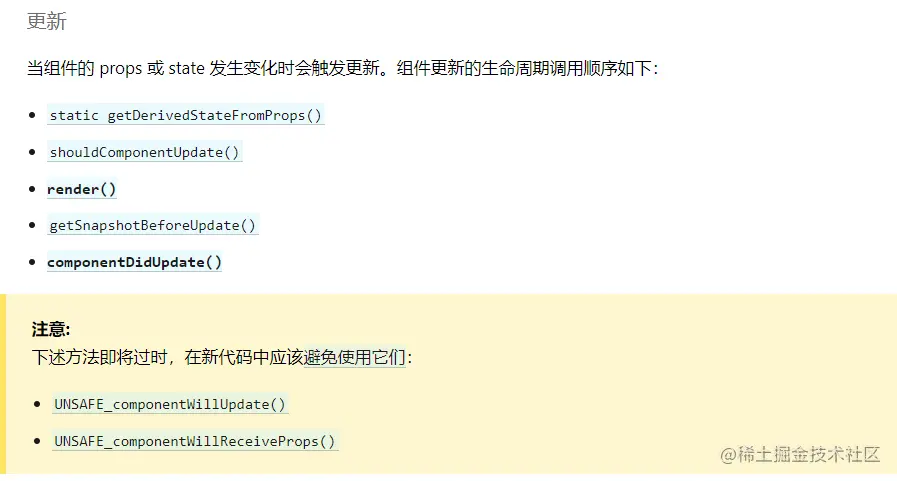
更新
卸载

父组件:
import React, { Component } from 'react'
import Child from './Child'
export default class test extends Component {
    constructor(props) {
        console.log('父组件constructor')
        super(props)
        this.state = {
            isrender: false
        }
    }

    render() {
        return (
            <div>
                {this.state.isrender?<Child title="121"></Child>:"不渲染子组件"}
                <h1>test</h1>
                <button onClick={() => this.setState({})}>父组件更新</button>
                <button onClick={() => this.setState({isrender: !this.state.isrender})}>切换子组件Child渲染</button>
            </div>
        )
    }

}
子组件:
import React, { Component } from 'react'

export default class Child extends Component {
    constructor(props) {
        super(props)
        console.log('子组件constructor')
        this.state={
            time:new Date()
        }
        this.timeID=setInterval(()=>this.tick(),1000)
    }
    tick() {
        this.setState({
            time:new Date()
        })
    }
    static getDerivedStateFromProps(props, state){
        console.log('静态生命周期getDerivedStateFromProps')
        return null
    }
    render() {
        console.log('render')
        console.log(this.state)
        return (
            <div style={{border:"solid red 1px"}}>
                <p>子组件</p>
                {this.state.time.getSeconds()}
            </div>
        )
    }
    getSnapshotBeforeUpdate(prevProps, prevState){
        console.log('获取快照getSnapshotBeforeUpdate')
        return '获取快照'
    }
    componentDidMount() {
        console.log('componentDidMount')
    }
    shouldComponentUpdate(){
        console.log('shouldComponentUpdate')
        return true
    }
    componentDidUpdate(){
        console.log('componentDidUpdate')
    }
    componentWillUnmount(){
        clearInterval(this.timeID)
        console.log('componentWillUnmount')
    }
}



