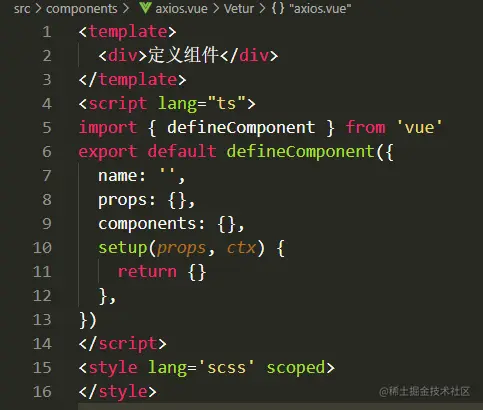
写一个计数器
1. 涉及defineComponent\ref\setup\props
<template>
  <h1>{{ msg }}</h1>
  <button type="button" @click="count++">+</button>
  <b style="margin: 0 10px">count is: {{ count }}</b>
  <button type="button" @click="count--">-</button>
</template>

<script lang="ts">
import { ref, defineComponent } from 'vue'

export default defineComponent({
  props: {
    msg: {
      type: String,
      default: '',
    },
  },
  setup: () => {
    const count = ref(0)
    return { count }
  },
})
</script>

<style scoped>
a {
  color: #42b983;
}

label {
  margin: 0 0.5em;
  font-weight: bold;
}

code {
  background-color: #eee;
  padding: 2px 4px;
  border-radius: 4px;
  color: #304455;
}
</style>
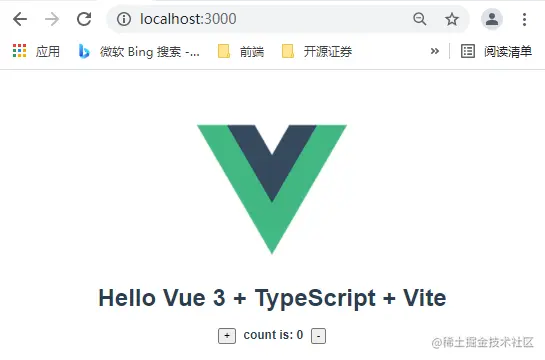
2. 涉及watch\生命周期hook
<template>...省略
<script lang="ts">
import { ref, defineComponent, onUpdated, watch } from 'vue'
export default defineComponent({
props: {
msg: {
type: String,
default: '',
},
},
setup: () => {
onUpdated(() => {
console.log('update', count)
})
const count = ref(0)
const watchFunc = watch(
count,
(newValue, oldValue) => {
console.log('newValue:', newValue)
console.log('oldValue:', oldValue)
},
{ immediate: true }
)
return { count, watchFunc }
},
})
</script>
<style>...省略
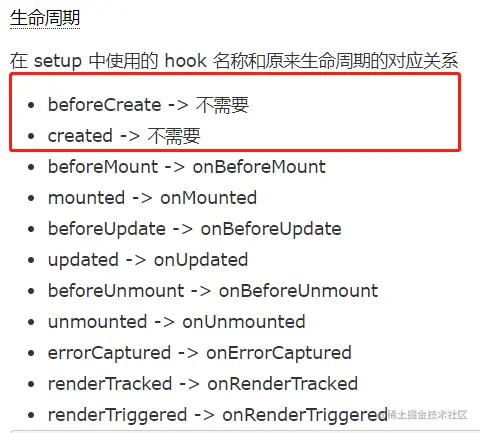
3.一个最基本的组件结构