查看最新版 TypeScript
npm info typescript version
用法
<script lang="ts">
import Vue from 'vue'
import {Component} from 'vue-property-decorator';
@Component
export default class Types extends Vue{
type = '-'
selectType(type: string){
if (type !== '-' && type !== '+'){
throw new Error('type is unknown')
}
this.type = type
}
created(){}
mounted(){}
}
</script>
使用方式
- 必须要用 class, 用装饰器
- 可以直接写 data, methods, props, 生命周期
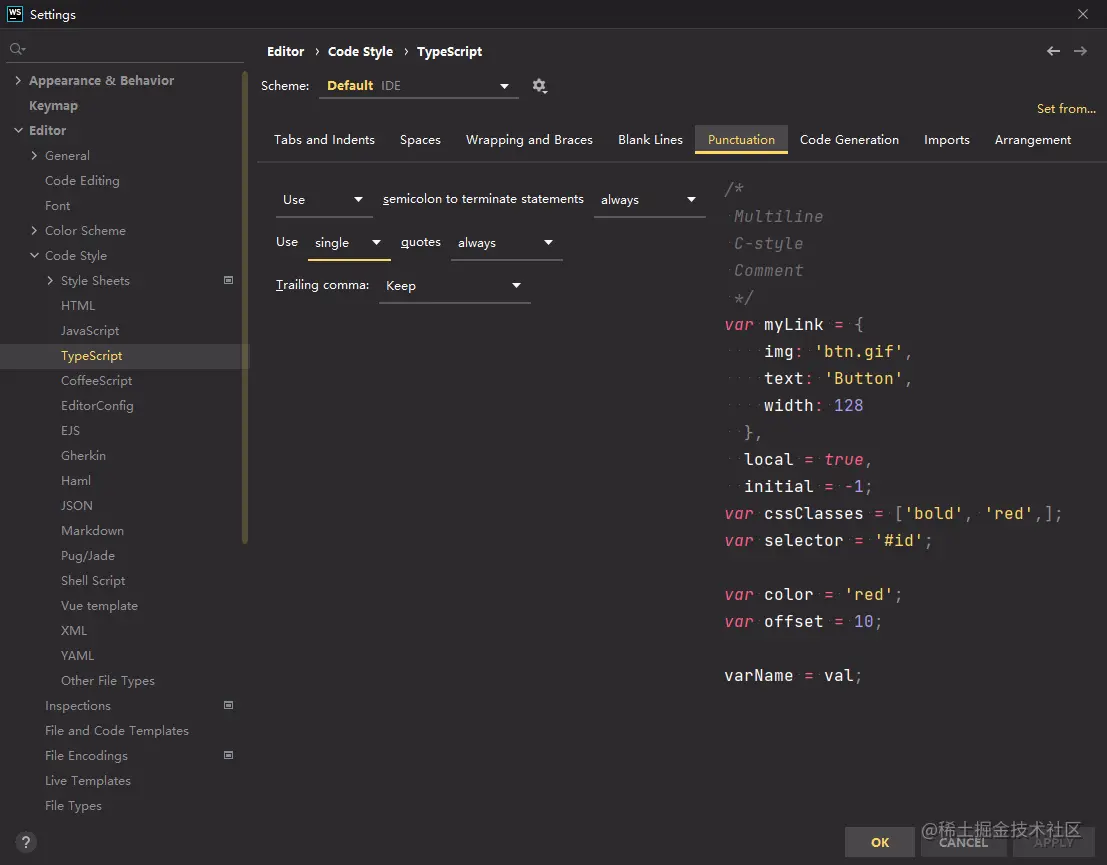
TypeScript 自动加分号
- Settings --> Editor --> Code Style --> TypeScript --> Punctuation
优势
- 类型提示: 更智能的提示
- 类型检查: 无法点出错误的属性
- 编译时报错: 还没运行代码就知道自己写错了
TS 的本质
- JS: 类型
- 类型用来检查 JS 语法是否正确(编译报错)
- 删掉类型编译为可运行JS