框架使用:uniapp. node websocket库的ws库
WS 模块
ws 是一个第三方的 websocket 通信模块,需要安装 npm i ws,websocket 的通信模型跟 HTTP 是一样的,服务端对应客户端模型。
uni-app
uni-app 是一个使用 Vue.js 开发所有前端应用的框架,开发者编写一套代码,可发布到iOS、Android、Web(响应式)、以及各种小程序(微信/支付宝/百度/头条/QQ/快手/钉钉/淘宝)、快应用等多个平台。
客户端
** // 初始化webSocket, 放置在onLoad即可**
init() {
if (typeof(WebSocket) === "undefined") {
alert("您的浏览器不支持socket")
} else {
// 实例化socket
this.socket = new WebSocket('ws://127.0.0.1:8112')
// 监听socket连接
this.socket.onopen = this.open
// 监听socket错误信息
this.socket.onerror = this.error
// 监听socket消息
this.socket.onmessage = this.getMessage
// 监听服务器关闭
this.socket.onclose = this.close
}
},
// 向服务器发信息
send(params) {
console.log('ffsdas', params)
this.socket.send(params)
let userMsg = {
user: true,
content: params,
}
this.chatList.push(userMsg)
this.inputMsg = ''
},
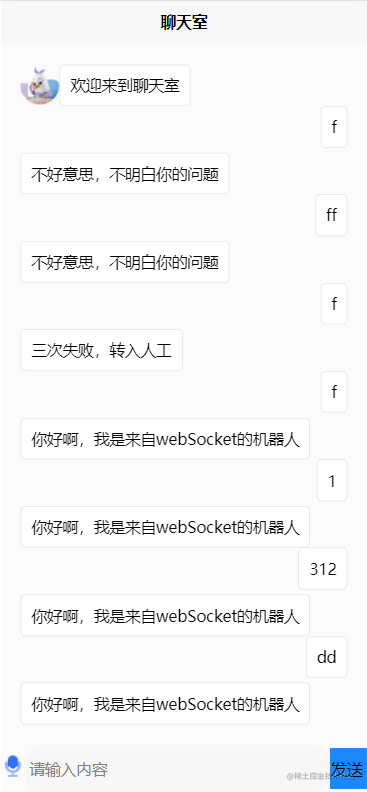
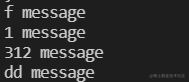
## 服务器代码
需要安装下ws 模块
npm install ws
`
```js
const port = process.env.PORT || 8112
const WebSocket = require('ws'); // 引入模块
const wsObj = new WebSocket.Server({port},()=>{ // 监听接口
  console.log("socket start")
})
// 服务器被客户端连接
wsObj.on('connection', (ws) => {
  // 通过 ws 对象,就可以获取到客户端发送过来的信息和主动推送信息给客户端
  console.log(ws, 'ws')
  ws.on('message', (message) => {
    // 通过 ws 对象,就可以获取到客户端发送过来的信息和主动推送信息给客户端
    console.log(message.toString(), 'message')
    ws.send('你好啊,我是来自webSocket的机器人')
  })
})`