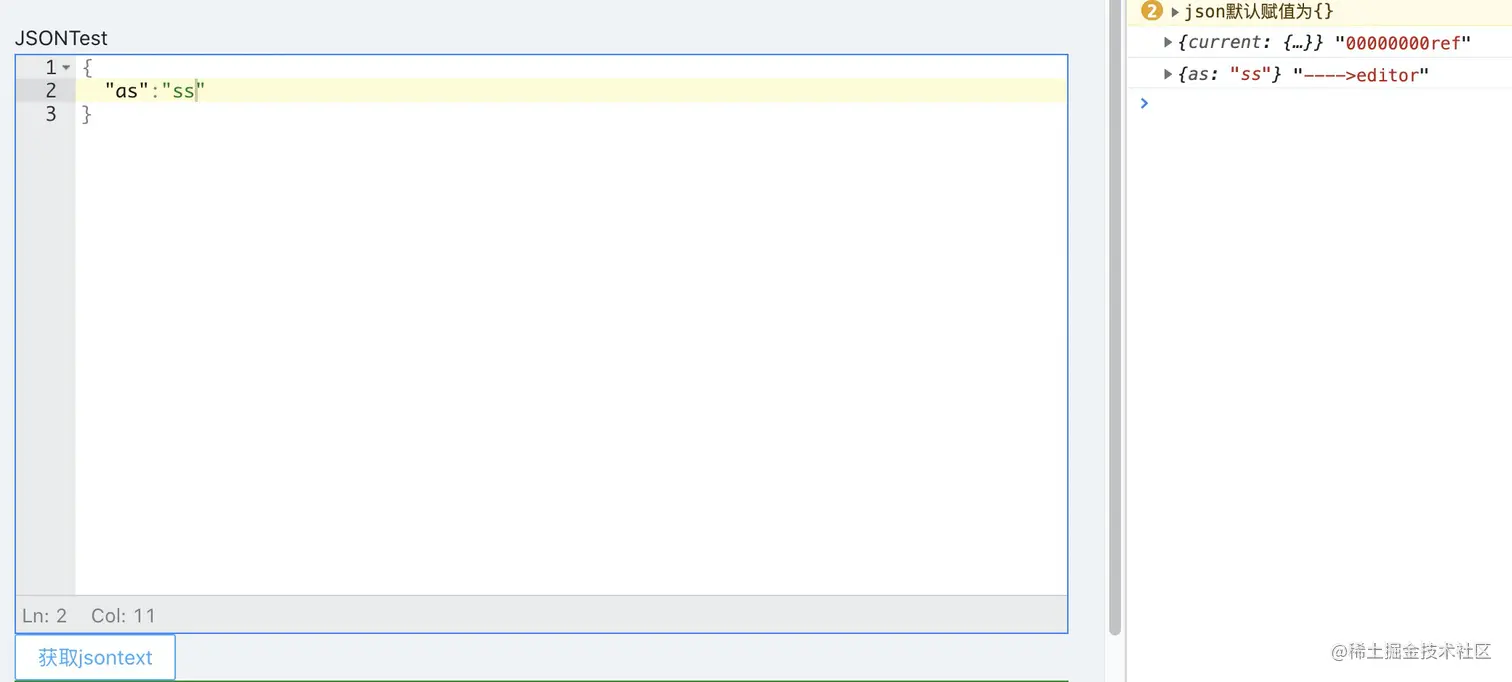
项目中有时候会使用到json编辑器,这里我们使用jsonEditor来创建,进行二次封装
使用
import React, { useEffect, useRef, forwardRef, useImperativeHandle } from 'react';
import JSONEditor from 'jsoneditor';
import 'jsoneditor/dist/jsoneditor.css';
import { htmlUnescape, safeJson } from './utils';
export const ShowJSONEditor = forwardRef((props: Iprops, ref) => {
const { initJSON, getJsonInfo, onError } = props;
let obj: string;
if (initJSON !== null) {
obj = safeJson(htmlUnescape(initJSON));
}
let editor: JSONEditor;
useImperativeHandle(
ref,
() => ({
getJSon: () => {
try {
return editor;
} catch (error) {
return 'xxxxx';
}
},
}),
[editor],
);
const handlOnChange = () => {
try {
const value = editor.get();
getJsonInfo(value);
} catch (error) {
getJsonInfo({});
console.warn('json默认赋值为{}');
}
};
const handleError = (errArr: ErrorArrType[]) => {
onError(errArr);
};
const options: any = {
mode: 'code',
history: true,
onChange: handlOnChange,
onValidationError: handleError,
mainMenuBar: false,
};
const JsonRef = useRef<any>(null);
const initEditor = () => {
editor = new JSONEditor(JsonRef.current, options);
if (initJSON !== null) {
editor.set(obj);
getJsonInfo(obj);
} else {
editor.set({});
getJsonInfo({});
}
};
const destroyEditor = () => {
if (editor) {
editor.destroy();
}
};
useEffect(() => {
initEditor();
return destroyEditor;
}, [initJSON]);
return (
<div
ref={JsonRef}
style={{ width: '100%', height: 'calc(100vh - 390px)', background: 'red' }}
></div>
);
});
interface ErrorArrType {
line: number;
message: string;
type: string;
}
interface Iprops {
initJSON: any;
getJsonInfo: (value: any) => void;
onError: (value: ErrorArrType[]) => void;
}
使用
const handleJSON = () => {
console.log(refParent, '00000000ref')
let editor = refParent?.current?.getJSon()
console.log(editor.get(), '---->editor')
}
<ShowJSONEditor
ref={refParent} // 绑定ref
initJSON={'{}'}
getJsonInfo={setJsonInfo}
onError={handleError}
/>
<Button onClick={handleJSON}>获取jsontext</Button>