效果
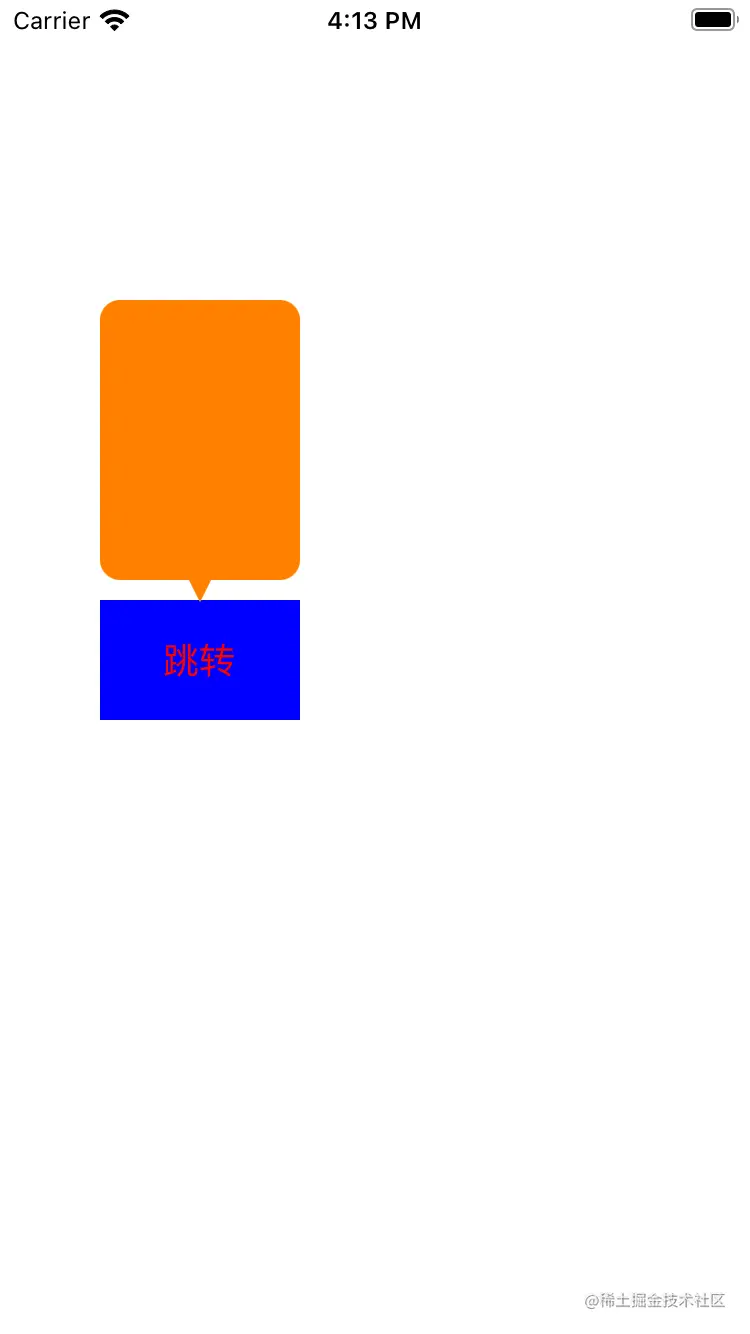
自定义 PopView
@interface PopView : UIView
-(void)showInView:(UIView *)view;
@end
@interface PopView ()
@property (nonatomic, strong) UIView *contentView;
@property (nonatomic, assign) CGFloat triangleWidth;
@property (nonatomic, assign) CGFloat triangleHeight;
@property (nonatomic, assign) CGPoint startPoint;
@property (nonatomic, assign) CGPoint middlePoint;
@property (nonatomic, assign) CGPoint endPoint;
@end
@implementation PopView
- (instancetype)initWithFrame:(CGRect)frame
{
self = [super initWithFrame:frame];
if (self) {
_triangleWidth = 10.0;
_triangleHeight = 10.0;
self.backgroundColor = [UIColor clearColor];
self.contentView = [[UIView alloc] init];
self.contentView.backgroundColor = [UIColor orangeColor];
self.contentView.layer.cornerRadius = 10.0f;
self.contentView.layer.masksToBounds = YES;
self.contentView.clipsToBounds = YES;
[self addSubview:self.contentView];
}
return self;
}
- (void)drawRect:(CGRect)rect {
CGContextRef context = UIGraphicsGetCurrentContext();
CGContextMoveToPoint(context, self.startPoint.x, self.startPoint.y);
CGContextAddLineToPoint(context, self.middlePoint.x, self.middlePoint.y);
CGContextAddLineToPoint(context, self.endPoint.x, self.endPoint.y);
CGContextClosePath(context);
[[UIColor orangeColor] setStroke];
[[UIColor orangeColor] setFill];
CGContextDrawPath(context, kCGPathFillStroke);
}
- (void)touchesBegan:(NSSet<UITouch *> *)touches withEvent:(UIEvent *)event
{
[self dismiss];
}
#pragma mark - public
- (void)showInView:(UIView *)view
{
UIWindow *window = [UIApplication sharedApplication].windows.firstObject;
[window addSubview:self];
[self mas_makeConstraints:^(MASConstraintMaker *make) {
make.top.left.right.bottom.equalTo(window);
}];
CGRect convertFrame = [view convertRect:view.bounds toView:window];
CGFloat centerX = convertFrame.size.width * 0.5 + convertFrame.origin.x;
[self.contentView mas_makeConstraints:^(MASConstraintMaker *make) {
make.bottom.equalTo(view.mas_top).offset(-10.0);
make.centerX.equalTo(view);
make.width.mas_equalTo(100.0);
make.height.mas_equalTo(140.0);
}];
self.middlePoint = CGPointMake(centerX, convertFrame.origin.y);
self.startPoint = CGPointMake(centerX - self.triangleWidth * 0.5, self.middlePoint.y - self.triangleHeight);
self.endPoint = CGPointMake(centerX + self.triangleWidth * 0.5, self.middlePoint.y - self.triangleHeight);
}
#pragma mark - private
- (void)dismiss
{
[self removeFromSuperview];
}
@end