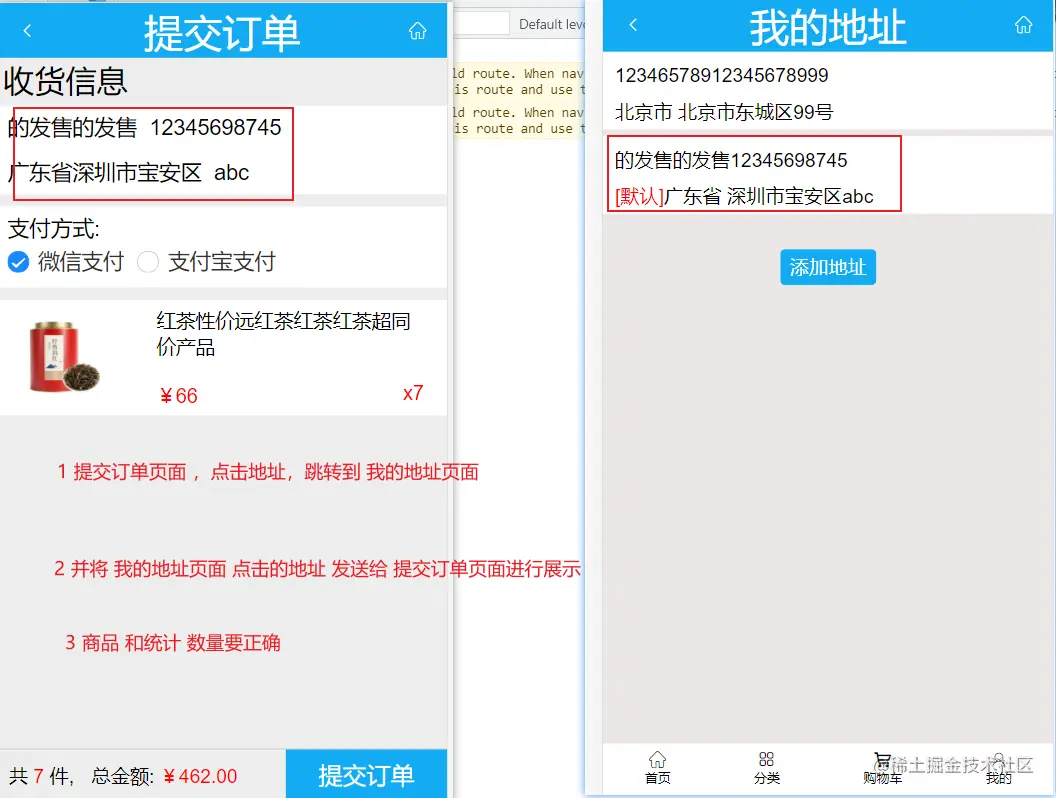
问题 this.router.back()和this.router.go() 返回上一页之前要把当前也的值传递过去,怎么传?看图第2 和 第3 步 利用兄弟之间传值
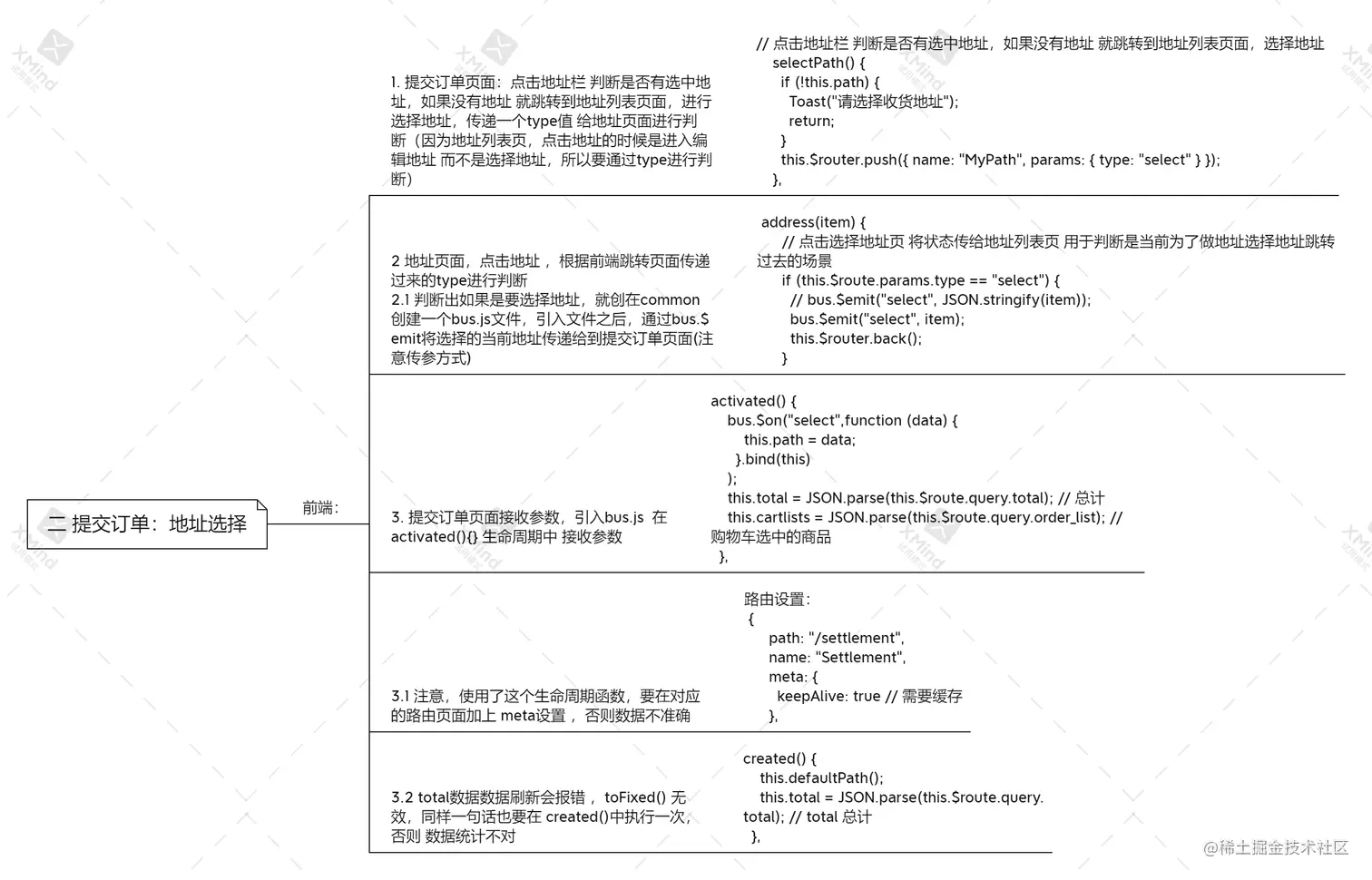
前端代码
一 提交订单页面的:地址点击的事件 Settlement.vue
selectPath() {
if (!this.path) {
Toast("请选择收货地址");
return;
}
this.$router.push({ name: "MyPath", params: { type: "select" } });
},
二 地址列表页面: 第一个 if语句就是 MyPath.vue 通过兄弟方式传当前页面的地址到 Settlement.vue
address(item) {
if (this.$route.params.type == "select") {
bus.$emit("select", item);
this.$router.back();
} else {
if (item.id) {
this.$router.push({ name: "AddAds", params: { data: item } });
} else {
this.$router.push({ name: "AddAds" });
}
}
},
三:在 created() 生命周期中 接收兄弟传递过来的地址内容, Settlement.vue
created() {
this.defaultPath();
this.total = JSON.parse(this.$route.query.total);
},
activated() {
bus.$on("select",function (data) {
this.path = data;
}.bind(this)
);
this.total = JSON.parse(this.$route.query.total);
this.cartlists = JSON.parse(this.$route.query.order_list);
},
3.1 注意,使用了这个生命周期函数,要在对应的路由页面加上 meta设置 ,否则数据不准确
路由设置:
{
path: "/settlement",
name: "Settlement",
meta: {
keepAlive: true
},
3.2 total数据数据刷新会报错 ,toFixed() 无效,同样一句话也要在 created()中执行一次,否则 数据统计不对
created() {
this.defaultPath();
this.total = JSON.parse(this.$route.query.total);
},