大神链接
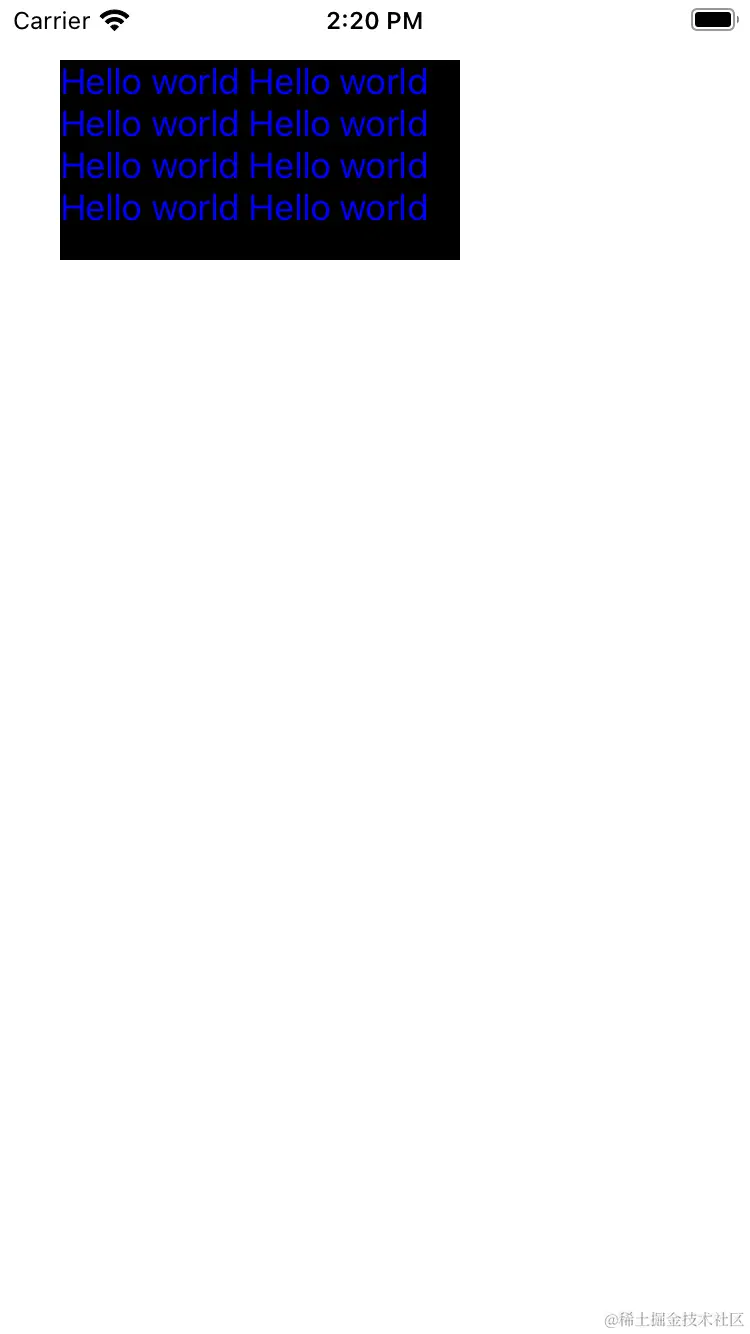
1.简单的显示文案
- 自定义一个UIView,在drawRect方法中实现渲染(#import <CoreText/CoreText.h>)
- (void)drawRect:(CGRect)rect {
[super drawRect:rect];
CGContextRef contextRef = UIGraphicsGetCurrentContext();
CGContextSetTextMatrix(contextRef, CGAffineTransformIdentity);
CGContextTranslateCTM(contextRef, 0.0, self.bounds.size.height);
CGContextScaleCTM(contextRef, 1.0, -1.0);
CGMutablePathRef path = CGPathCreateMutable();
CGPathAddRect(path, NULL, self.bounds);
NSDictionary *attributes = @{
NSFontAttributeName:[UIFont systemFontOfSize:18.0],
NSForegroundColorAttributeName:[UIColor blueColor],
};
NSMutableAttributedString *attributeStr = [[NSMutableAttributedString alloc] initWithString:@"Hello world Hello world Hello world Hello world Hello world Hello world Hello world Hello world Hello world Hello world Hello world Hello world" attributes:attributes];
CTFramesetterRef framesetterRef = CTFramesetterCreateWithAttributedString((CFAttributedStringRef)attributeStr);
CTFrameRef frameRef = CTFramesetterCreateFrame(framesetterRef, CFRangeMake(0.0, attributeStr.length), path, NULL);
CTFrameDraw(frameRef, contextRef);
}
CoretTextFirstView *testView = [[CoretTextFirstView alloc] initWithFrame:CGRectMake(10.0, 30.0, 200.0, 100.0)]
[self.view addSubview:testView]