开始
- 本文纯靠自己思路来写,如有雷同,也不是抄袭。
- 阅读本文前,需要了解一点ts,vue3,jsx语法。😯 还有moment相关语法。
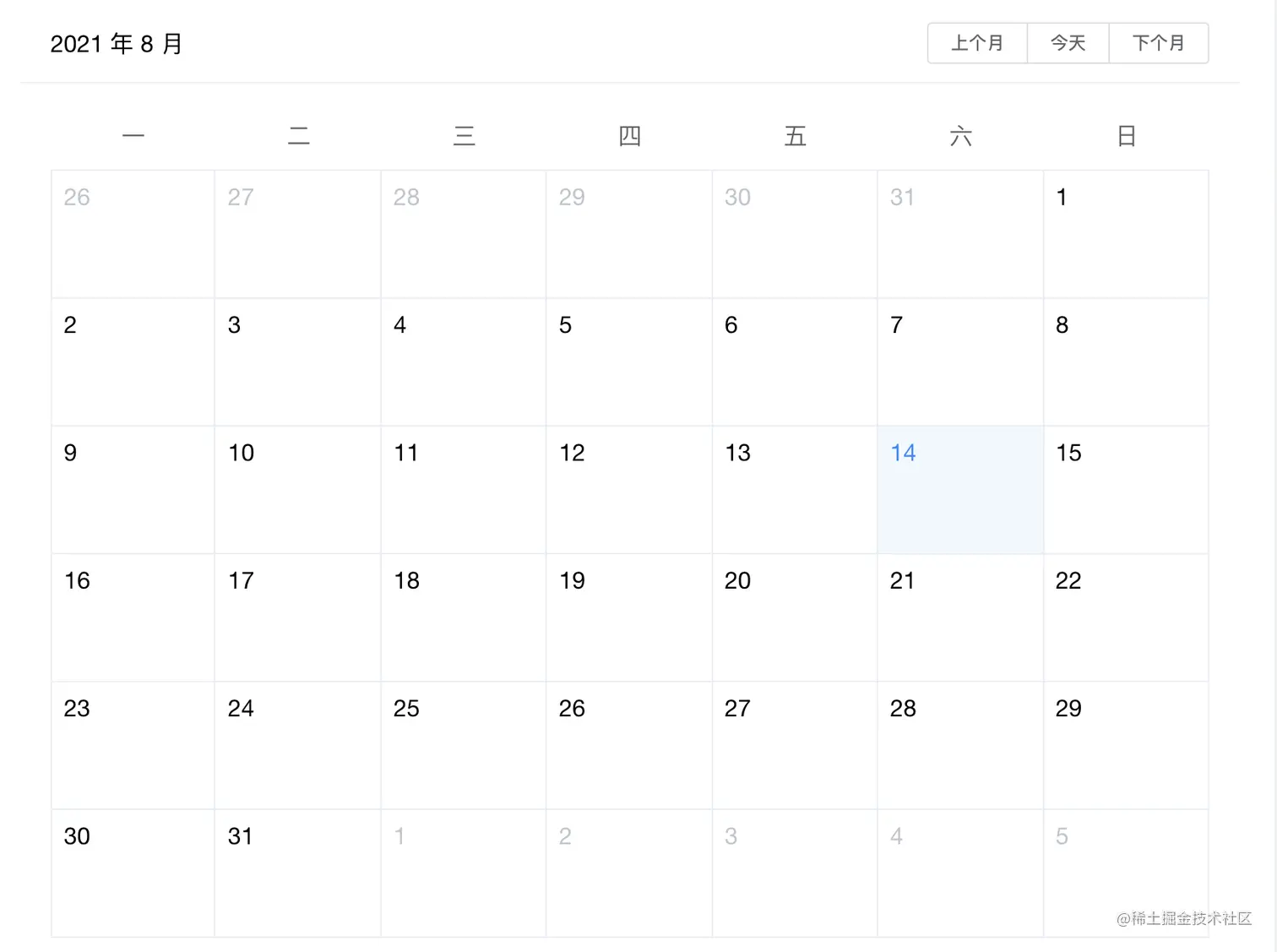
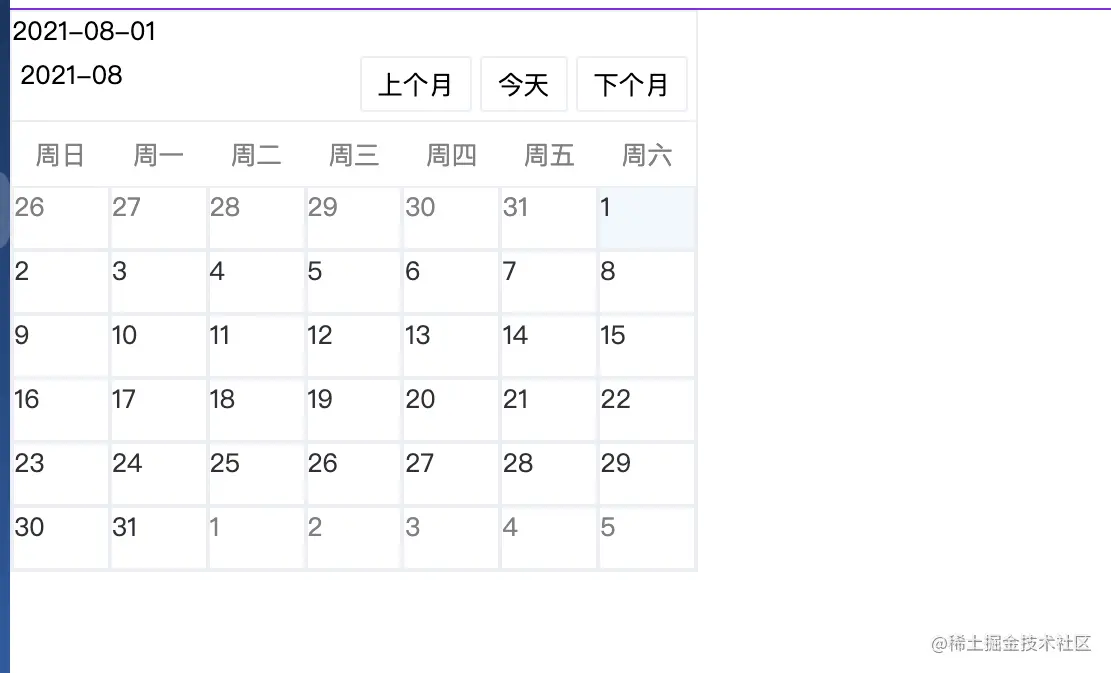
预想效果 or 实际效果 简直是一模一样😄
- 预想效果 element-ui 日历组件
- 实际效果
实现
- 日历组件的实现,借助于 moement.js 大大的简化了计算流程,也减少了很多代码量。可以说极大的减少了实现难度。
- 本文仅是作为练习,如果有错误的地方,烦请指正。
- 日历这个大家知道,费劲吧啦的介绍使用场景个人觉得是没什么用的,你遇到了自然就能想到。
计算日期-页面显示那些日期-最主要的函数
- 这个其实有两种 一种是页面只显示当前月,一种就是上边图片里的这种,按照每行一周显示,这个稍稍复杂了一点。为什么说复杂一点呢?
- 获取整月的话,直接获取当月多少天然后从一号开始累加就能获取整月的所有天数。
- 按照每周一行显示的话,你需要获取当前月的第一天是周几然后计算往前推几天,进行展示。
interface obj {
[propName: string]: string | number;
}
const weekList = ['周日', '周一', '周二', '周三', '周四', '周五', '周六']
let listOfDatesOfTheMonth: Array<obj> = reactive([])
const generatedDate = (val?: string) => {
const month = moment(val || new Date()).format('YYYY-MM')
const whichDay = moment(month).startOf('month').weekday()
const startDate = moment(moment(month).subtract(7 - whichDay, 'days')).format('YYYY-MM-DD')
listOfDatesOfTheMonth = [...Array(42).keys()].reduce((acc:Array<obj>, val) => {
const date = moment(startDate).add(val + 1, 'days').format('YYYY-MM-DD')
const dateList = date.split('-')
const week = moment(date).weekday()
acc.push({ index: val + 1, date: date, day: dateList[dateList.length - 1], week: weekList[week] })
return acc
}, [])
console.log(listOfDatesOfTheMonth)
getDateItemList()
}
上一月 or 当天 or 下一月
- 这个的实现 我们需要记录下当前是那个月,然后加一个月 减去一月,当天直接 new Date() ?
const currentDate = ref(moment().format('YYYY-MM-DD'))
const currentMonth = ref(moment().format('YYYY-MM'))
const changeMonth = (type: string) => {
if (type === 'setDate') {
currentMonth.value = moment(currentDate.value).format('YYYY-MM')
}
if (type === 'today') {
currentMonth.value = moment().format('YYYY-MM')
}
if (type === 'nextMonth') {
currentMonth.value = moment(currentMonth.value).add(1, 'month').format('YYYY-MM')
}
if (type === 'lastMonth') {
currentMonth.value = moment(currentMonth.value).subtract(1, 'month').format('YYYY-MM')
}
currentDate.value = moment(currentMonth.value).format('YYYY-MM-DD')
generatedDate(currentMonth.value)
}
点击日历的日期
- 这个有两个效果 一个选中日期增加背景色,判断当前日期是否等于选中日期 增加class实现
- 点击日期不是当月,重新生成数据。
const setCurrentDate = (date:string) => {
currentDate.value = date
if (date.indexOf(currentMonth.value) === -1) {
changeMonth('setDate')
}
}
let dateItemList: JSX.Element[] = []
const getDateItemList = () => {
dateItemList = listOfDatesOfTheMonth.map(item => {
const isCurrentMonth = String(item.date).indexOf(currentMonth.value) === -1
const className = `dateItem ${isCurrentMonth ? '' : 'currentMonth'} ${currentDate.value === item.date ? 'currentDate' : ''}`
return <div onClick={() => { setCurrentDate(item.date + '') }} class={className}>{parseInt(item.day + '') }</div>
})
}
最终代码
import { defineComponent, ref, reactive, onMounted, watch } from 'vue'
import './indenx.scss'
import moment from 'moment'
export default defineComponent({
name: 'calender',
setup () {
interface obj {
[propName: string]: string | number;
}
const currentDate = ref(moment().format('YYYY-MM-DD'))
const currentMonth = ref(moment().format('YYYY-MM'))
const weekList = ['周日', '周一', '周二', '周三', '周四', '周五', '周六']
let listOfDatesOfTheMonth: Array<obj> = reactive([])
const generatedDate = (val?: string) => {
const month = moment(val || new Date()).format('YYYY-MM')
const whichDay = moment(month).startOf('month').weekday()
const startDate = moment(moment(month).subtract(7 - whichDay, 'days')).format('YYYY-MM-DD')
listOfDatesOfTheMonth = [...Array(42).keys()].reduce((acc:Array<obj>, val) => {
const date = moment(startDate).add(val + 1, 'days').format('YYYY-MM-DD')
const dateList = date.split('-')
const week = moment(date).weekday()
acc.push({ index: val + 1, date: date, day: dateList[dateList.length - 1], week: weekList[week] })
return acc
}, [])
console.log(listOfDatesOfTheMonth)
getDateItemList()
}
onMounted(() => {
changeMonth('today')
})
watch(currentDate, () => {
getDateItemList()
})
let dateItemList: JSX.Element[] = []
const getDateItemList = () => {
dateItemList = listOfDatesOfTheMonth.map(item => {
const isCurrentMonth = String(item.date).indexOf(currentMonth.value) === -1
const className = `dateItem ${isCurrentMonth ? '' : 'currentMonth'} ${currentDate.value === item.date ? 'currentDate' : ''}`
return <div onClick={() => { setCurrentDate(item.date + '') }} class={className}>{parseInt(item.day + '') }</div>
})
}
const changeMonth = (type: string) => {
if (type === 'setDate') {
currentMonth.value = moment(currentDate.value).format('YYYY-MM')
}
if (type === 'today') {
currentMonth.value = moment().format('YYYY-MM')
}
if (type === 'nextMonth') {
currentMonth.value = moment(currentMonth.value).add(1, 'month').format('YYYY-MM')
}
if (type === 'lastMonth') {
currentMonth.value = moment(currentMonth.value).subtract(1, 'month').format('YYYY-MM')
}
currentDate.value = moment(currentMonth.value).format('YYYY-MM-DD')
generatedDate(currentMonth.value)
}
const setCurrentDate = (date:string) => {
currentDate.value = date
if (date.indexOf(currentMonth.value) === -1) {
changeMonth('setDate')
}
}
const weekItemList = weekList.map(item => {
return <div class='dateItem'>{item}</div>
})
return () => (
<div class='calendar-box'>
{currentDate.value}
<div class='header'>
<p>{currentMonth.value}</p>
<div class='operate'>
<p onClick={() => {
changeMonth('lastMonth')
}}>上个月</p>
<p onClick={() => {
changeMonth('today')
}}>今天</p>
<p onClick={() => {
changeMonth('nextMonth')
}}>下个月</p>
</div>
</div>
<div class='weekBox'>{weekItemList}</div>
<div class='dateItemBox'>{dateItemList}</div>
</div>
)
}
})
// indenx.scss
// calendar 日历组件
.calendar-box {
  width: 430px;
  border: 1px solid #ebeef5;

  .header {
    display: flex;
    justify-content: space-between;
    align-content: center;
    padding: 5px;
    border-bottom: 1px solid #ebeef5;

    .operate {
      display: flex;
      justify-content: flex-end;

      p {
        padding: 5px 10px;
        margin-left: 5px;
        border-radius: 2px;
        border: 1px solid #ebeef5;
        cursor: pointer;
      }

      p:hover {
        background: #f2f8fe;
      }
    }
  }


  .dateItemBox , .weekBox {
    width: 100%;
    display: flex;
    justify-content: space-between;
    flex-wrap: wrap;
    .dateItem {
      color: gray;
      width: calc(100% / 7);
      height: 40px;
      border: 1px solid #ebeef5;
      cursor: default;
    }

    .dateItem:nth-of-type(7n) {
      margin-right: 0;
    }

    .dateItem:hover{
      background: #f2f8fe;
    }


    .currentMonth{
      color: #303133;
    }

    .currentDate{
      background: #f2f8fe;
    }
  }

  .weekBox{
    .dateItem{
      text-align: center;
      line-height: 40px;
      border: none;
    }
  }
}