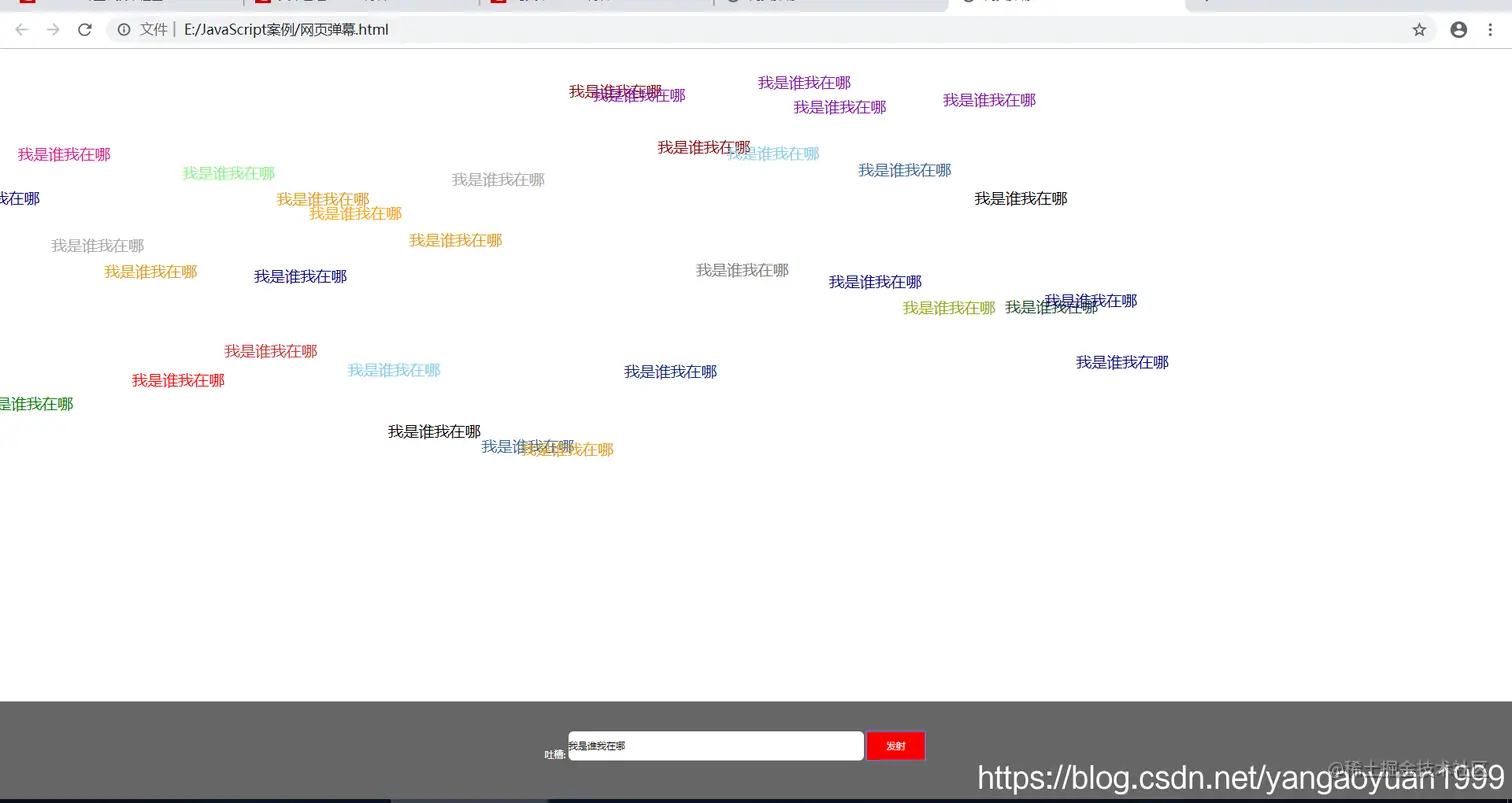
实现效果:
  1. 输入内容单击发表就会在浏览器页面上实现内容从左到右的动画效果
  2. 每发表一个内容,运动到最后都要清除标签元素以防浏览器崩溃
  3. 发表的每个内容都会随机产生高度,随机产生颜色(颜色是给出的)
实现过程:
1.创建span标签
2.将input标签的内容赋给span标签
3.让span标签成为页面的子元素
4.设置span标签的位置为页面显示可见区域的右边,随机产生值为上下位置
5.设置一个num值初始等于页面可见区域右边的值,创建一个计时器,然后num--,页面左移,来实现文字的滚动
6.文字到达页面可见区域左端,清除这个元素,
7.将这些内容放在onclick事件中,每次点击都是如此
实现细节:
1.document.createElement()用来创建一个元素。
2.网页可见区域宽:document.body.clientWidth
3.Math.random() 取[0,1)的随机小数
代码:
<!doctype html>
<html>
<head>
<meta charset="utf-8">
<title></title>
<style type="text/css">
html, body {
margin: 0px;
padding: 0px;
width: 100%;
height: 100%;
font-family: "微软雅黑";
font-size: 62.5%;
}
.boxDom {
width: 100%;
height: 100%;
position: relative;
overflow: hidden;
}
.idDom {
width: 100%;
height: 100px;
background: #666;
position: fixed;
bottom: 0px;
}
.content {
display: inline-block;
width: 430px;
height: 40px;
position: absolute;
left: 0px;
right: 0px;
top: 0px;
bottom: 0px;
margin: auto;
}
.title {
display: inline;
font-size: 4em;
vertical-align: bottom;
color: #fff;
}
.text {
border: none;
width: 300px;
height: 30px;
border-radius: 5px;
font-size: 2.4em;
}
.btn {
width: 60px;
height: 30px;
background: #f90000;
border: none;
color: #fff;
font-size: 2.4em;
}
span {
width: 300px;
height: 40px;
position: absolute;
overflow: hidden;
color: #000;
font-size: 4em;
line-height: 1.5em;
cursor: pointer;
white-space: nowrap;
}
</style>
<script>
var colors = ["#369","#16481f","orange","red","skyblue","gray","#aaa","lightgreen","green","darkblue","#06257b","darkred","#e0a111","black", "#e2128f", "#860dad", "#94ad0d", "#ce3131"];
function $(id){
return document.getElementById(id);
}
window.onload = function (){
$('btn').onclick = function (){
var timer;
var input = $('text');
var span = document.createElement('span');
span.innerHTML = input.value;
$('boxDom').appendChild(span);
span.style.color = colors[parseInt(Math.random()*colors.length)];
span.style.top = (Math.random()*400) + 'px';
var wWidth = document.body.clientWidth;
span.style.left = document.body.clientWidth+ 'px';
var num = wWidth;
timer = setInterval(function (){
num--;
if(num < -400){
$('boxDom').removeChild(span);
clearInterval(timer);
}
span.style.left = num + 'px';
},10)
}
}
</script>
</head>
<body>
<div class="boxDom" id="boxDom">
<div class="idDom" id="idDom">
<div class="content">
<p class="title">吐槽:</p>
<input type="text" class="text" id="text"/>
<button type="button" class="btn" id="btn">发表</button>
</div>
</div>
</div>
</body>
</html>