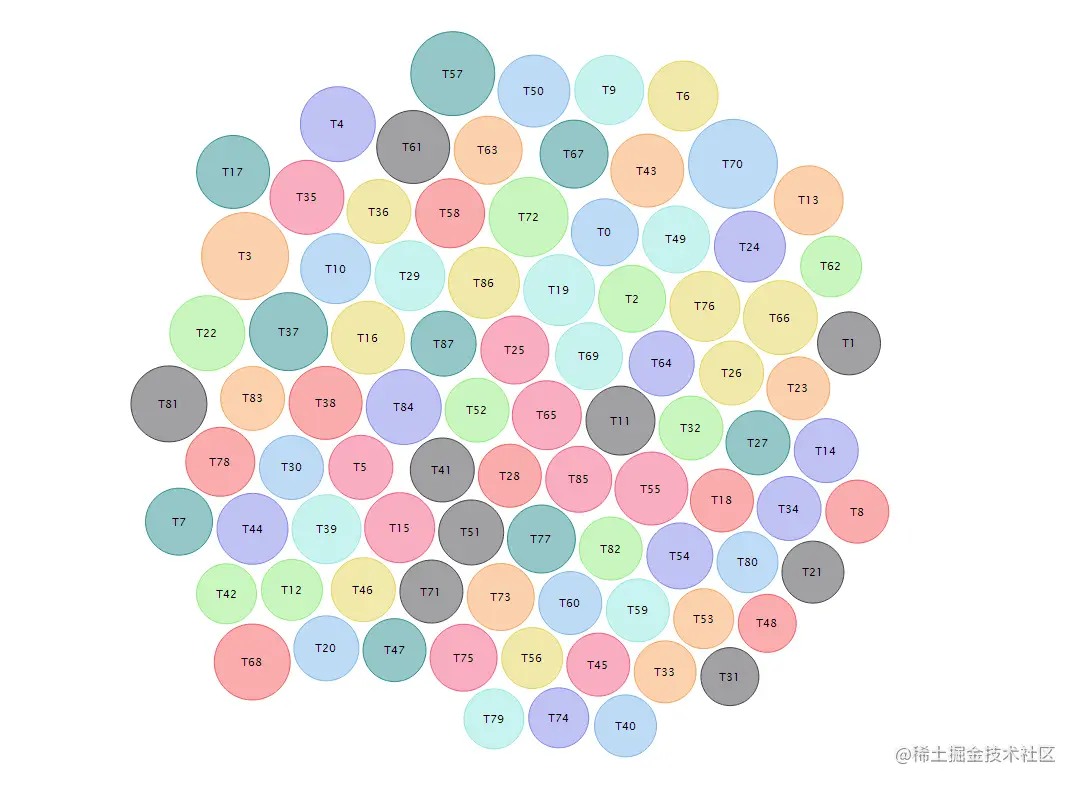
- 安装包
npm install highcharts
npm install highcharts-react-official
npm install highcharts/highcharts-more (重要!)
- 项目中引入依赖
import Highcharts from 'highcharts';
import HighchartsReact from 'highcharts-react-official';
import HighchartsMore from 'highcharts/highcharts-more';
- JSX中使用
<HighchartsReact
  highcharts={HighchartsMore(Highcharts)}
  options={options}
></HighchartsReact>
- 配置项options
const options = {
    chart: {
      type: 'packedbubble',
      height: '100%',
    },
    title: {
      text: '',
    },
    tooltip: {
      useHTML: true,
      pointFormat: '{point.label}',
    },
    legend: {
      enabled: false,
    },
    credits: {
      enabled: false,
    },
    plotOptions: {
      packedbubble: {
        minSize: '30%',
        maxSize: '120%',
        zMin: 0,
        zMax: 1000,
        // layoutAlgorithm: {
        //     splitSeries: false,
        //     gravitationalConstant: 0.02
        // },
        dataLabels: {
          enabled: true,
          format: '{point.name}',
          // filter: {
          //     property: 'y',   // 筛选显示标签的数据
          //     operator: '>',
          //     value: 250
          // },
          style: {
            color: 'black',
            textOutline: 'none',
            fontWeight: 'normal',
          },
        },
        events: {
          click: (e: any) => handleClick(e), // 点击事件
        },
      },
    },
    series: xxx, // 传入的数据
  };
- data数据结构
xxx: [
    {
        data: [{
            name: string,
            value: number
        }]
    }
]
- 效果图