

While developing iOS applications we often find ourselves using command-line tools in Ruby.
Now let's create a command-line tools with the Swift Package Manager.
Creating a command-line tool
Make a new directory and initialize it using Swift Package Manager
mkdir xcode-helper && cd xcode-helper

swift package init --type executable
type
-
Library. Use a library product to vend library targets. This makes a target’s public APIs available to clients that integrate the Swift package.
-
Executable. Use an executable product to vend an executable target. Use this only if you want to make the executable available to clients.
Build and run an executable product
command
swift run
> swift run

[3/3] Linking xcode-helper

* Build Completed!

Hello, world!
or using Xcode
swift package generate-xcodeproj

open *.xcodeproj
Adding dependencies
apple/swift-argument-parser, type-safe argument parsing for Swift.
Add the following line to the dependencies in your Package.swift file:
vi Package.swift
.package(

url: "https://github.com/apple/swift-argument-parser",

from: "0.4.0"

)
Include "ArgumentParser" as a dependency for your executable target:
.product(name: "ArgumentParser", package: "swift-argument-parser"),
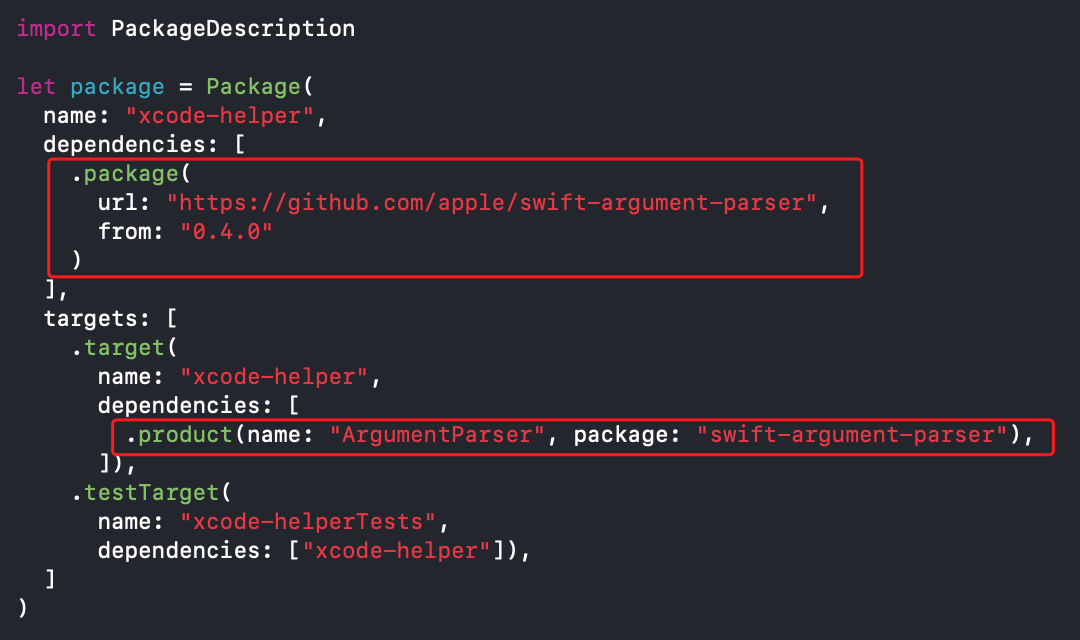
Package.swift Example:
// swift-tools-version:5.3

// The swift-tools-version declares the minimum version of Swift required to build this package.

import PackageDescription

let package = Package(

name: "xcode-helper",

dependencies: [

.package(

url: "https://github.com/apple/swift-argument-parser",

from: "0.4.0"

)

],

targets: [

.target(

name: "xcode-helper",

dependencies: [

.product(name: "ArgumentParser", package: "swift-argument-parser"),

]),

.testTarget(

name: "xcode-helperTests",

dependencies: ["xcode-helper"]),

]

)
Installing dependencies
swift package update
Creating the main execution command
The “main.swift” file can contain top-level code, and the order-dependent rules apply as well.
Sources/<target_name>/main.swift
vi Sources/xcode-helper/main.swift
import Foundation

import ArgumentParser

struct Constant {

struct App {

static let version = "0.0.1"

}

}

@discardableResult

func shell(_ command: String) -> String {

let task = Process()

let pipe = Pipe()

task.standardOutput = pipe

task.standardError = pipe

task.arguments = ["-c", command]

task.launchPath = "/bin/zsh"

task.launch()

let data = pipe.fileHandleForReading.readDataToEndOfFile()

let output = String(data: data, encoding: .utf8)!

return output

}

struct Print {

enum Color: String {

case reset = "\u{001B}[0;0m"

case black = "\u{001B}[0;30m"

case red = "\u{001B}[0;31m"

case green = "\u{001B}[0;32m"

case yellow = "\u{001B}[0;33m"

case blue = "\u{001B}[0;34m"

case magenta = "\u{001B}[0;35m"

case cyan = "\u{001B}[0;36m"

case white = "\u{001B}[0;37m"

}

static func h3(_ items: Any..., separator: String = " ", terminator: String = "\n") {

// https://stackoverflow.com/questions/39026752/swift-extending-functionality-of-print-function

let output = items.map { "\($0)" }.joined(separator: separator)

print("\(Color.green.rawValue)\(output)\(Color.reset.rawValue)")

}

static func h6(_ verbose: Bool, _ items: Any..., separator: String = " ", terminator: String = "\n") {

if verbose {

let output = items.map { "\($0)" }.joined(separator: separator)

print("\(output)")

}

}

}

extension XcodeHelper {

enum CacheFolder: String, ExpressibleByArgument, CaseIterable {

case all

case archives

case simulators

case deviceSupport

case derivedData

case previews

case coreSimulatorCaches

}

}

fileprivate extension XcodeHelper.CacheFolder {

var paths: [String] {

switch self {

case .archives:

return ["~/Library/Developer/Xcode/Archives"]

case .simulators:

return ["~/Library/Developer/CoreSimulator/Devices"]

case .deviceSupport:

return ["~/Library/Developer/Xcode"]

case .derivedData:

return ["~/Library/Developer/Xcode/DerivedData"]

case .previews:

return ["~/Library/Developer/Xcode/UserData/Previews/Simulator Devices"]

case .coreSimulatorCaches:

return ["~/Library/Developer/CoreSimulator/Caches/dyld"]

case .all:

var paths: [String] = []

for caseValue in Self.allCases {

if caseValue != self {

paths.append(contentsOf: caseValue.paths)

}

}

return paths

}

}

static var suggestion: String {

let suggestion = Self.allCases.map { caseValue in

return caseValue.rawValue

}.joined(separator: " | ")

return "[ \(suggestion) ]"

}

}

struct XcodeHelper: ParsableCommand {

public static let configuration = CommandConfiguration(

abstract: "Xcode helper",

version: "xcode-helper version \(Constant.App.version)",

subcommands: [

Cache.self

]

)

}

extension XcodeHelper {

struct Cache: ParsableCommand {

public static let configuration = CommandConfiguration(

abstract: "Xcode cache helper",

subcommands: [

List.self

]

)

}

}

extension XcodeHelper.Cache {

struct List: ParsableCommand {

public static let configuration = CommandConfiguration(

abstract: "Show Xcode cache files"

)

@Option(name: .shortAndLong, help: "The cache folder")

private var cacheFolder: XcodeHelper.CacheFolder = .all

@Flag(name: .shortAndLong, help: "Show extra logging for debugging purposes.")

private var verbose: Bool = false

func run() throws {

Print.h3("list cache files:")

Print.h3("------------------------")

if cacheFolder == .all {

var allCases = XcodeHelper.CacheFolder.allCases

allCases.remove(at: allCases.firstIndex(of: .all)!)

handleList(allCases)

} else {

handleList([cacheFolder])

}

}

private func handleList(_ folders: [XcodeHelper.CacheFolder]) {

for folder in folders {

Print.h3(folder.rawValue)

for path in folder.paths {

let cmd = "du -hs \(path)"

Print.h6(verbose, cmd)

let output = shell(cmd)

print(output)

}

}

}

}

}

XcodeHelper.main()
Build and run an executable product
Get all targets
python3 -c "\

import sys, json, subprocess;\

package_data = subprocess.Popen('swift package dump-package', shell=True, stdout=subprocess.PIPE).stdout.read().decode('utf-8');\

targets = json.loads(package_data)['targets'];\

target_names = list(map(lambda x: x['name'], targets));\

print(target_names)\

"
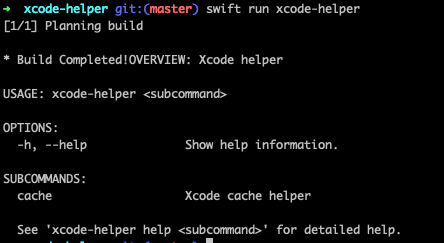
Start using command-line, swift run <target>, example:
swift run xcode-helper
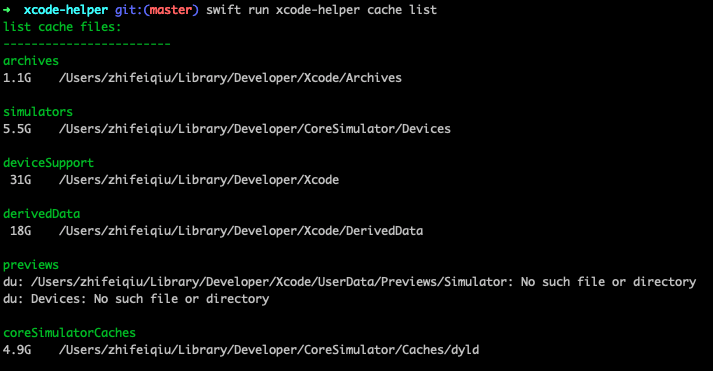
Start using subcommand, swift run <target>, example:
swift run xcode-helper cache list
Writing Unit testing
Tests/<target_name>Tests/<target_name>Tests.swift, add a standard test for the library module function.
vi Tests/xcode-helperTests/xcode_helperTests.swift
import XCTest

import class Foundation.Bundle

extension XCTest {

public var debugURL: URL {

let bundleURL = Bundle(for: type(of: self)).bundleURL

return bundleURL.lastPathComponent.hasSuffix("xctest")

? bundleURL.deletingLastPathComponent()

: bundleURL

}

public func AssertExecuteCommand(

command: String,

expected: String? = nil,

exitCode: Int32 = EXIT_SUCCESS,

file: StaticString = #file, line: UInt = #line) {

let splitCommand = command.split(separator: " ")

let arguments = splitCommand.dropFirst().map(String.init)

let commandName = String(splitCommand.first!)

let commandURL = debugURL.appendingPathComponent(commandName)

guard (try? commandURL.checkResourceIsReachable()) ?? false else {

XCTFail("No executable at '\(commandURL.standardizedFileURL.path)'.",

file: (file), line: line)

return

}

let process = Process()

if #available(macOS 10.13, *) {

process.executableURL = commandURL

} else {

process.launchPath = commandURL.path

}

process.arguments = arguments

let output = Pipe()

process.standardOutput = output

let error = Pipe()

process.standardError = error

if #available(macOS 10.13, *) {

guard (try? process.run()) != nil else {

XCTFail("Couldn't run command process.", file: (file), line: line)

return

}

} else {

process.launch()

}

process.waitUntilExit()

let outputData = output.fileHandleForReading.readDataToEndOfFile()

let outputActual = String(data: outputData, encoding: .utf8)!.trimmingCharacters(in: .whitespacesAndNewlines)

let errorData = error.fileHandleForReading.readDataToEndOfFile()

let errorActual = String(data: errorData, encoding: .utf8)!.trimmingCharacters(in: .whitespacesAndNewlines)

if let expected = expected {

XCTAssertEqual(expected, errorActual + outputActual)

}

XCTAssertEqual(process.terminationStatus, exitCode, file: (file), line: line)

}

}

final class xcode_helperTests: XCTestCase {

func test_Xcode_Helper_Versions() throws {

AssertExecuteCommand(command: "xcode-helper --version",

expected: "xcode-helper version 0.0.1")

}

func test_Xcode_Helper_Help() throws {

let helpText = """

OVERVIEW: Xcode helper

USAGE: xcode-helper <subcommand>

OPTIONS:

--version Show the version.

-h, --help Show help information.

SUBCOMMANDS:

cache Xcode cache helper

See 'xcode-helper help <subcommand>' for detailed help.

"""

AssertExecuteCommand(command: "xcode-helper", expected: helpText)

AssertExecuteCommand(command: "xcode-helper -h", expected: helpText)

AssertExecuteCommand(command: "xcode-helper --help", expected: helpText)

}

}
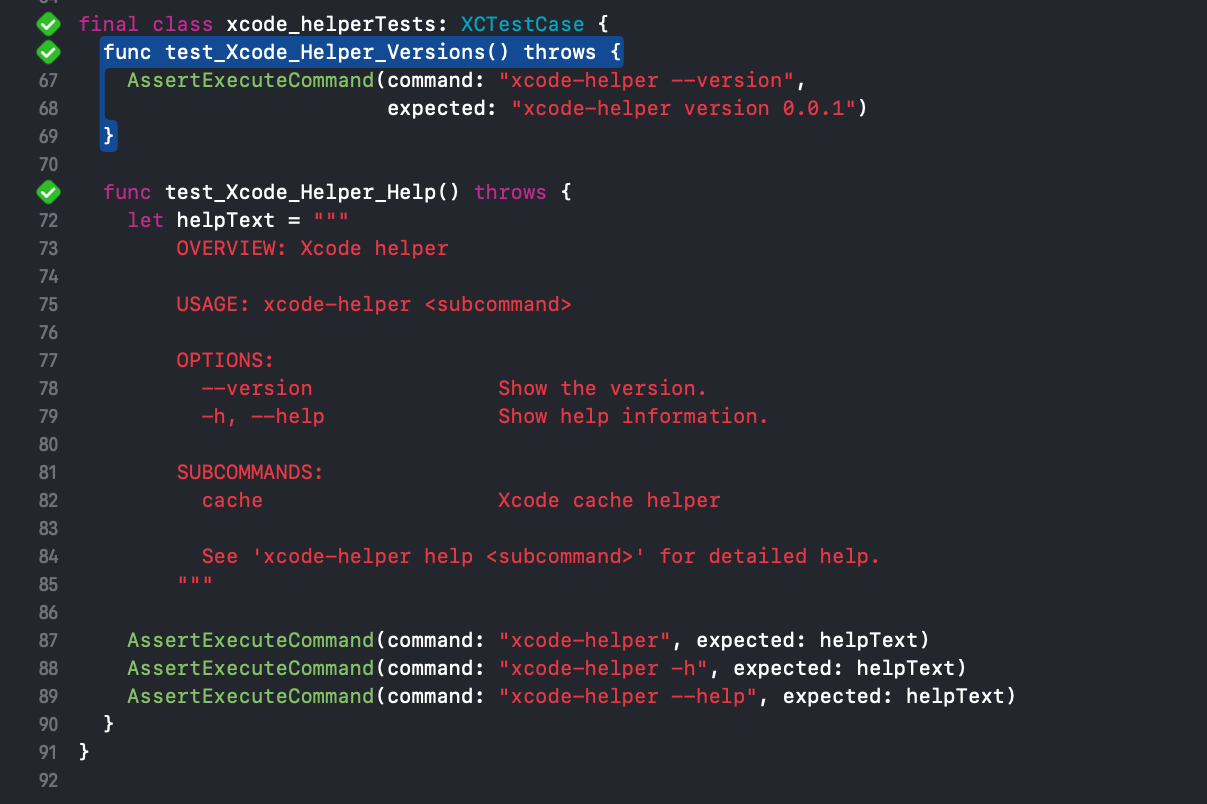
To run the unit tests, use swift test.
swift test
> swift test

Test Suite 'All tests' started at 2021-07-17 14:01:47.357

Test Suite 'xcode-helperPackageTests.xctest' started at 2021-07-17 14:01:47.358

Test Suite 'xcode_helperTests' started at 2021-07-17 14:01:47.358

Test Case '-[xcode_helperTests.xcode_helperTests test_Xcode_Helper_Help]' started.

Test Case '-[xcode_helperTests.xcode_helperTests test_Xcode_Helper_Help]' passed (0.202 seconds).

Test Case '-[xcode_helperTests.xcode_helperTests test_Xcode_Helper_Versions]' started.

Test Case '-[xcode_helperTests.xcode_helperTests test_Xcode_Helper_Versions]' passed (0.074 seconds).

Test Suite 'xcode_helperTests' passed at 2021-07-17 14:01:47.634.

Executed 2 tests, with 0 failures (0 unexpected) in 0.276 (0.276) seconds

Test Suite 'xcode-helperPackageTests.xctest' passed at 2021-07-17 14:01:47.634.

Executed 2 tests, with 0 failures (0 unexpected) in 0.276 (0.276) seconds

Test Suite 'All tests' passed at 2021-07-17 14:01:47.634.

Executed 2 tests, with 0 failures (0 unexpected) in 0.276 (0.277) seconds
Tests can also be invoked with Command-U, from the Test Inspector (Command-5), or from the sub-menu under the play button in the top bar.
Installing your command line tool
Build the tool using the release configuration, and then move the compiled binary to /usr/local/bin.
swift build -c release

cp -f .build/release/xcode-helper /usr/local/bin/xcode-helper

xcode-helper --version
> xcode-helper --version

xcode-helper version 0.0.1
Demo
This is a demo that shows how you can create a command-line tools with the Swift Package Manager.

