node.js实现简单规范日志打印功能
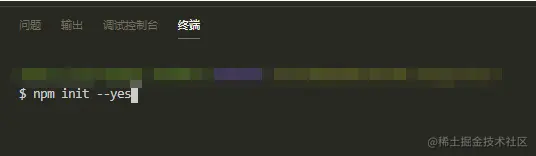
1.先新建文件夹,使用npm init --yes,初始化package.json
npm init --yes
2.新建实现日志功能的JS文件,nodeLog.js
3.引入node.js的文件操作模块
const fs = require("fs")
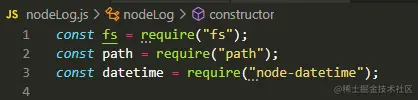
4.引入node自带的fs模块、path模块。因为规范的日志需要时间戳,所以这里引入时间戳工具。安装node-datetime,并引入
npm i node-datetime -S
const datetime = require("node-datetime")

5.编写代码
所有代码如下
const fs = require("fs");
const path = require("path");
const datetime = require("node-datetime");
class nodeLog{
constructor(userName = "admin"){
this.user = userName;
}
writeMessage(msg){
var pwd = process.cwd();
var fileName = `${path.resolve(pwd,"./logs")}.txt`;
fs.appendFileSync(fileName, msg+"\n");
}
getDate(){
var nowTime = datetime.create();
var nowTimeFormatted = nowTime.format('Y/m/d H:M:S');
return nowTimeFormatted;
}
printLog(typeName = "INFO",msg = ""){
var logStr = `${this.getDate()} [ ${typeName} - ${this.user} ]${msg}`;
console.log(logStr);
this.writeMessage(logStr);
}
all(msg){
this.printLog("ALL",msg);
}
trace(msg){
this.printLog("TRACE",msg);
}
debug(msg){
this.printLog("DEBUG",msg);
}
info(msg){
this.printLog("INFO",msg);
}
warn(msg){
printLog("WARN",msg);
}
error(msg){
printLog("ERROR",msg);
}
fatal(msg){
printLog("FATAL",msg);
}
off(msg){
printLog("OFF",msg);
}
}
module.exports = nodeLog;
// useLog.js
const nodeLog = require("./nodeLog.js")
const NLog0 = new nodeLog()
NLog0.info("login in")
NLog0.info("login out")
const NLog1 = new nodeLog("user1")
NLog1.info("login in")
NLog1.info("login out")
const NLog2 = new nodeLog("user2")
NLog2.info("login in")
NLog2.info("login out")
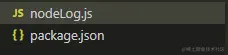
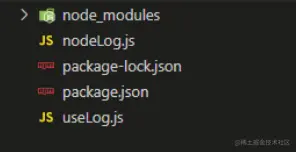
文件目录如下
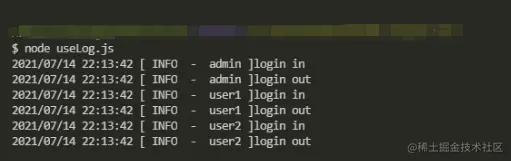
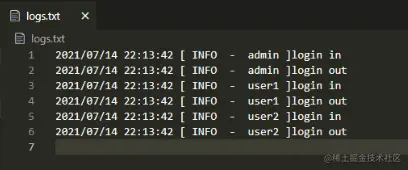
6.终端执行node useLog.js,会输出log.txt文件作为打印日志。同时也会在终端打印。