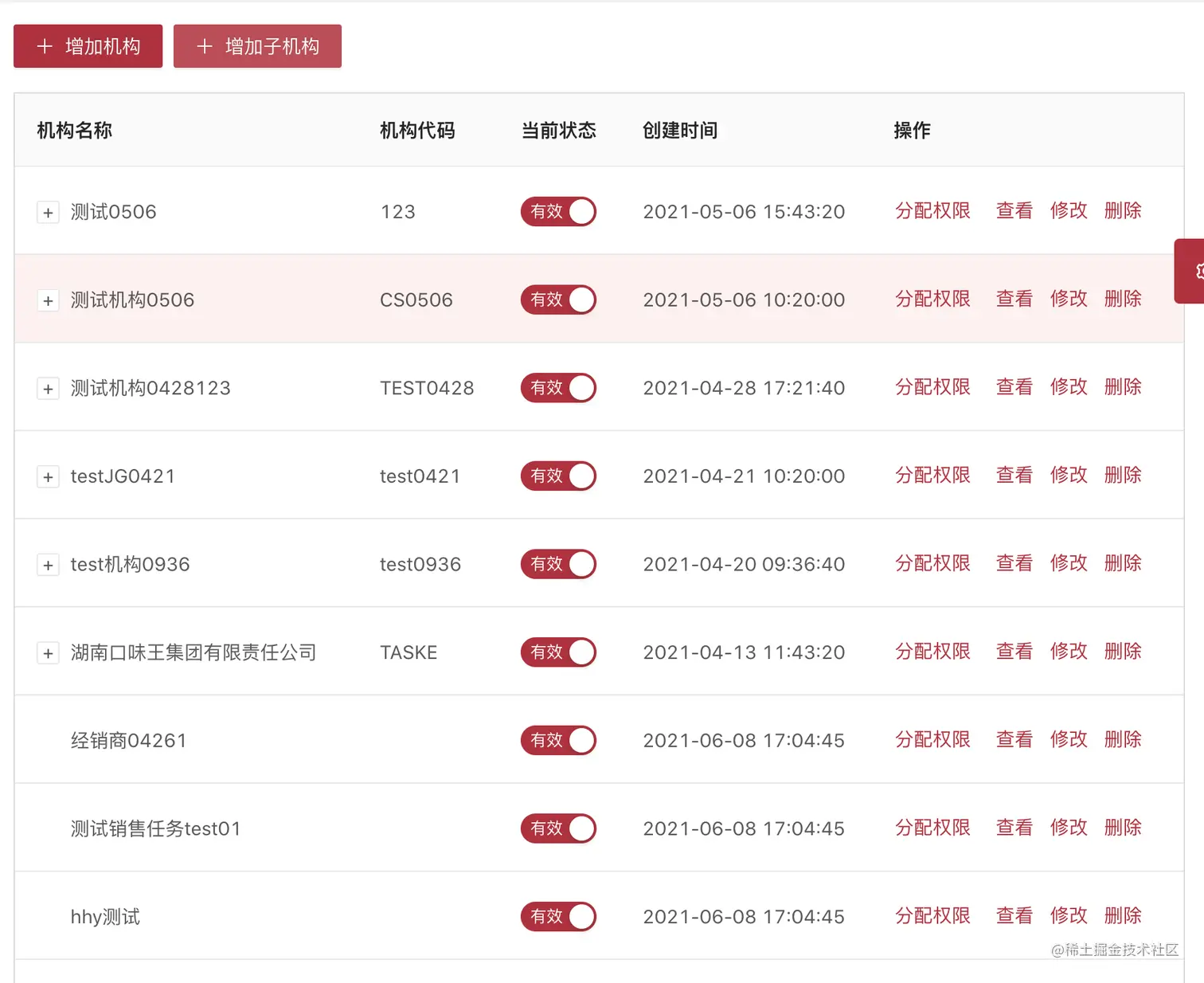
<a-card :bordered="false">
<div class="table-operator">
<a-button type="primary" icon="plus" @click="modalClick($event,'','add')">增加机构</a-button>
<a-button type="primary" icon="plus" @click="modalClick($event,'','addz')">增加子机构</a-button>
</div>
<a-table
:columns="columns"
:data-source="loadData" //数据源
:loading="loading" //加载
:selections="true" //自定义选择配置项, 设为 true 时使用默认选择项
:rowClassName="rowClassName" //表格行的类名
:customRow="customRow" //设置行属性
:pagination="false"
:rowKey="(record)=>record.orgId"
class="borderTable"
>
<template v-slot:action="text,record,index">
<a-button @click.stop="modalClick($event,record,'views')" type="link" class="ownerLinkFirst">查看</a-button>
<a-button @click.stop="modalClick($event,record,'edit')" type="link" class="ownerLink">修改</a-button>
</template>
</a-table>
</a-card>
//=============================================================
rowClassName(record, index) {
return record.orgId === this.rowClassId ? 'clickRowStyle' : ''//若满足条件,添加类
},
customRow(record, index) {//点击某行,来获取对应行数据
return {
on: {
click: (eee) => {
selectObj = record
this.rowClassId = record.orgId
console.log(selectObj,'来看参数的')
}
}
}
},
searchFormUctOrg() {//后台获取数据,并转化为能显示树形需要的格式(即表格支持树形数据的展示,当数据中有 children 字段时会自动展示为树形表格,如果不需要或配置为其他字段可以用 childrenColumnName 进行配置。
)
this.loading = true
let requestParameters = Object.assign({
pageName: 'org-manager',
formName: 'searchForm',
'uctOrg.w_sysEname': this.$sysEname,
orderBy: 'create_time desc'
// }, pagination, this.queryParam)
}, this.queryParam)
getCommonList(requestParameters).then(res => {
this.rowClassId = ''
selectObj = {}
this.loadData = eachArray(res.rows, 0, 'orgId', 'fatherId', 'uctOrg')
this.loading = false
console.log(res.rows,'res.rows')
console.log(this.loadData,'this.loadData')
})
},
//============转树形的方法==============================
export function eachArray(list,num,thisName,fatherName,key,fatherCode,listObj){
const arrList = []
if(list.lenght == 0 || !thisName || !fatherName){
alert('eachArray方法缺少执行参数!')
return
}
for(let i = 0
let objNew = list[i]
if(key){
objNew = list[i][key]
}
if(objNew[fatherName] === num || objNew[fatherName] === num.toString()){//防止类型不一样 0 "0" 拿到第一层
let comCode = objNew[thisName]
// objNew.title = objNew.comName
arrList.push(objNew)
let newArray = list.slice(0)
newArray.splice(i,1)
eachArray(newArray,'',thisName,fatherName,key,comCode,objNew)
// eachArray(newArray,comCode,'',objNew,key,thisName,fatherName)
}else{
if(listObj && objNew[fatherName] == fatherCode){
// objNew.title = objNew.comName
let comCode = objNew[thisName]
// const newListObj = {children:[]}
if(listObj.children == undefined){
// const obj = {children:[]}
// Object.assign(listObj,obj)
listObj.children = []
}
listObj.children.push(objNew)
// var newArray = JSON.parse(JSON.stringify(list))
let newArray = list.slice(0)
newArray.splice(i,1)
eachArray(newArray,'',thisName,fatherName,key,comCode,listObj.children[listObj.children.length-1])
// eachArray(newArray,'',thisName,fatherName,key,comCode,listObj.children[listObj.children.length-1])
}
}
}
return arrList
}



