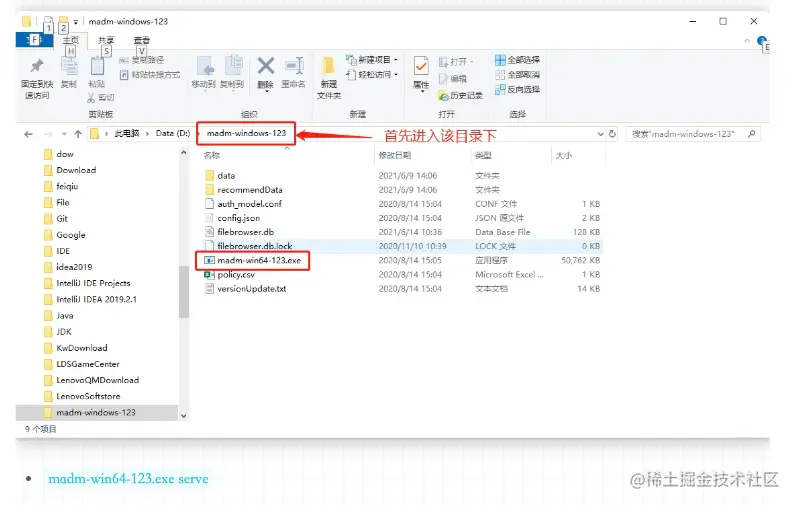
后管启动
weex基础
可以使用<scroller>实现滚动
weex-document预览文件时, 安卓有一些必填项.
<weex-document
v-if="pdfSrc.length>0"
:style="{'height': pdfHeight}"
:src="pdfSrc"
:filetype="filetype"
filename="filename.pdf"
:loadingTextColor="loadingTextColor"
:save="save"
></weex-document>
weex新增组件
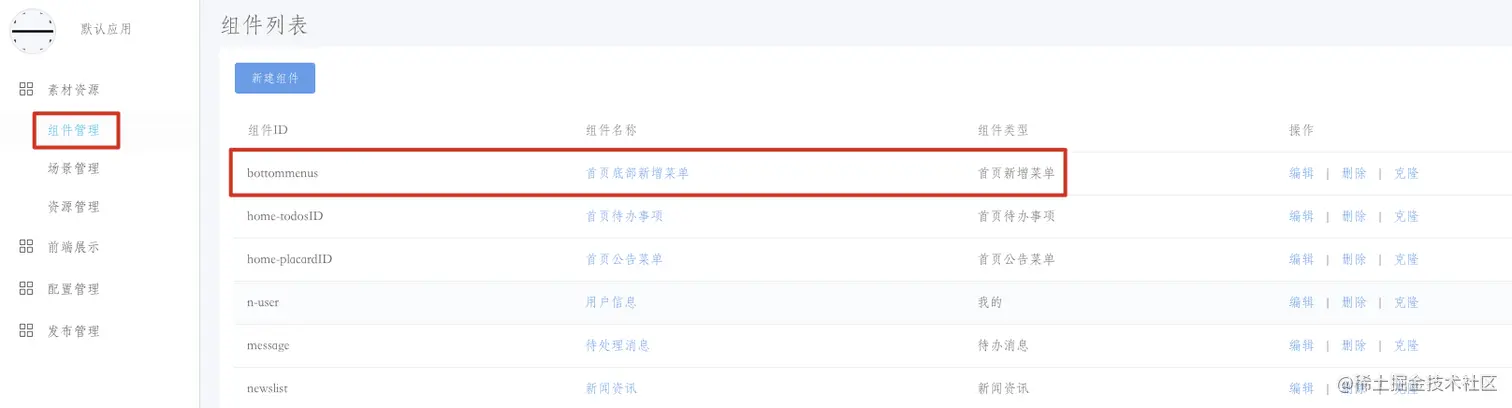

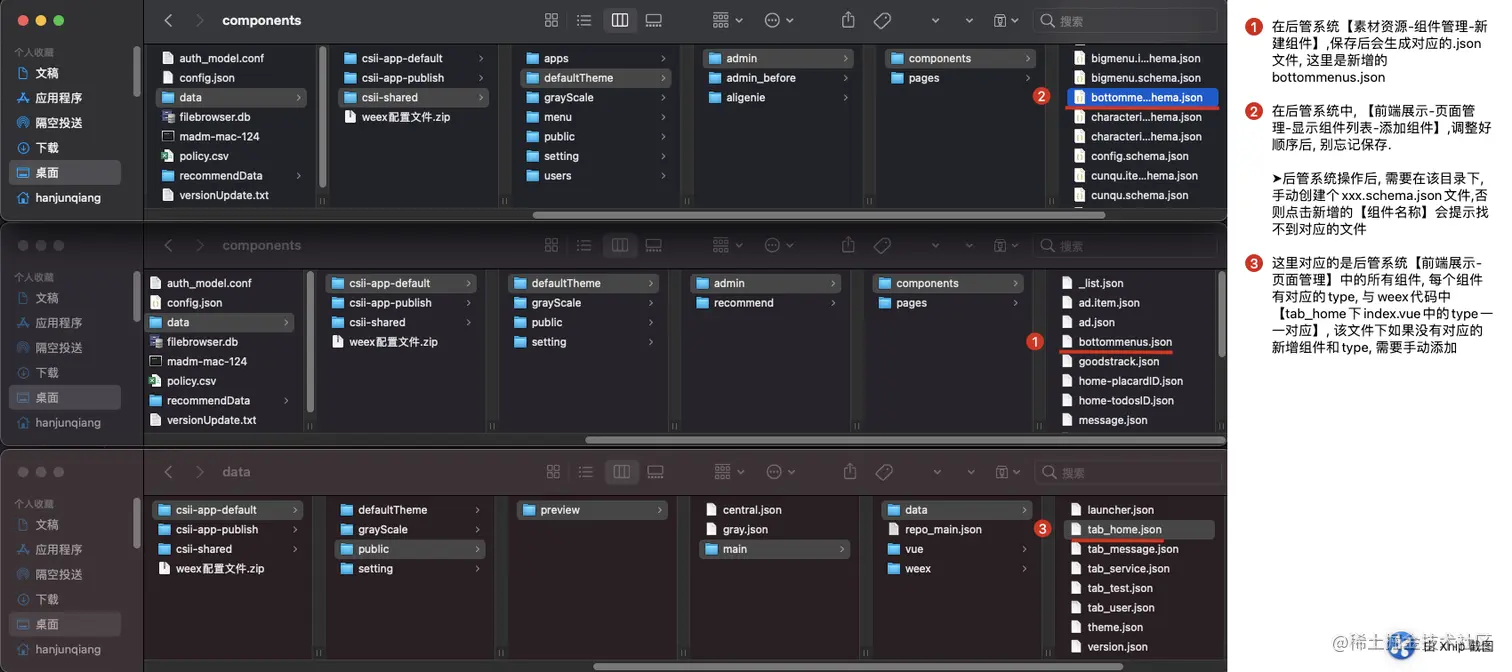
weex页面调试的配置
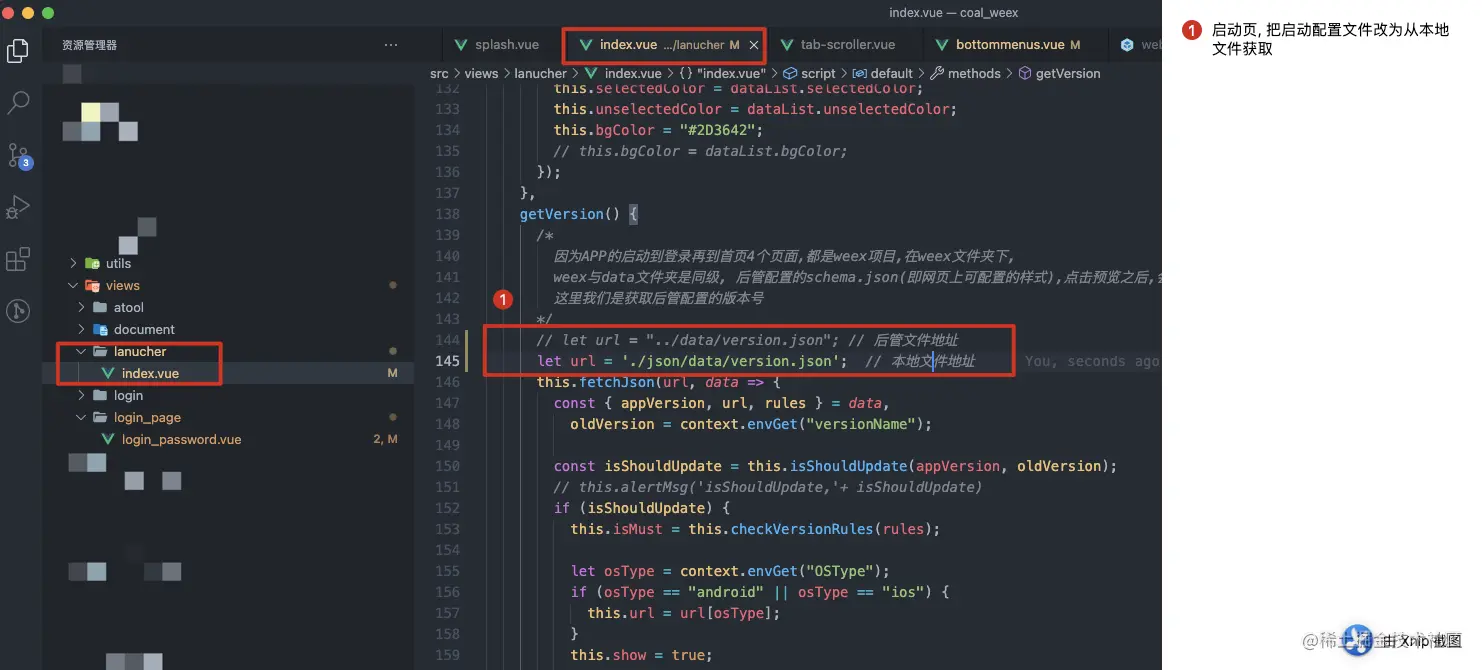
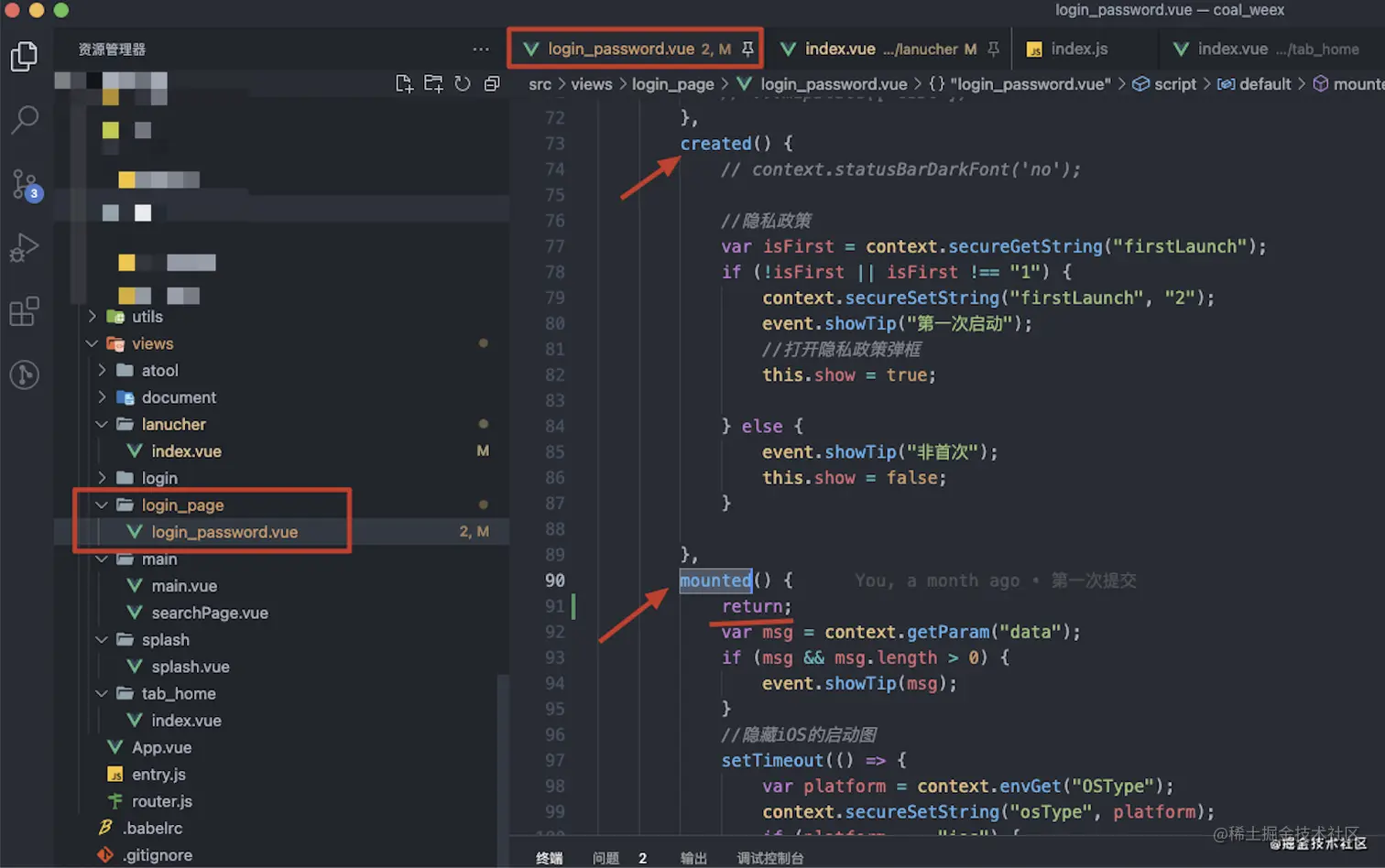
注释和原生交互、context、获取设备信息之类的代码, 比如有的页面涉及到了, 要修改要访问的页面created()和mounted(), 没涉及到可忽略该步骤.
访问路由和后台接口地址设置到代理中(代理只对本地调试起作用,科蓝这里的应该是进行封装了,暂时不管)
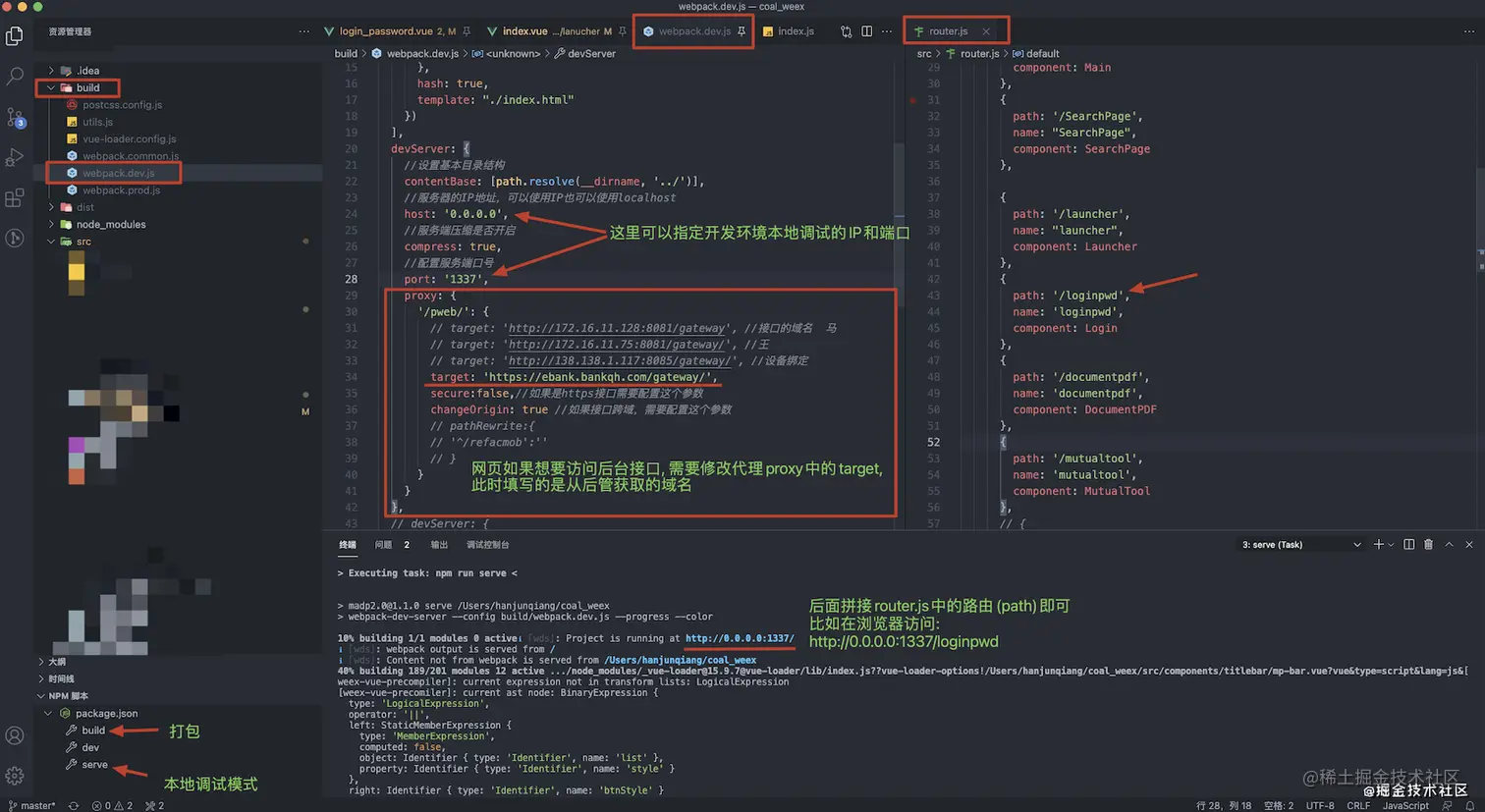
http:
weex禁用跳转的vue项目中的安卓物理返回键
mounted() {
this.$nextTick(() => {
var platform = this.$store.state.osType;
if (platform != "ios") {
context.handleBack(true);
}
});
},
beforeRouteLeave (to, from, next) {
context.handleBack(false);
next();
},
destroyed() {
var platform = this.$store.state.osType;
if (platform != "ios") {
context.handleBack(false);
}
},