jswebrtc库介绍
- github 地址
- JSWebrtc 对浏览器的 Webrtc 做了简单的封装,支持 SRS 的 RTC 流的播放.
- WebRTC (Web Real-Time Communications) 是一项实时通讯技术,它允许网络应用或者站点,在不借助中间媒介的情况下,建立浏览器之间点对点(Peer-to-Peer)的连接,实现视频流和(或)音频流或者其他任意数据的传输。
开始使用(vue项目)
- 下载jswebrtc.min.js到本地

- 将下载好的
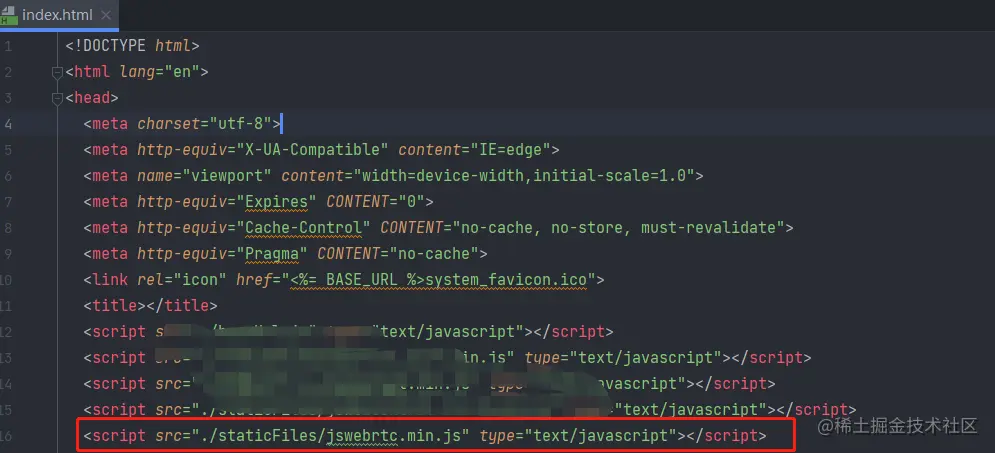
jswebrtc.min.js引入到项目(在index.html中引入)
库配置项及api
配置项
video – 用于播放视频的 HTML Video 元素.autoplay - 是否自动播放. 默认 false.onPlay(player) – 播放后回调onPause(player) – 暂停后回调
api
.play() – 开始.pause() – 暂停.stop() – 停止.destroy() – 停止播放并清理相关的播放资源..paused – 只读, 是否暂停播放
封装调用代码
<template>
<video id="jswebrtc"
ref="jswebrtc"
controls
style="width: 100%;height: 100%;object-fit: fill">
</video>
</template>
<script>
export default {
name: "WebRtcPlayer",
props: {
videoSrc: {
type: String,
default: ''
}
},
data() {
return {
player: null
}
},
mounted() {
this.$watch('videoSrc', () => {
if (this.videoSrc) {
this.initVideo(this.videoSrc)
console.log('播放视频路径:', this.videoSrc)
}
}, {immediate: true})
},
methods: {
initVideo(url) {
if (this.player) {
this.player.destroy()
this.player = null
}
let videoDom = document.getElementById('jswebrtc')
this.player = new JSWebrtc.Player(url,
{
video: videoDom,
autoplay: true,
onPlay: (obj) => {
videoDom.addEventListener('canplay', function (e) {
videoDom.play()
})
console.log(obj, '播放器开始播放!')
}
})
}
},
beforeDestroy() {
if (this.player) {
this.player.destroy()
}
}
}
</script>
<style scoped></style>