- 创建一个XMLHttpRequest异步对象
var xmlhttp;
if (window.XMLHttpRequest) {
    xmlhttp = new XMLHttpRequest();
    if (xmlhttp.overrideMimeType) {
        xmlhttp.overrideMimeType("text/xml");
    }
} else if (window.ActiveXObject) {
    var xmlList = ["MSXML2.XMLHTTP", "Microsoft.XMLHTTP"];
    for (let i = 0; i < xmlList.length; i++) {
        try {
            xmlhttp = new ActiveXObject(xmlList[i]);
        } catch (e) {
            console.log("error" + e);
        }
    }
}
if (!xmlhttp) {
    console.log("创建xmlhttprequest对象失败");
}
- 设置请求方式和请求地址
xmlhttp.open("GET", "?name=rel&class=1", true);
xmlhttp.open("POST", "?name=rel&class=1", true);
xmlhttp.setRequestHeader("Content-Type", "application/x-www-form-urlencoded");
- 用send发送请求
xmlhttp.send();
xmlhttp.send("name=rel&class=1");
- 创建回调函数, 监听状态变化
xmlhttp.onreadystatechange = function() {
if (xmlhttp.readyState === 4) {
if (xmlhttp.status == 200) {
console.log("接收返回的数据" + xmlHttp.responseText);
} else {
console.log("没有接收到返回数据");
}
}
}
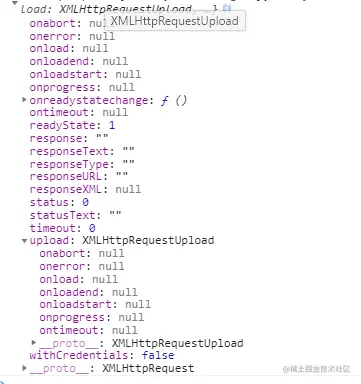
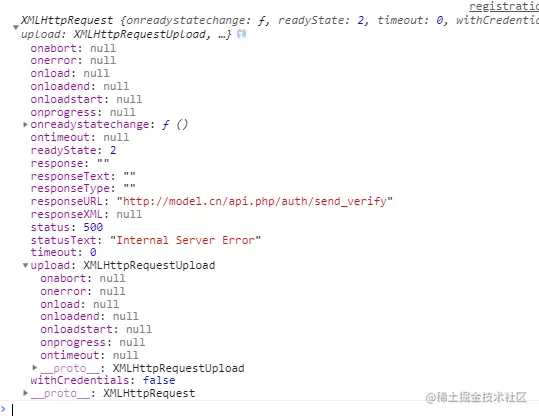
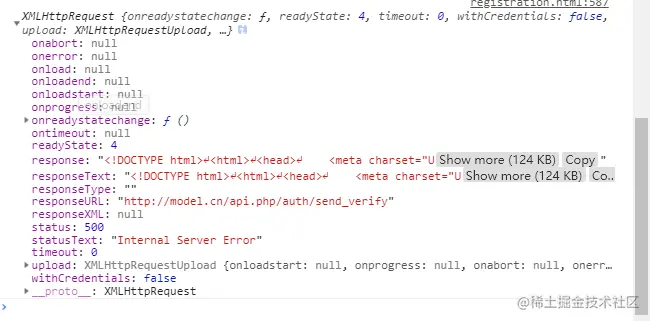
- 接收返回的数据
响应的 HTTP 状态码
200: 响应成功
301: 永久重定向 / 永久转移
302: 临时重定向 / 临时转移
304: 本次获取内容是读取缓存中的数据
400: 请求参数错误
401: 无权限访问
404: 访问的资源不存在