Flutter仿钉钉打卡具体效果如下
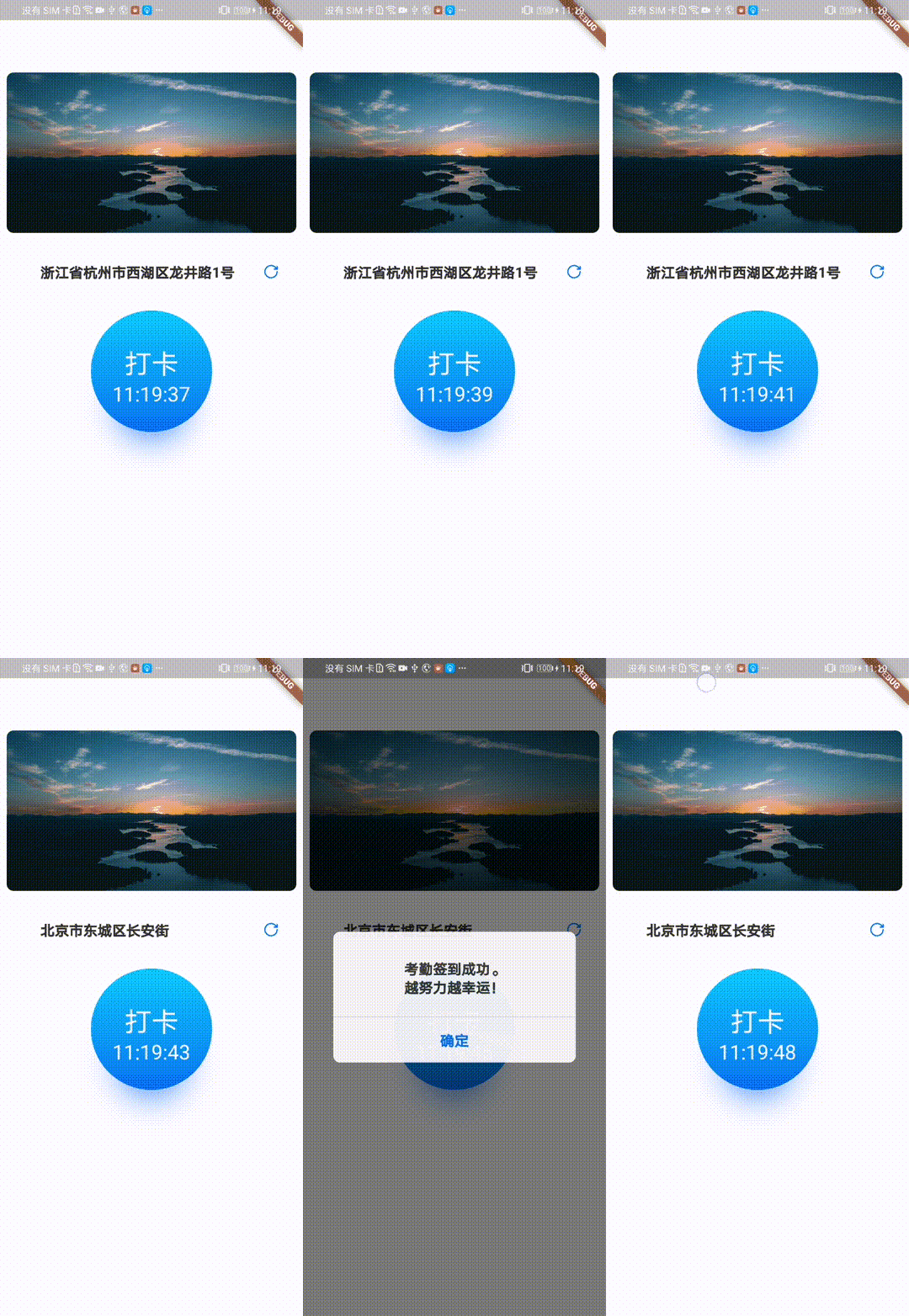
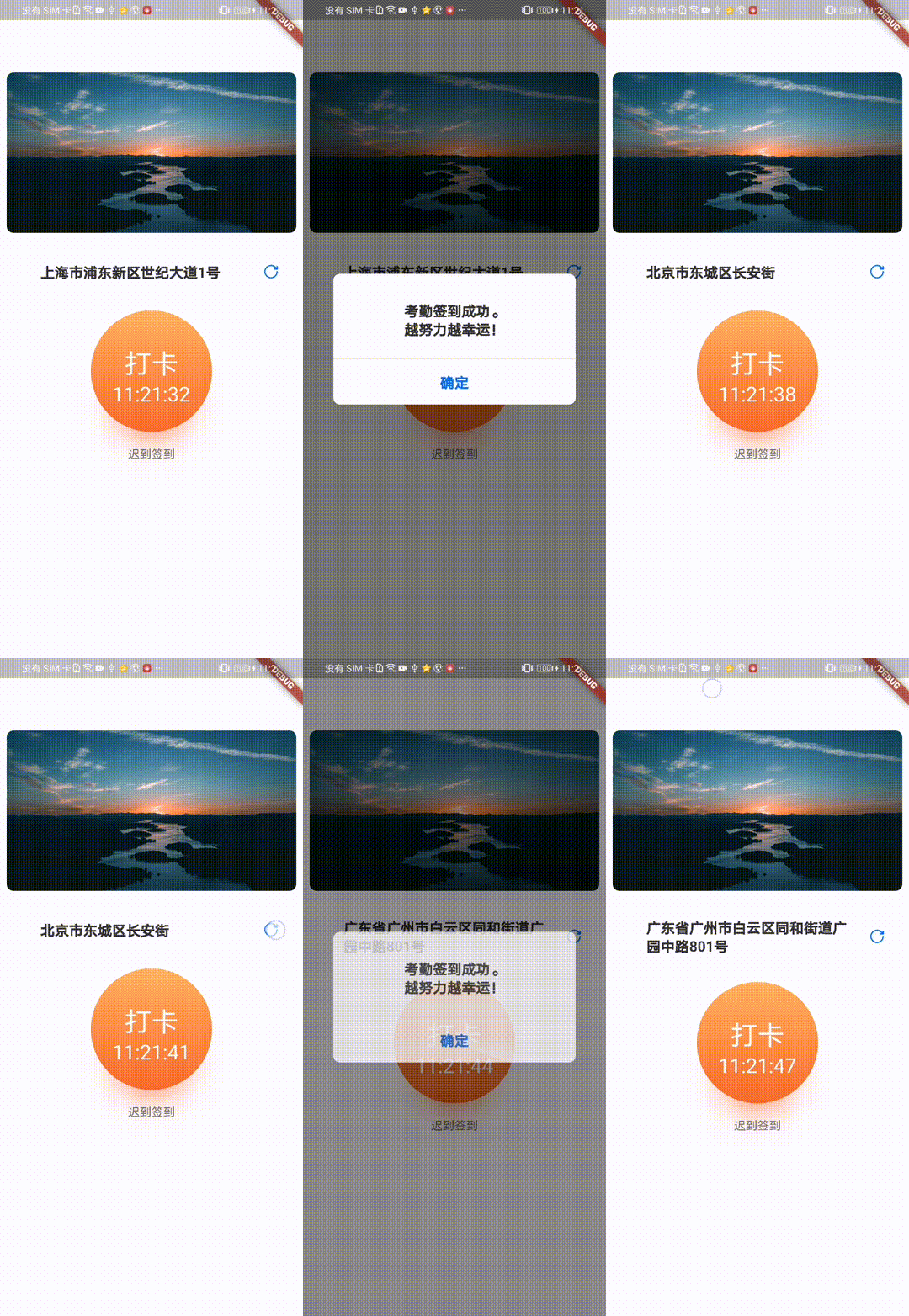
开发流程
- 设置点击按钮样式,这里使用Container()设置:
           Container(
                  height: 144.0,
                  width: 144.0,
                  alignment: Alignment.center,
                  padding: EdgeInsets.only(top: 40.0),
                  decoration: BoxDecoration(
                      shape: BoxShape.circle,
                      ...
                   ),
                  child: Column(
                    children: [
                    ...
                    ],
                  ),
                )
- 添加文案,文案包含“打卡”和当前时间(HH:mm:ss),在1中Column的children添加相关文案:
                  child: Column(
                    children: [
                      Text(
                        "打卡",
                        style: TextStyle(
                          fontSize: 32.0,
                          color: Colors.white,
                        ),
                      ),
                      SizedBox(
                        height: 4.0,
                      ),
                      Text(
                        time,
                        style: TextStyle(fontSize: 24.0, color: Colors.white),
                      ),
                    ],
                  ),
- 设置渐变色背景,正常状态下背景为蓝色,异常状态下背景为橙色,在1中Container的BoxDecoration中添加gradient:
gradient: LinearGradient(
begin: Alignment.topCenter,
end: Alignment.bottomCenter,
colors: type == 1
? [
Color(0xFF1DE0FA),
Color(0xFF1376EE),
]
: [
Color(0xFFFFB164),
Color(0xFFED6230),
]),
- 设置阴影,同样在在1中Container的BoxDecoration中添加boxShadow:
boxShadow: [
BoxShadow(
offset: Offset(0, 40.0),
color: type == 1
? Color(0xFF1376EE)
: Color(0xFFED6230),
blurRadius: 36.0,
spreadRadius: -36.0),
]),
- 设置雷达扫描样式:
class RadarPainter extends CustomPainter {
final double angle;
Paint _paint = Paint()..style = PaintingStyle.fill;
RadarPainter(this.angle);
@override
void paint(Canvas canvas, Size size) {
var radius = min(size.width / 2, size.height / 2);
_paint.shader = ui.Gradient.sweep(
Offset(size.width / 2, size.height / 2),
[
Colors.white.withOpacity(0.01),
Colors.white.withOpacity(0.1),
Colors.white.withOpacity(0.2),
Colors.white.withOpacity(0.3),
Colors.white.withOpacity(0.4),
Colors.white.withOpacity(0.5)
],
[0.0, 0.2, 0.4, 0.6, 0.8, 1.0],
TileMode.clamp,
.0,
pi / 9);
canvas.save();
double r = sqrt(pow(size.width, 2) + pow(size.height, 2));
double startAngle = atan(size.height / size.width);
Point p0 = Point(r * cos(startAngle), r * sin(startAngle));
Point px = Point(r * cos(angle + startAngle), r * sin(angle + startAngle));
canvas.translate((p0.x - px.x) / 2, (p0.y - px.y) / 2);
canvas.rotate(angle);
canvas.drawArc(
Rect.fromCircle(
center: Offset(size.width / 2, size.height / 2), radius: radius),
0,
pi / 9,
true,
_paint);
canvas.restore();
}
@override
bool shouldRepaint(CustomPainter oldDelegate) {
return true;
}
}
- 雷达扫描属于动画,点击按钮时显示动画,打卡成功后隐藏动画,设置相关动画:
radarController = AnimationController(duration: const Duration(seconds: 1), vsync: this);
radarController.addStatusListener((status) {
if (status == AnimationStatus.completed) {
isShowRadar = false;
}
});
animation = Tween(begin: .0, end: pi * 2).animate(radarController);
...
Visibility(
visible: isShowRadar,
child: AnimatedBuilder(
animation: animation,
builder: (context, child) {
return Container(
height: 144.0,
width: 144.0,
child: CustomPaint(
painter: RadarPainter(animation.value),
),
);
}),
),
...
@override
void dispose() {
radarController.dispose();
super.dispose();
}
- 组装,需要将雷达动画覆盖在画好的打卡按钮上,同时打卡按钮需要具备点击功能:
GestureDetector(
onTap: () => onTapSign(),
child: Stack(
children: [
Container(...),
radar,
]
)
)