grep、sed、awk被称为文本处理三剑客。对于纯文本来说,没有这三个工具干不了的事情,并且效率也不低。今天给大家介绍一下其中的grep。
我觉得grep非常好用。对文本的搜索功能非常强大。
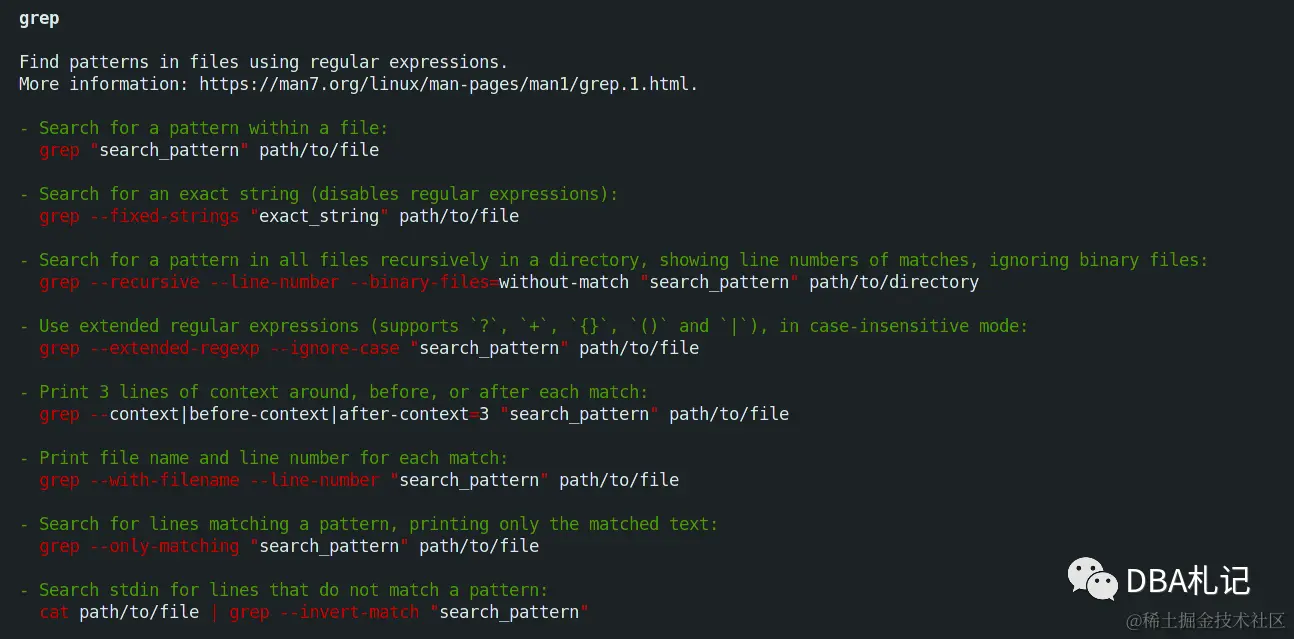
grep命令常见用法
在文件中搜索一个单词,命令会返回一个包含“match_pattern”的文本行:
grep match_pattern file_name
grep "match_pattern" file_name
在多个文件中查找:
grep "match_pattern" file_1 file_2 file_3 ...
输出除之外的所有行 -v 选项:
grep -v "match_pattern" file_name
标记匹配颜色 --color=auto 选项:
grep "match_pattern" file_name --color=auto
使用正则表达式 -E 选项:
grep -E "[1-9]+"
或
egrep "[1-9]+"
只输出文件中匹配到的部分 -o 选项:
echo this is a test line. | grep -o -E "[a-z]+\."
line.
echo this is a test line. | egrep -o "[a-z]+\."
line.
统计文件或者文本中包含匹配字符串的行数 -c 选项:
grep -c "text" file_name
输出包含匹配字符串的行数 -n 选项:
grep "text" -n file_name
或
cat file_name | grep "text" -n
grep "text" -n file_1 file_2
打印样式匹配所位于的字符或字节偏移:
echo gun is not unix | grep -b -o "not"
7:not
搜索多个文件并查找匹配文本在哪些文件中:
grep -l "text" file1 file2 file3...
grep递归搜索文件
在多级目录中对文本进行递归搜索:
grep "text" . -r -n
忽略匹配样式中的字符大小写:
echo "hello world" | grep -i "HELLO"
hello
选项 -e 指的多个匹配样式:
echo this is a text line | grep -e "is" -e "line" -o
is
line
cat patfile
aaa
bbb
echo aaa bbb ccc ddd eee | grep -f patfile -o
在grep搜索结果中包括或者排除指定文件:
grep "main()" . -r --include *.{php,html}
grep "main()" . -r --exclude "README"
grep "main()" . -r --exclude-from filelist
使用0值字节后缀的grep与xargs:
echo "aaa" > file1
echo "bbb" > file2
echo "aaa" > file3
grep "aaa" file* -lZ | xargs -0 rm
grep静默输出:
grep -q "test" filename
打印出匹配文本之前或者之后的行:
seq 10 | grep "5" -A 3
5
6
7
8
seq 10 | grep "5" -B 3
2
3
4
5
seq 10 | grep "5" -C 3
2
3
4
5
6
7
8
echo -e "a\nb\nc\na\nb\nc" | grep a -A 1
a
b
--
a
b

