JS数据结构和算法
集合
- 集合常见的实现方式:哈希表
- 集合特点:无序、不允许重复

集合封装
- 集合常见操作
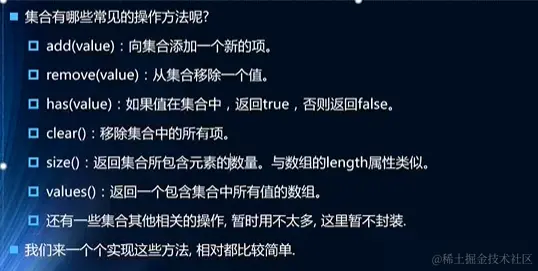
- 方法封装
<script>
function Set() {
this.items = {};
Set.prototype.add = function (data) {
if (this.has(data)) {
return false
}
this.items[data] = data;
return true;
}
Set.prototype.remove = function (data) {
if (!this.has(data)) {
return false
}
delete this.items[data];
return true;
}
Set.prototype.has = function (data) {
return this.items.hasOwnProperty(data);
}
Set.prototype.clear = function () {
this.items = {};
}
Set.prototype.size = function () {
return Object.keys(this.items).length;
}
Set.prototype.values = function (data) {
return Object.keys(this.items)
}
Set.prototype.union = function (otherSet) {
var unionSet = new Set();
var values = this.values();
for (var i = 0; i < values.length; i++) {
unionSet.add(values[i])
}
var otherValues = otherSet.values();
for (var i = 0; i < otherValues.length; i++) {
unionSet.add(otherValues[i]);
}
return unionSet;
}
Set.prototype.intersection = function (otherSet) {
var unionSet = new Set();
var values = this.values();
for (var i = 0; i < values.length; i++) {
if (otherSet.has(values[i])) {
unionSet.add(values[i]);
}
}
return unionSet;
}
Set.prototype.difference = function (otherSet) {
var unionSet = new Set();
var values = this.values();
for (var i = 0; i < values.length; i++) {
if (!otherSet.has(values[i])) {
unionSet.add(values[i]);
}
}
return unionSet;
}
Set.prototype.subset = function (otherSet) {
var values = this.values();
for (var i = 0; i < values.length; i++) {
if (!otherSet.has(values[i])) {
return false;
}
}
return true;
}
}
var set = new Set();
set.add('a');
set.add('b');
set.add('c');
console.log(set.remove('c'));
console.log(set.has('a'));
console.log(set.size());
console.log(set.values());
console.log(set.clear());
</script>
字典
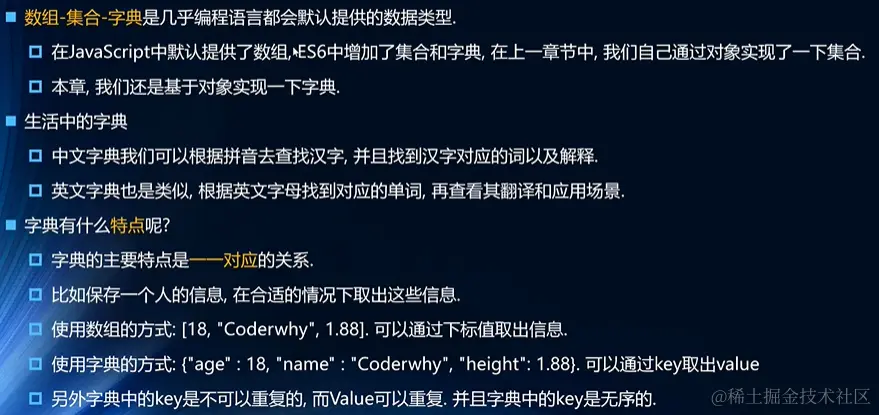
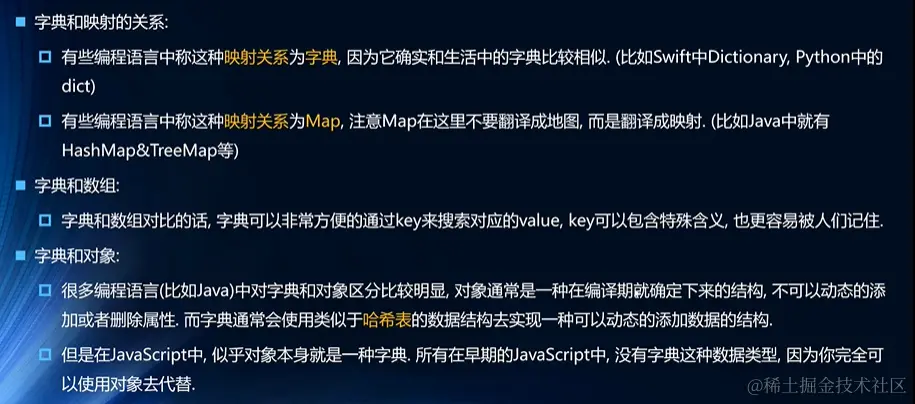
- 字典封装:跟集合很像,只是多了个键,模仿Map构造函数