Axios
Axios库
Axios API
- 可以通过向axios()传递相关配置来创建请求
- axios(config) config为对象格式的配置选项
- axios(url,config) config可选
axios方法的参数
axios("http://localhost:3000/posts").then(function (res){
console.log(res.data);
});
axios("http://localhost:3000/posts",{
    params:{
        id : 2
    }
}).then(function (res){
    console.log(res.data);
});
常用配置项
url 用于请求的服务器URL,必需
method 创建请求时使用的方法
baseURL 传递相对URL前缀,将自动加在URL前面
headers 即将被发送的自定义请求头
params 即将与请求一起发送的URL参数
axios({
url:"/posts",
method:"get",
baseURL:"http://localhost:3000",
headers:{
"Content-Type":"application/x-www-form-encoded"
},
params:{
id:1
}
}).then(function (res){
console.log(res.data);
}).catch(function (error){
console.log(error);
})
data 作为请求主体被发送的数据
axios({
url:"/posts",
method:"post",
baseURL:"http://localhost:3000",
headers:{
"Content-Type":"application/json"
},
data:{
"userId":2,
"title":"c++",
"content":"c++教研"
}
}).then(function (res){
console.log(res.data);
}).catch(function (error){
console.log(error);
})
timeout 指定请求超时的毫秒数(0表示无超时时间)
responseType 表示服务器响应的数据类型,默认"json"
then和catch
axios({
url:"/posts",
method:"post",
baseURL:"http://localhost:3000",
headers:{
"Content-Type":"application/json"
},
data:{
"userId":2,
"title":"c++",
"content":"c++教研"
}
}).then(function (res){
console.log(res.data);
}).catch(function (error){
console.log(error);
})
全局配置默认值
axios.defaults.baseURL = 'http://localhost:3000';
axios.defaults.headers.post['Content-Type'] = 'application/json';
axios({
url:"/posts",
method:"post",
data:{
"userId": 3,
"title": "c#",
"content": "c#教研"
}
}).then(function (res){
console.log(res.data);
});
axios({
url:"/posts",
method:"get",
params:{
id:2
}
}).then(function (res){
console.log(res.data);
});
拦截器
- 在请求或响应被then或catch处理前拦截它们。
请求拦截器(可以拦截后面的所有)
- 功能:拦截请求之前的配置,可以对配置进行进一步修改
- 代码演示
axios.interceptors.request.use(function (config){
config.params = {
id:2
},
config.baseURL = "http://localhost:3000";
return config;
},function (error){
return Promise.reject(error);
});
axios("/posts").then(function (res){
console.log(res.data);
});
axios("/comments").then(function (res){
console.log(res.data);
});
响应拦截器(可以拦截后面的所有)
- 功能:拦截从服务端获取的数据,进行处理后,再return返回。
- 代码演示
axios.interceptors.request.use(function (config){
config.params = {
id:2
},
config.baseURL = "http://localhost:3000";
return config;
},function (error){
return Promise.reject(error);
});
axios.interceptors.response.use(function (response){
return response.data;
},function (error){
return Promise.reject(error);
});
axios("/posts").then(function (res){
console.log(res);
});
axios("/comments").then(function (res){
console.log(res);
});
总结:可以使用拦截器替换全局默认值的设置
快速请求方法
axios.get(url[, config])
- 传递的参数较少:第一种方式
- 传递的参数较多,用&连接比较麻烦,用第二种方式
- 代码演示
axios.get("http://localhost:3000/posts?id=3").then(function (res){
console.log(res.data);
});
axios.get("http://localhost:3000/posts",{
params:{
id:2,
title: "jq"
}
}).then(function (res){
console.log(res.data);
});
axios.post(url[, data[, config]])
axios.post("http://localhost:3000/posts",{
"userId": 3,
"title": "php",
"content": "php棒棒"
}).then(function (res){
console.log(res.data);
});
- 注意:对于post是添加数据,可以不写回调函数。但是对于get,就是要获取数据的,所以一定要写回调函数。
axios.delete(url[, config])
axios.delete("http://localhost:3000/posts/6");
axios.put(url[, data[, config]
axios.put("http://localhost:3000/posts/7",{
"userId": 6,
"title": "node.js",
"content": "vue赞",
});
XMLHttpRequest 2.0
- HTML5中对XMLHttpRequest类型全面升级,更易用,更强大
onload / onprogress
xhr.onload事件:只在请求完成时触发
- onload事件可以代替onreadystatechange方法,其中if判断也可以不写了
xhr.onprogress事件:只在请求进行中触发
- 也就是readyState为3的时候,触发的
- 在事件中还存在一个e,可以输出
- 周期性请求过程中,接收到的数据的个数
- 接收数据的总个数
- 代码演示
xhr.onprogress = function (e){
console.log("progress: " + this.readyState);
console.log(e.loaded);
console.log(e.total);
};
代码演示
- 将onreadystatechange方法拆开,使得每一个更加独立,不再需要通过if进行判断
var xhr = window.XMLHttpRequest
? new XMLHttpRequest()
: new ActiveXObject("Microsoft.XMLHTTP");
xhr.open("get","http://localhost:3000/comments");
xhr.onload = function (){
console.log("load: " + this.readyState);
};
xhr.onprogress = function (){
console.log("progress: " + this.readyState);
};
xhr.send(null);
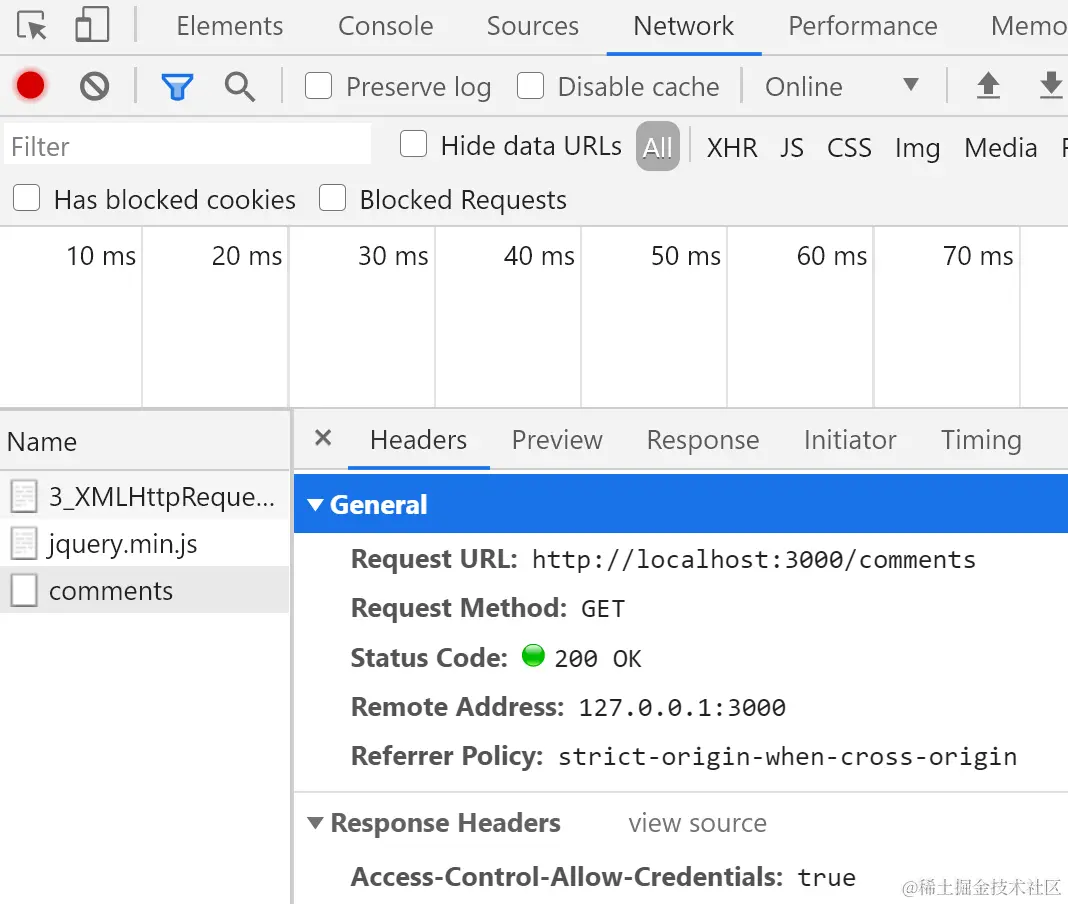
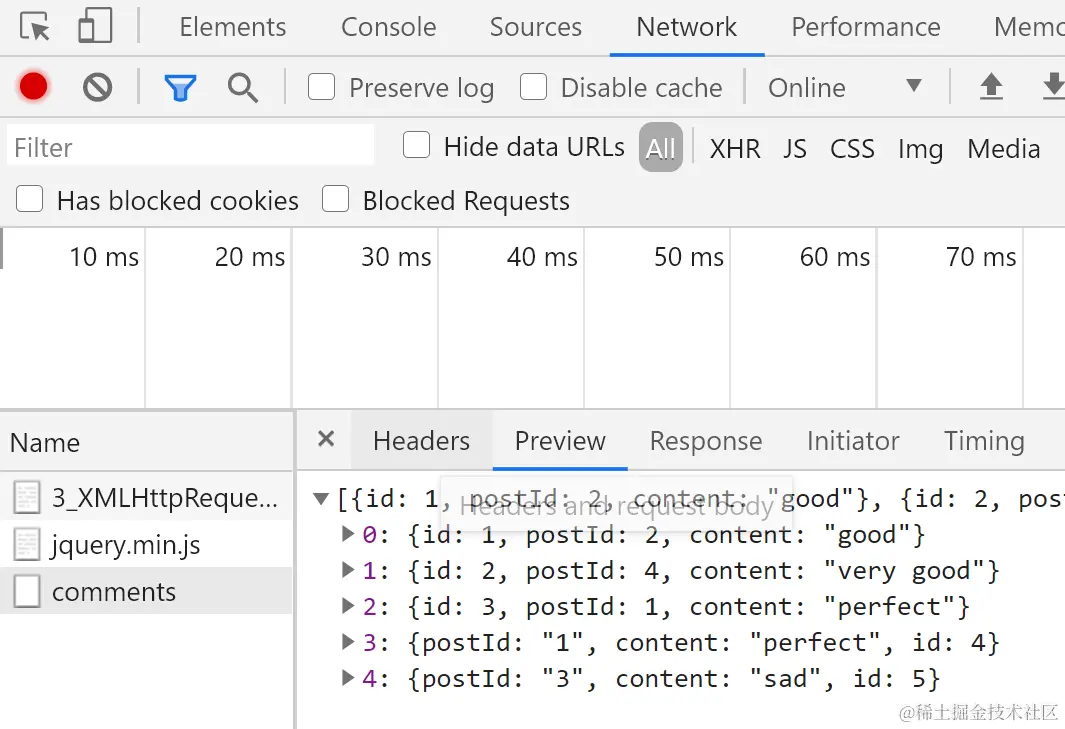
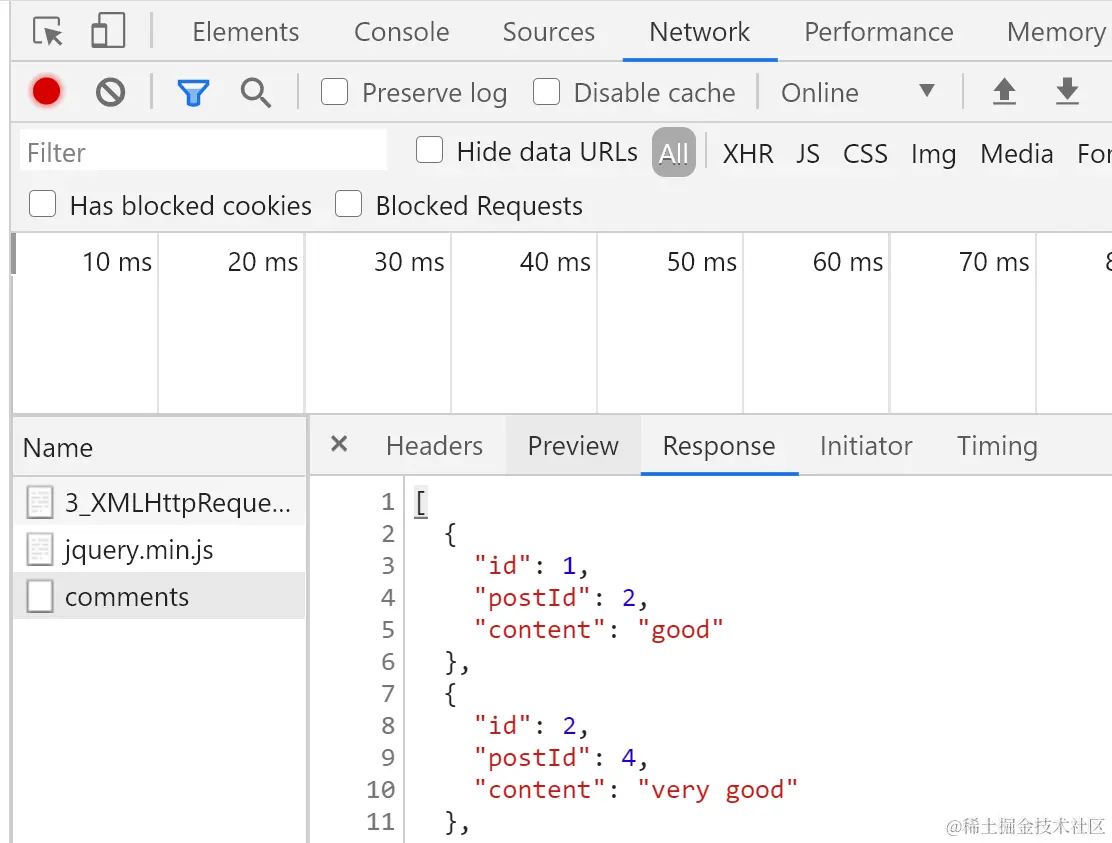
控制台network简介
response属性
responseText
responseHtml
response属性
- 以对象的形式表述响应体,其类型取决于responseType的值。
- 可以尝试设置responseType的值,以便通过特定的类型请求数据。
- responseType要在调用open()初始化请求之后,在调用send()发送请求到服务器之间设置方可生效。
- 代码演示
var xhr = window.XMLHttpRequest
? new XMLHttpRequest()
: new ActiveXObject("Microsoft.XMLHTTP");
xhr.open("get","http://localhost:3000/comments");
xhr.responseType = "json";
xhr.onload = function (){
console.log(this.response);
}
xhr.send(null);