
vue 的生命周期尝试
一、效果图👹
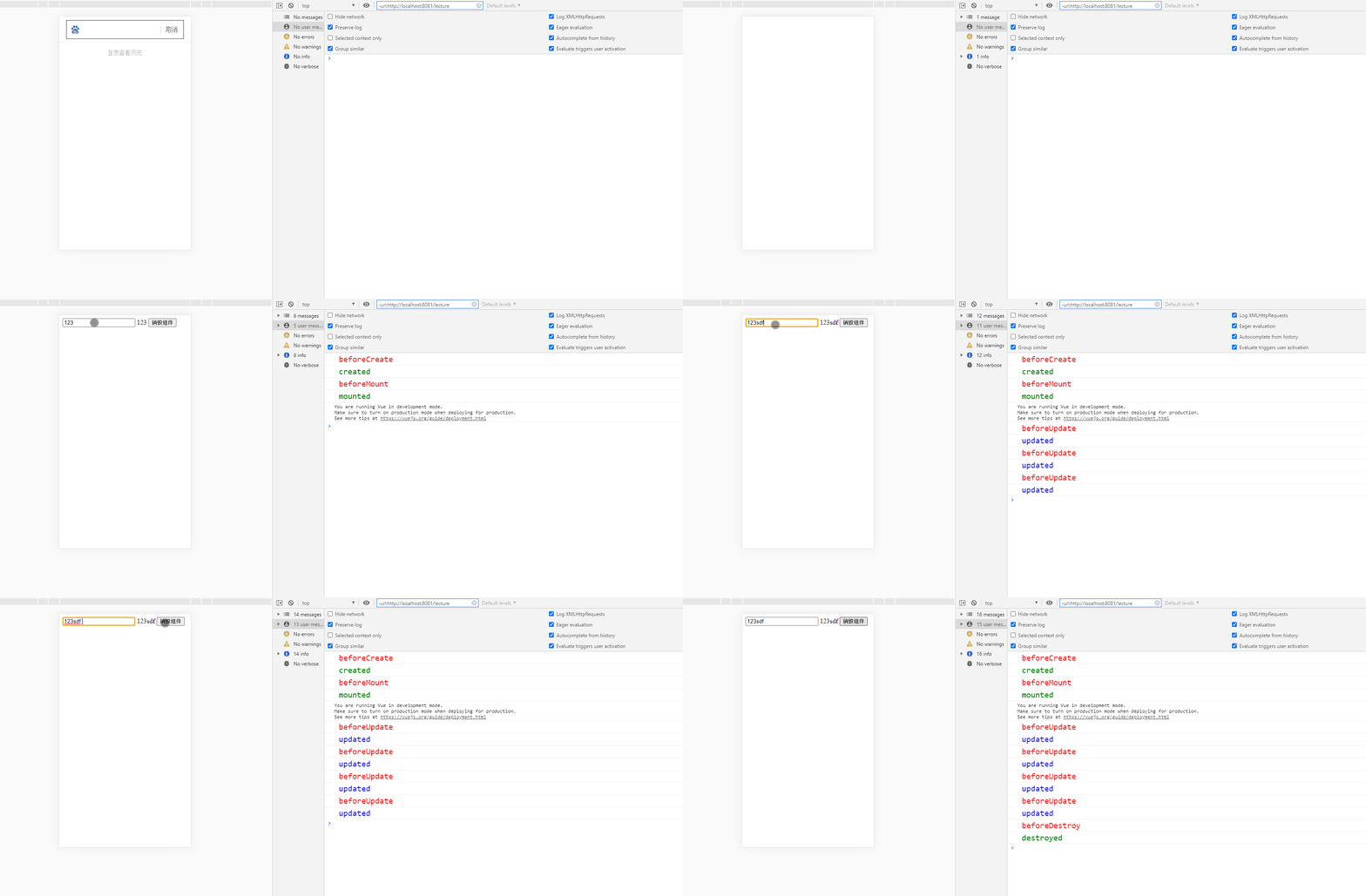
二、代码展示👻
<!DOCTYPE html>
<html lang="en">
<head>
<meta charset="UTF-8">
<meta name="viewport" content="width=device-width, initial-scale=1.0">
<title>vue生命周期演示</title>
<script src="https://cdn.bootcdn.net/ajax/libs/vue/2.6.11/vue.min.js"></script>
</head>
<body>
<div id="box">
<input type="text" name="" v-model="msg" id="">
{{ msg }}
<button @click="destoryCom">销毁组件</button>
</div>
</body>
<script >
const app = new Vue({
el:"#box",
data:{
msg:'123'
},
methods: {
destoryCom(){
this.$destroy()
}
},
beforeCreate() {
console.log(`%c beforeCreate`, "color:red;font-size:20px");
},
created() {
console.log(`%c created`, "color:green;font-size:20px");
},
beforeMount(){
console.log(`%c beforeMount`, "color:red;font-size:20px");
},
mounted() {
console.log(`%c mounted`, "color:green;font-size:20px");
},
beforeUpdate() {
console.log(`%c beforeUpdate`, "color:red;font-size:20px");
},
updated() {
console.log(`%c updated`, "color:blue;font-size:20px");
},
beforeDestroy() {
console.log(`%c beforeDestroy`, "color:red;font-size:20px");
},
destroyed() {
console.log(`%c destroyed`, "color:green;font-size:20px");
},
});
</script>
</html>
点赞支持👍