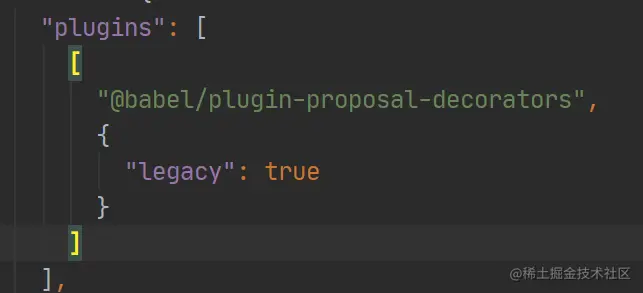
一 安装
  yarn add mobx
  yarn add mobx-react
二 使用
- 创建store
import {action, observable,makeObservable} from 'mobx';
class AuthStore{
constructor() {
makeObservable(this)
}
@observable values={
username:'',
password:''
};
@action setUsername=(username)=>{
this.values.username=username;
}
@action setPassword=(password)=>{
this.values.password=password;
}
}
export default new AuthStore();
- 创建useStores函数,用于在函数组件内,获取context对象
import { createContext, useContext } from 'react';
import AuthStore from './auth';
const context = createContext({
AuthStore
});
export const useStores = () => useContext(context);
- 使用context
import {useStores} from '../stores';
import {observer} from 'mobx-react';
const Component=observer(()=>{
const {AuthStore} = useStores();
})
export default Component;
三 配置webpack
- 使用装饰器语法报错
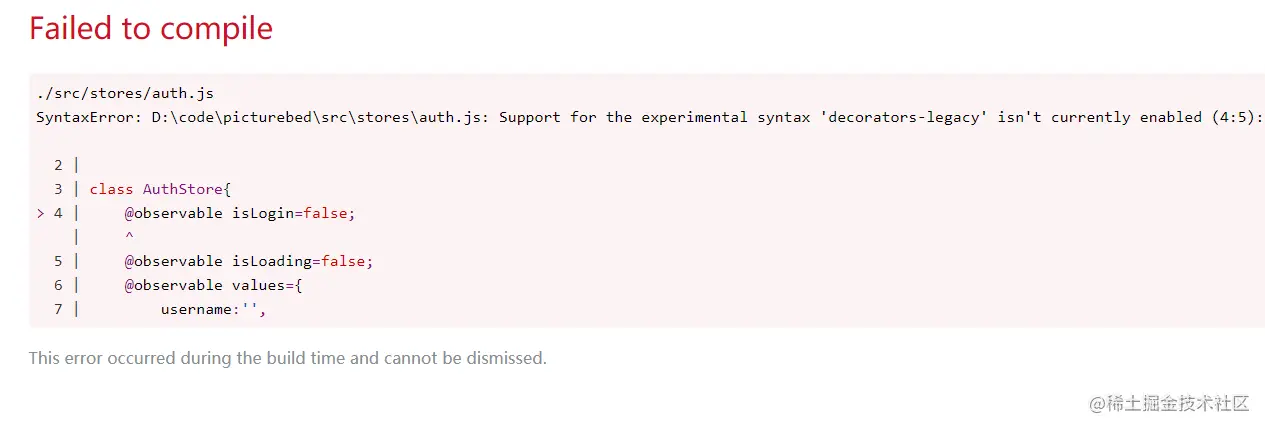
- 运行命令
  yarn eject
  yarn add @babel/plugin-proposal-decorators
- 配置webpack.config.js