<!DOCTYPE html>
<html lang="en">
<head>
<meta charset="UTF-8">
<meta http-equiv="X-UA-Compatible" content="IE=edge">
<meta name="viewport" content="width=device-width, initial-scale=1.0">
<title>Document</title>
</head>
<body>
<canvas id="canvas" height="600" width="800"></canvas>
<script>
var canvas = document.getElementById('canvas')
var ctx = canvas.getContext('2d')
function renderCircle(rate = 0,data = 0) {
ctx.clearRect(0,0,800,600)
ctx.save()
ctx.translate(300, 300);
ctx.rotate(135 * Math.PI / 180);
ctx.save()
ctx.beginPath()
ctx.strokeStyle = 'gray'
ctx.lineWidth = 10
ctx.lineCap = 'round'
ctx.arc(0, 0, 150, 0 * Math.PI, 1.5 * Math.PI, false);
ctx.stroke()
ctx.restore();
ctx.beginPath()
ctx.strokeStyle = 'red'
ctx.lineWidth = 10
ctx.lineCap = 'round'
ctx.arc(0, 0, 150, 0, rate, false)
ctx.stroke();
ctx.save()
ctx.rotate(-135 * Math.PI / 180);
var txt =( data * 100).toFixed(2) + '%';
var fontSize = 40
ctx.font = fontSize + 'px 微软雅黑'
var txtW = ctx.measureText(txt).width;
var txtH = fontSize / 2;
ctx.fillStyle = 'skyblue'
ctx.fillText(txt, -txtW / 2, txtH / 2)
ctx.restore()
ctx.restore()
}
function renderStep(data) {
let rate = 1.5 * Math.PI * data
renderCircle(rate,data)
}
var r_id = null;
var step = 100;
var stepData = 0
var initData = 0
var totalData = 0.1352
function renderAnimation() {
stepData = totalData / step;
renderStep(initData)
initData = initData + stepData;
if ((initData * 10000).toFixed(2) > totalData * 10000) {
window.cancelAnimationFrame(r_id);
} else {
r_id = window.requestAnimationFrame(renderAnimation)
}
}
r_id = window.requestAnimationFrame(renderAnimation)
</script>
</body>
</html>
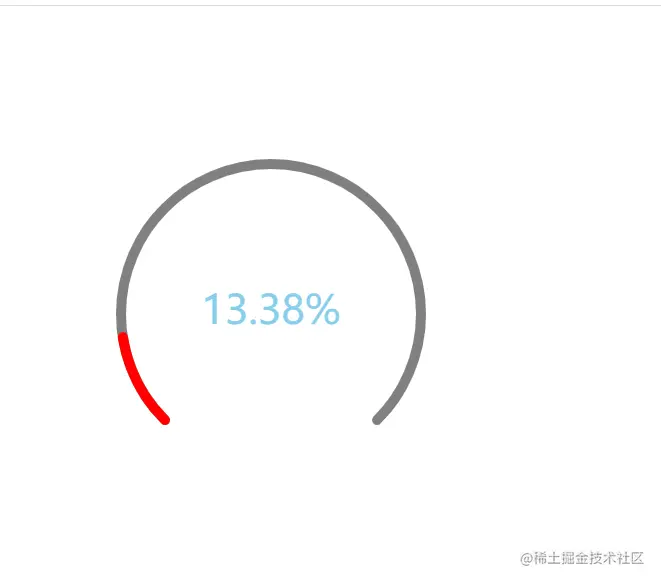
- 存在的问题:
由于js对于小数计算有误差,所以在最后展示时会出现与实际值不相符,这个可以根实际项目的精度需要进行调整计算。