构造方法
const Chip({
Key key,
this.avatar,
@required this.label,
this.labelStyle,
this.labelPadding,
this.deleteIcon,
this.onDeleted,
this.deleteIconColor,
this.deleteButtonTooltipMessage,
this.shape,
this.clipBehavior = Clip.none,
this.backgroundColor,
this.padding,
this.materialTapTargetSize,
this.elevation,
this.shadowColor,
})
示例
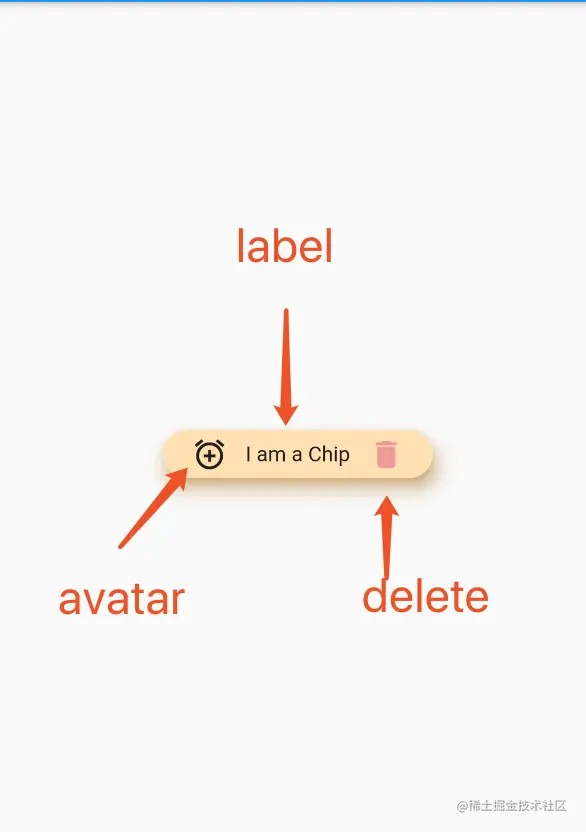
代码
class _MyHomePageState extends State<MyHomePage> {
  @override
  Widget build(BuildContext context) {
    return Scaffold(
      appBar: AppBar(
        title: Text(widget.title),
      ),
      body: Center(
        child: Column(
          mainAxisAlignment: MainAxisAlignment.center,
          children: <Widget>[
            Chip(
              label: Text("I am a Chip"),
              avatar: Icon(Icons.add_alarm),
              deleteIcon: Icon(Icons.delete),
              deleteButtonTooltipMessage: "delete",
              deleteIconColor: Colors.red[200],
              onDeleted: (){
                print("delete");
              },
              backgroundColor: Colors.orange[100],
              padding: EdgeInsets.symmetric(horizontal: 15),
              elevation: 10,
              shadowColor: Colors.orange,
            ),
          ],
        ),
      ),
    );
  }
}