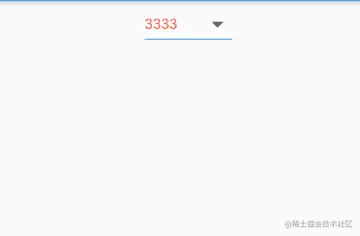
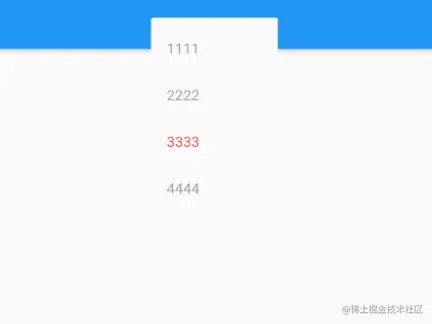
class _MyHomePageState extends State<MyHomePage> {
String value = "3";
@override
Widget build(BuildContext context) {
return new Scaffold(
appBar: new AppBar(),
body: new Column(
children: <Widget>[
new Center(
child: new DropdownButton(
items: <DropdownMenuItem<String>>[
DropdownMenuItem(child: Text("1111",style: TextStyle(color: value=="1"?Colors.red:Colors.grey),),value: "1",),
DropdownMenuItem(child: Text("2222",style: TextStyle(color: value=="2"?Colors.red:Colors.grey),),value: "2",),
DropdownMenuItem(child: Text("3333",style: TextStyle(color: value=="3"?Colors.red:Colors.grey),),value: "3",),
DropdownMenuItem(child: Text("4444",style: TextStyle(color: value=="4"?Colors.red:Colors.grey),),value: "4",),
],
hint:new Text("提示信息"),
onChanged: (selectValue){
setState(() {
value = selectValue;
});
},
value: value,
elevation: 10,
style: new TextStyle(
color: Colors.blue,
fontSize: 15
),
iconSize: 30,
underline: Container(height: 1,color: Colors.blue,),
),
),
],
),
);
}
}