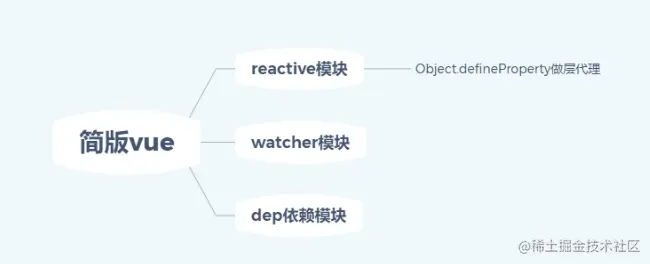
function defineReactive(obj, key, val) {
observe(val)
const dep = new Dep()
Object.defineProperty(obj, key, {
get() {
console.log('get', key)
Dep.target && dep.addDep(Dep.target)
return val
},
set(v) {
if (val !== v) {
console.log('set', key)
observe(v)
val = v
dep.notify()
}
}
})
}
function observe(obj) {
if (typeof obj !== 'object' || obj == null) {
return obj
}
new Observer(obj)
}
class Observer {
constructor(obj) {
this.value = obj
if (Array.isArray(obj)) {
} else {
this.walk(obj)
}
}
walk(obj) {
Object.keys(obj).forEach((key) => {
defineReactive(obj, key, obj[key])
})
}
}
function proxy(vm) {
Object.keys(vm.$data).forEach((key) => {
Object.defineProperty(vm, key, {
get() {
return vm.$data[key]
},
set(v) {
vm.$data[key] = v
}
})
})
Object.keys(vm.$method).forEach((key) => {
Object.defineProperty(vm, key, {
get() {
return vm.$method[key]
},
set(v) {
vm.$method[key] = v
}
})
})
}
class KVue {
constructor(options) {
this.$options = options
this.$data = options.data
this.$method = options.methods
observe(this.$data)
proxy(this)
new Compile(options.el, this)
}
}
class Compile {
constructor(el, vm) {
this.$vm = vm
this.$el = document.querySelector(el)
this.compile(this.$el)
}
compile(el) {
el.childNodes.forEach((node) => {
if (this.isElement(node)) {
this.compileElement(node)
if (node.childNodes && node.childNodes.length > 0) {
this.compile(node)
}
} else if (this.isInter(node)) {
this.compileText(node)
}
})
}
isElement(node) {
return node.nodeType === 1
}
isInter(node) {
return node.nodeType === 3 && /\{\{(.*)\}\}/.test(node.textContent)
}
isDir(attr) {
return attr.startsWith('k-')
}
isEvent(attr) {
return attr.startsWith('@')
}
update(node, exp, dir) {
const fn = this[dir + 'Updater'].bind(this)
if (['model'].includes(dir)) {
fn && fn(node, exp)
} else {
fn && fn(node, this.$vm[exp])
new Watcher(this.$vm, exp, function(val) {
fn && fn(node, val)
})
}
}
compileText(node) {
this.update(node, RegExp.$1, 'text')
}
textUpdater(node, val) {
node.textContent = val
}
compileElement(node) {
Array.from(node.attributes).forEach((attr) => {
const attrName = attr.name
const exp = attr.value
if (this.isDir(attrName)) {
const dir = attrName.substring(2)
this[dir] && this[dir](node, exp)
} else if (this.isEvent(attrName)) {
const dir = attrName.substring(1)
const event = 'event' + dir
this[event] && this[event](node, exp)
}
})
}
eventclick(node, exp) {
const fn = this.$vm[exp].bind(this.$vm)
node.addEventListener('click', () => {
fn()
})
}
text(node, exp) {
this.update(node, exp, 'text')
}
html(node, exp) {
this.update(node, exp, 'html')
}
htmlUpdater(node, val) {
node.innerHTML = val
}
model(node, exp) {
this.update(node, exp, 'model')
}
modelUpdater(node, exp) {
const vm = this.$vm
node.addEventListener('input', (e) => {
vm[exp] = e.target.value
})
}
}
class Watcher {
constructor(vm, key, updateFn) {
this.vm = vm
this.key = key
this.updateFn = updateFn
Dep.target = this
this.vm[this.key]
Dep.target = null
}
update() {
this.updateFn.call(this.vm, this.vm[this.key])
}
}
class Dep {
constructor() {
this.deps = []
}
addDep(dep) {
this.deps.push(dep)
}
notify() {
this.deps.forEach((dep) => dep.update())
}
}
实践代码
<meta http-equiv="Content-Type" content="text/html;charset=UTF-8">
<div id="app">
<p>{{counter}}</p>
<p k-text="counter" @click="onclick"></p>
<p k-html="desc"></p>
<p>{{inputVal}}</p>
<input type="text" k-model="inputVal">
</div>
<script src="./kvue.js"></script>
<script>
const app = new KVue({
el: '#app',
data: {
counter: 1,
desc: '<span style="color: red">村长真棒</span>',
inputVal: '1234',
},
methods: {
onclick() {
this.counter++
}
},
})
</script>