1. 安装插件
npm install vue-video-player -S
2. 在 main.js 入口文件导入
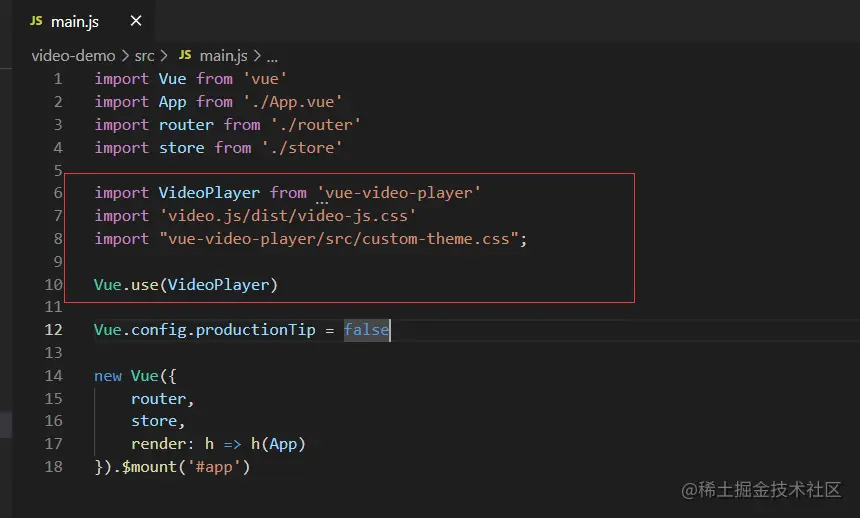
import VideoPlayer from 'vue-video-player'
import 'video.js/dist/video-js.css'
import "vue-video-player/src/custom-theme.css";

Vue.use(VideoPlayer)
3. 在单文件组件中使用
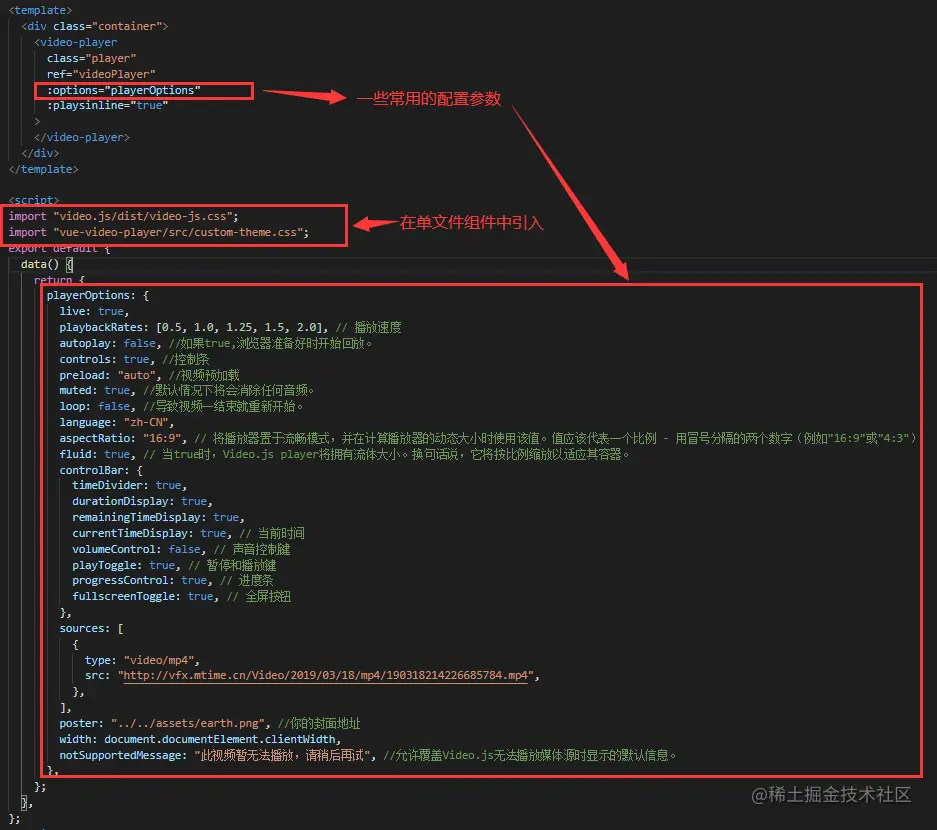
import "video.js/dist/video-js.css";
import "vue-video-player/src/custom-theme.css";
data() {
return {
playerOptions: {
live: true,
playbackRates: [0.5, 1.0, 1.25, 1.5, 2.0],
autoplay: false,
controls: true,
preload: "auto",
muted: true,
loop: false,
language: "zh-CN",
aspectRatio: "16:9",
fluid: true,
controlBar: {
timeDivider: true,
durationDisplay: true,
remainingTimeDisplay: true,
currentTimeDisplay: true,
volumeControl: false,
playToggle: true,
progressControl: true,
fullscreenToggle: true,
},
sources: [
{
type: "video/mp4",
src: "http://vfx.mtime.cn/Video/2019/03/18/mp4/190318214226685784.mp4",
},
],
poster: "../../assets/earth.png",
width: document.documentElement.clientWidth,
notSupportedMessage: "此视频暂无法播放,请稍后再试",
},
};
},
};
4. 效果展示