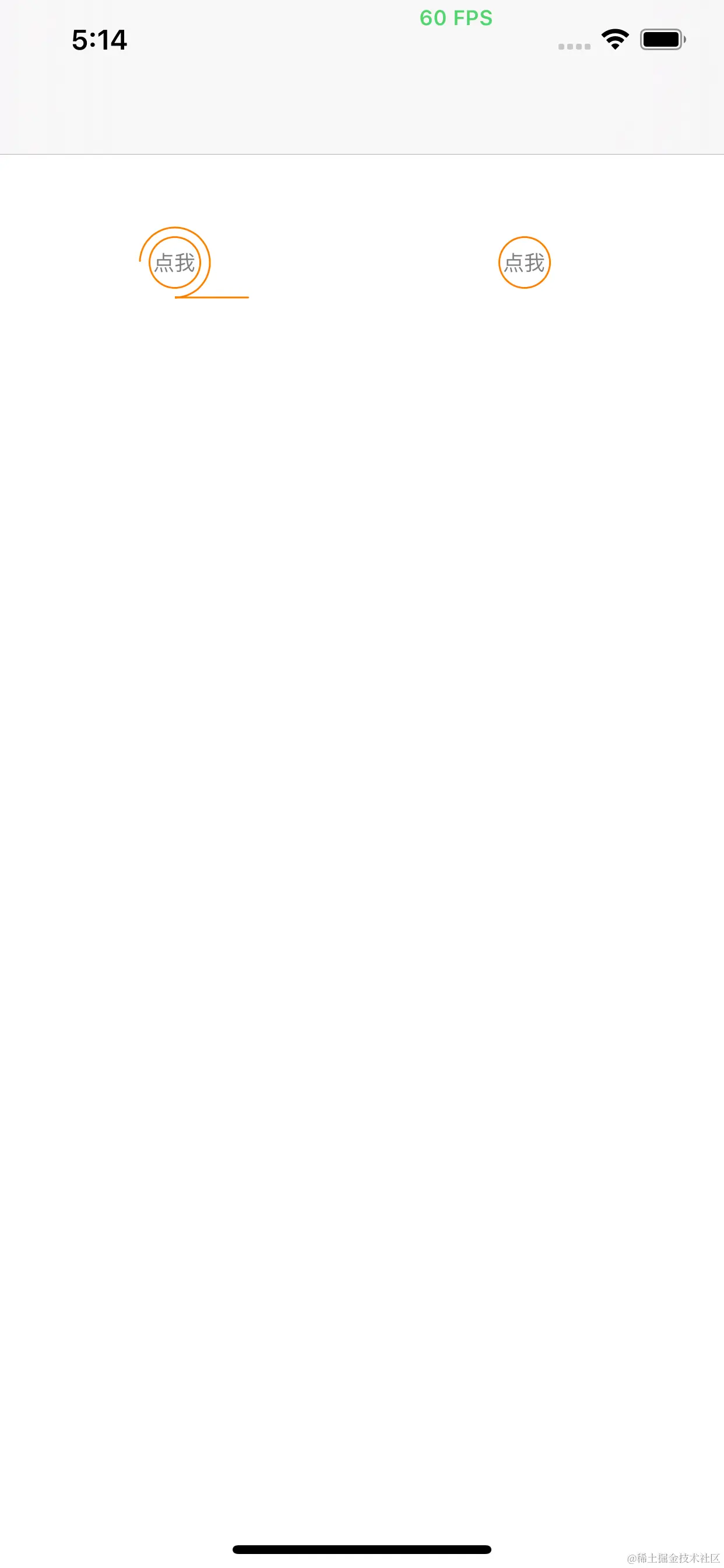
@interface ViewController ()
/*动画路径*/
@property (nonatomic,strong) UIBezierPath *animationPath
/*第一个按钮*/
@property (nonatomic,strong) UIButton *startBtn
/*第二个按钮*/
@property (nonatomic,strong) UIButton *endBtn
/*展示层*/
@property (nonatomic,strong) CAShapeLayer *shapeLayer
@end
@implementation ViewController
- (void)viewDidLoad {
[super viewDidLoad]
[self startBtn]
[self endBtn]
}
/*左边按钮*/
- (UIButton *)startBtn {
if(!_startBtn) {
_startBtn = [UIButton buttonWithType:UIButtonTypeCustom]
_startBtn.bounds = CGRectMake(0, 0, 30, 30)
_startBtn.center = CGPointMake(100, 150)
_startBtn.layer.cornerRadius = 15
_startBtn.layer.masksToBounds = YES
_startBtn.layer.borderColor = [UIColor orangeColor].CGColor
_startBtn.layer.borderWidth = 1
[_startBtn setTitle:@"点我" forState:UIControlStateNormal]
[_startBtn setTitleColor:[UIColor grayColor] forState:UIControlStateNormal]
_startBtn.titleLabel.font = [UIFont systemFontOfSize:12]
[_startBtn addTarget:self action:@selector(clickMe:) forControlEvents:UIControlEventTouchUpInside]
[self.view addSubview:_startBtn]
}
return _startBtn
}
/*右边按钮*/
- (UIButton *)endBtn {
if(!_endBtn) {
_endBtn = [UIButton buttonWithType:UIButtonTypeCustom]
_endBtn.bounds = CGRectMake(0, 0, 30, 30)
_endBtn.center = CGPointMake(300, 150)
_endBtn.layer.cornerRadius = 15
_endBtn.layer.masksToBounds = YES
_endBtn.layer.borderColor = [UIColor orangeColor].CGColor
_endBtn.layer.borderWidth = 1
[_endBtn setTitle:@"点我" forState:UIControlStateNormal]
[_endBtn setTitleColor:[UIColor grayColor] forState:UIControlStateNormal]
_endBtn.titleLabel.font = [UIFont systemFontOfSize:12]
[_endBtn addTarget:self action:@selector(clickMe:) forControlEvents:UIControlEventTouchUpInside]
[self.view addSubview:_endBtn]
}
return _endBtn
}
/*显示层shapeLayer*/
- (CAShapeLayer *)shapeLayer {
if(!_shapeLayer) {
_shapeLayer = [CAShapeLayer layer]
_shapeLayer.strokeColor = [UIColor orangeColor].CGColor
_shapeLayer.lineWidth = 1
_shapeLayer.fillColor = [UIColor clearColor].CGColor
_shapeLayer.lineCap = kCALineCapRound
[self.view.layer addSublayer:_shapeLayer]
}
return _shapeLayer
}
//按钮点击方法
- (void)clickMe:(UIButton *)sender {
if (sender == self.startBtn) {
BOOL clockwise = YES
//点击左边按钮的时候,起始点为右边按钮的中心点;结束点为左边按钮的中心点,动画方向为顺时针
[self cicle:CGPointMake(100, 150) ToCicle:CGPointMake(300, 150) clockwise:clockwise]
} else {
//点击右边按钮的时候,起始点为左边按钮的中心点;结束点为右边按钮的中心点,动画方向为逆时针
[self cicle:CGPointMake(300, 150) ToCicle:CGPointMake(100, 150) clockwise:NO]
}
}
/**
* 实现动画
* @param fromPoint 开始点
* @param toPoint 结束点
* @param clockwise 动画顺序
*/
- (void)cicle:(CGPoint)fromPoint ToCicle:(CGPoint)toPoint clockwise:(BOOL)clockwise {
//创建第一个中心点
CGPoint point1 = fromPoint
//创建第二个中心点
CGPoint point2 = toPoint
//计算路径长度
CGFloat length = 4*M_PI*20 + 200
//计算一个圆的长度,用来计算后续动画的结束点
CGFloat cicleLength = 2 * M_PI * 20
//创建路径
if (!self.animationPath) {
self.animationPath = [UIBezierPath bezierPath]
}
//删除动画路径上的所有点
[self.animationPath removeAllPoints]
[self.animationPath addArcWithCenter:point1 radius:20 startAngle:M_PI_2-0.0001 endAngle:2*M_PI + M_PI_2 clockwise:clockwise]
[self.animationPath addArcWithCenter:point2 radius:20 startAngle:M_PI_2-0.0001 endAngle:2*M_PI + M_PI_2 clockwise:clockwise]
self.shapeLayer.path = self.animationPath.CGPath
//创建strkeEnd动画
CABasicAnimation *strokeEndAnimation = [CABasicAnimation animationWithKeyPath:@"strokeEnd"]
strokeEndAnimation.duration = 3
strokeEndAnimation.fromValue = @0
strokeEndAnimation.toValue = @1
strokeEndAnimation.removedOnCompletion = clockwise
strokeEndAnimation.fillMode = kCAFillModeForwards
// kCAMediaTimingFunctionEaseOut 是让动画全速开始然后慢慢减速停止
strokeEndAnimation.timingFunction = [CAMediaTimingFunction functionWithName:kCAMediaTimingFunctionEaseOut]
//创建strokeStart动画
CABasicAnimation *strokeStartAnimation = [CABasicAnimation animationWithKeyPath:@"strokeStart"]
strokeStartAnimation.duration = strokeEndAnimation.duration - 0.15
strokeStartAnimation.fromValue = @0
strokeStartAnimation.toValue = @(1-(cicleLength/length))
strokeStartAnimation.removedOnCompletion = clockwise
strokeStartAnimation.fillMode = kCAFillModeForwards
//kCAMediaTimingFunctionEaseIn是动画缓慢开始,突然停止
strokeStartAnimation.timingFunction = [CAMediaTimingFunction functionWithName:kCAMediaTimingFunctionEaseIn]
/*通过设置timingFunction来是的动画组开起来更加美观流畅*/
//创建动画组
CAAnimationGroup *group = [CAAnimationGroup animation]
group.duration = strokeEndAnimation.duration
group.removedOnCompletion = NO
group.fillMode = kCAFillModeForwards
group.repeatCount = 1
group.animations = @[strokeEndAnimation,strokeStartAnimation]
[self.shapeLayer addAnimation:group forKey:@"stroke"]
}
@end