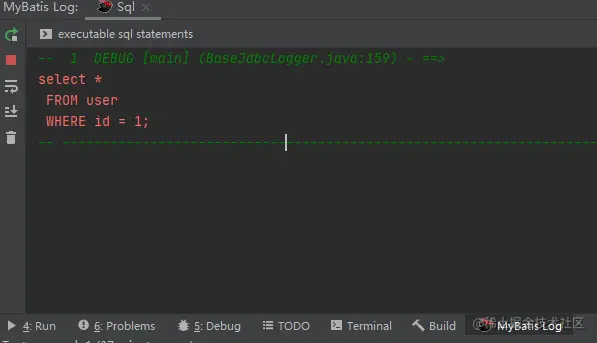
准备工作
- 安装 mybatis log plugin 插件,安装成功后,在菜单栏 【Tools】中点击运行。
1、在 pom.xml 中导入依赖文件
 <dependency>
 <groupId>log4j</groupId>
  <artifactId>log4j</artifactId>
  <version>1.2.17</version>
</dependency>
2、 添加 log4j.properties配置文件,建议放到Resources资源目录下。
log4j.rootLogger=debug, stdout, R
log4j.appender.stdout=org.apache.log4j.ConsoleAppender
log4j.appender.stdout.layout=org.apache.log4j.PatternLayout

# Pattern to output the caller's file name and line number.
log4j.appender.stdout.layout.ConversionPattern=%5p [%t] (%F:%L) - %m%n

log4j.appender.R=org.apache.log4j.RollingFileAppender
log4j.appender.R.File=example.log

log4j.appender.R.MaxFileSize=100KB
# Keep one backup file
log4j.appender.R.MaxBackupIndex=5

log4j.appender.R.layout=org.apache.log4j.PatternLayout
log4j.appender.R.layout.ConversionPattern=%p %t %c - %m%n
2、初始化 log4j
 public void initLog() {
        FileInputStream fileInputStream = null;
        try {
            Properties properties = new Properties();
            fileInputStream = new FileInputStream("src/main/resources/log4j.properties");
            properties.load(fileInputStream);
            PropertyConfigurator.configure(properties);
        } catch (Exception e) {
            e.printStackTrace();
        } finally {
            if (fileInputStream != null) {
                try {
                    fileInputStream.close();
                } catch (IOException e) {
                    e.printStackTrace();
                }
            }
        }
    }
3、运行程序,查看效果