点击漂浮文字效果
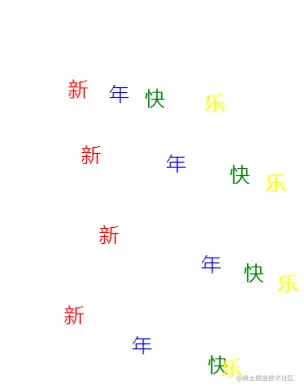
manifest.json 谷歌插件配置文件
index.js 配置文件中引入的js
index.css 配置文件中引入的css
配置文件如下
{
    "manifest_version": 2,
    "name": "chome-plugin",
    "version": "2",
    "description": "This is an extension for your chrome",
    "content_scripts": [ // 配置脚本
        {
          "js":["index.js"],
          "css": ["index.css"],
          "matches":["<all_urls>"] //应用页面  此处表示所有页面
        }
    ]
}
index.js脚本
window.addEventListener('click',callback())
function callback() {
    var divList = []
    var fonts = ['新','年','快','乐']
    var i = 0
    var colors = ['red','blue','green','yellow']
    return function(e) {
        var scrollX = document.documentElement.scrollLeft || document.body.scrollLeft;
        var scrollY = document.documentElement.scrollTop || document.body.scrollTop;
        var div = createTag()
        divList.push(div)
        div.style.top = e.clientY+ scrollY + 'px'
        div.style.left = e.clientX+ scrollX + 'px'
        div.style.color = colors[i]
        div.innerText=fonts[i]
        i++
        if(i>3) {
            i=0
        }
        document.body.appendChild(div)
        setTimeout(function(){
            document.body.removeChild(div)
        }, 1000 * 10)
    }
}
// 创建漂浮标签
function createTag() {
    var div = document.createElement('div')
    div.classList.add('animation')
    return div
}
css
.animation{
    position: absolute;
    animation: move 10s linear;
    font-size: 20px;
}
@keyframes move{
    0% {transform: translate(0px,0px);}
    100% {transform: translate(0px,-200px);}
}