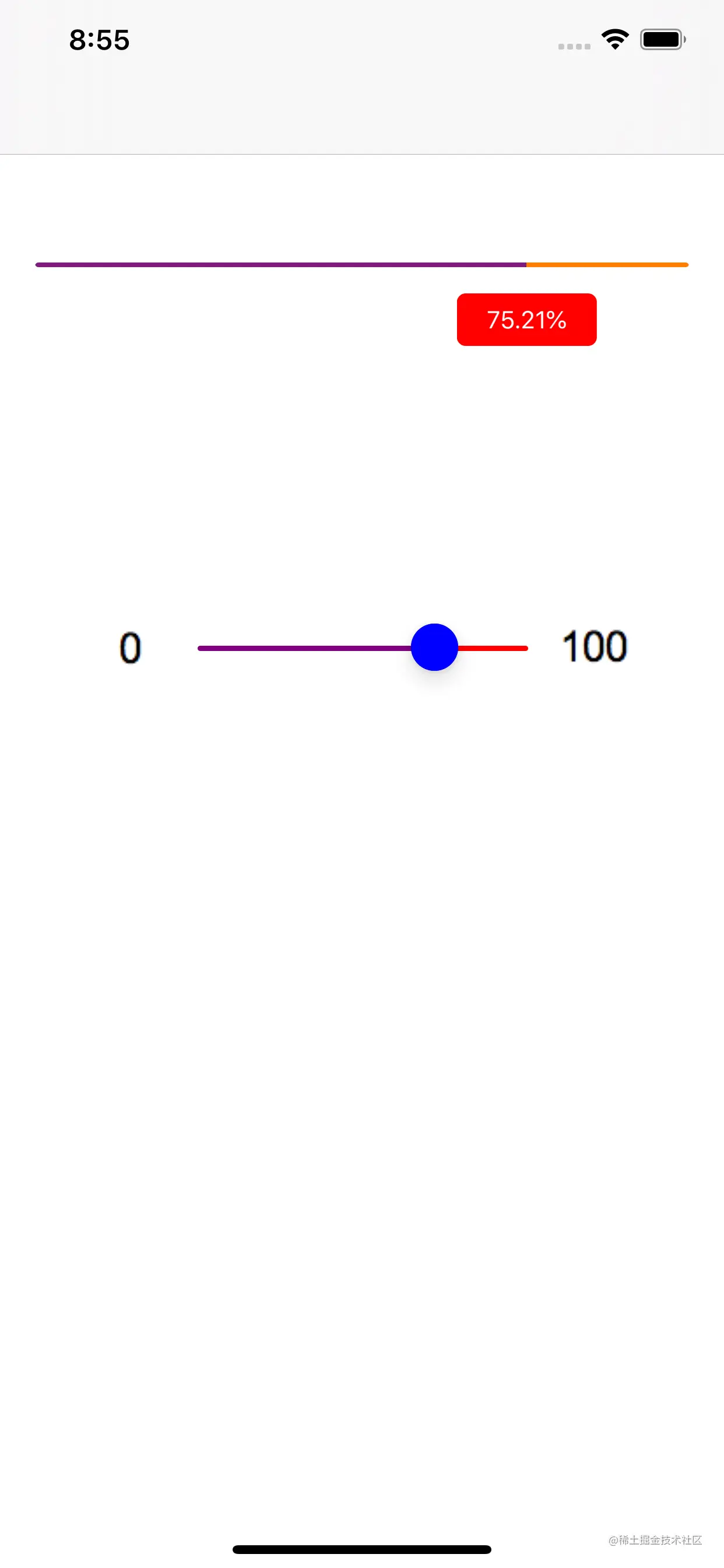
static const CGFloat totalProgress = 100.0f
@interface ViewController ()
/** 进度条 */
@property (nonatomic,strong) UIProgressView *progressView
/** 滑杆 */
@property (nonatomic,strong) UISlider *slider
/** 进度 */
@property (nonatomic, assign) CGFloat progress
/** 进度百分比 */
@property (nonatomic,strong) UILabel *percentLabel
@end
@implementation ViewController
- (void)viewDidLoad {
[super viewDidLoad]
[self.view addSubview:self.progressView]
[self.view addSubview:self.slider]
[self.view addSubview:self.percentLabel]
[self setupDefault]
}
- (void)slideAction:(UISlider *)slider {
CGFloat sliderValue = slider.value
UIProgressView *progressview = (UIProgressView *)[self.view viewWithTag:1000]
progressview.progress = sliderValue
self.percentLabel.text = [NSString stringWithFormat:@"%.2f%%",(100.0 * self.progressView.progress / totalProgress)*100]
// 比例
CGFloat x = (100.0 * self.progressView.progress / totalProgress) * ([UIScreen mainScreen].bounds.size.width - 40)
// 是否大于进度条的宽度
CGFloat isW = (x == self.progressView.frame.size.width) ? 50 : 20
// 当前指示值的位置
CGRect lbRect = self.percentLabel.frame
lbRect.origin.x = (x < 20) ? (x + 20) : x - isW
lbRect.origin.y = CGRectGetMaxY(self.progressView.frame) + 15
self.percentLabel.frame = lbRect
}
- (void)setupDefault {
self.progress = 66
// 滑动条的默认值
self.slider.value = self.progress / 100.0f
// 是否符合规范
CGFloat currentProgress = self.progress > 100 ? 100 : self.progress
// 比例
CGFloat x = (currentProgress / totalProgress) * ([UIScreen mainScreen].bounds.size.width - 40)
// 是否大于进度条的宽度
CGFloat isW = (x == self.progressView.frame.size.width) ? 50 : 20
// 当前指示值的位置
CGRect lbRect = self.percentLabel.frame
lbRect.origin.x = (x < 20) ? (x + 20) : x - isW
lbRect.origin.y = CGRectGetMaxY(self.progressView.frame) + 15
self.percentLabel.frame = lbRect
//当前指示值的
self.percentLabel.text = [NSString stringWithFormat:@"%.2f%%",(self.progress / totalProgress)*100]
// 进度条的当前值
CGFloat progressF = self.progress / totalProgress
[self.progressView setProgress:progressF animated:YES]
}
- (UIProgressView *)progressView {
if (!_progressView) {
_progressView = [[UIProgressView alloc] init]
_progressView.frame = CGRectMake(20, 150, [UIScreen mainScreen].bounds.size.width - 40 , 90)
_progressView.backgroundColor = [UIColor clearColor]
_progressView.progressViewStyle = UIProgressViewStyleBar
_progressView.progressTintColor = [UIColor purpleColor]
_progressView.trackTintColor = [UIColor orangeColor]
_progressView.tag = 1000
_progressView.layer.masksToBounds = YES
_progressView.layer.cornerRadius = 2
[_progressView setProgress:0.5 animated:YES]
}
return _progressView
}
- (UISlider *)slider {
if (!_slider) {
_slider = [[UISlider alloc] init]
_slider.frame = CGRectMake(50, 360, [UIScreen mainScreen].bounds.size.width - 100, 20)
// 最小 最大 值
_slider.minimumValue = 0.0f
_slider.maximumValue = 1.0f
// 当前值
_slider.value = 0.0f
// 连续
_slider.continuous = YES
// valueImage
_slider.minimumValueImage = [UIImage imageNamed:@"min_value"]
_slider.maximumValueImage = [UIImage imageNamed:@"max_value"]
// 颜色
_slider.minimumTrackTintColor = [UIColor purpleColor]
_slider.maximumTrackTintColor = [UIColor redColor]
_slider.thumbTintColor = [UIColor blueColor]
[_slider addTarget:self action:@selector(slideAction:) forControlEvents:UIControlEventValueChanged]
}
return _slider
}
- (UILabel *)percentLabel {
if (!_percentLabel) {
_percentLabel = [[UILabel alloc] init]
_percentLabel.textColor = [UIColor whiteColor]
_percentLabel.backgroundColor = [UIColor redColor]
_percentLabel.font = [UIFont systemFontOfSize:14]
_percentLabel.frame = CGRectMake(300, 70, 80, 30)
_percentLabel.textAlignment = NSTextAlignmentCenter
_percentLabel.text = @"0.0%"
_percentLabel.layer.masksToBounds = YES
_percentLabel.layer.cornerRadius = 5
}
return _percentLabel
}
@end