一.多列合并
1.在el-table中添加:span-method="objectSpanMethod"属性来控制合并单元格,如下图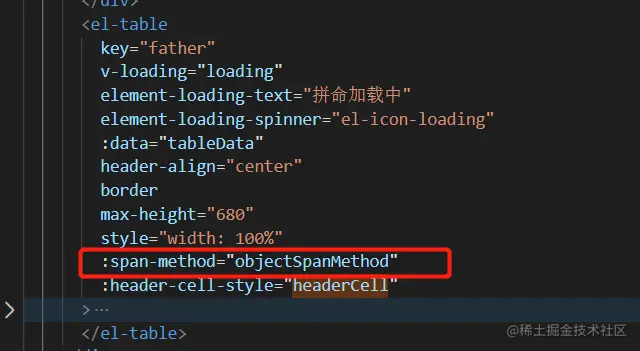
2.合并代码,每一列都要设置一个不同的key,这样可以防止合并的时候上下内容一样导致错误的问题
objectSpanMethod({ row, column, rowIndex, columnIndex }) {
if (columnIndex === 0) {
if (this.myObj[row.channel_type].start === rowIndex) {
return {
rowspan: this.myObj[row.channel_type].step,
colspan: 1
}
} else {
return {
rowspan: 0,
colspan: 0
}
}
}
if (columnIndex === 1) {
if (
this.myObj_two[row.channel_name_chinese + row.channel_type].start ===
rowIndex
) {
return {
rowspan: this.myObj_two[row.channel_name_chinese + row.channel_type]
.step,
colspan: 1
}
} else {
return {
rowspan: 0,
colspan: 0
}
}
}
},
// 合并单元格第一列
resolveData(arr) {
var obj = {}
arr.forEach((val, key) => {
if (!obj[val.channel_type]) {
obj[val.channel_type] = {
start: key,
step: 1
}
} else {
obj[val.channel_type].step++
}
})
this.myObj = obj
console.log(obj)
},
// 合并单元格第二列
resolveData_two(arr) {
var obj = {}
arr.forEach((val, key) => {
if (!obj[val.channel_name_chinese + val.channel_type]) {
obj[val.channel_name_chinese + val.channel_type] = {
start: key,
step: 1
}
} else {
obj[val.channel_name_chinese + val.channel_type].step++
}
})
this.myObj_two = obj
console.log(this.myObj_two, "this.myObj")
},
3.需要调用一下下面两个函数,data为你所获取的所有数据
	 this.resolveData_two(data);
         this.resolveData(data);
4.合并结果如下图



