核心概念
-
Channel
管道,其是对 Socket 的封装,其包含了一组 API,大大简化了直接与 Socket 进行操作的复杂性。
-
EventLoopGroup
EventLoopGroup 是一个 EventLoop 池,包含很多的 EventLoop。
Netty 为每个 Channel 分配了一个 EventLoop,用于处理用户连接请求、对用户请求的处理等所有事件。EventLoop 本身只是一个线程驱动,在其生命周期内只会绑定一个线程让该线程处理一个 Channel 的所有 IO 事件。
一个 Channel 一旦与一个 EventLoop 相绑定,那么在 Channel 的整个生命周期内是不能改变的。
一个 EventLoop 可以与多个 Channel 绑定。 1:n
但是一个Channel只能绑定一个EventLoop。 n:1
-
ChannelFuture
Netty 中所有的 I/O 操作都是异步的,即操作不会立即得到返回结果,所以 Netty 中定义了一个 ChannelFuture 对象作为这个异步操作的“代言人”,表示异步操作本身。如果想获取到该异步操作的返回值,可以通过该异步操作对象的 addListener()方法为该异步操作添加监听器,为其注册回调:当结果出来后马上调用执行。
Netty 的异步编程模型都是建立在 Future 与回调概念之上的。
-
ChannelHandler 与 ChannelPipeline
ChannelHandler 是对 Channel 中数据的处理器,这些处理器可以是系统本身定义好的编解码器,也可以是用户自定义的。这些处理器会被统一添加到一个 ChannelPipeline 的对象中,然后按照添加的顺序对 Channel 中的数据进行依次处理。
-
ServerBootStrap
用于配置整个 Netty 代码,将各个组件关联起来。服务端使用的是 ServerBootStrap,而客户端使用的是则 BootStrap。
执行流程
- Server端启动,Netty从paremtGroup中选出一个NioEventLoop对指定的port连接进行监听。
- Clinet端启动,eventLoopGroup中选出一个NioEventLoop对连接Server端发来的数据进行处理。
- Clinet端连接指定Server的port,创建一个Channel。
- Netty从childGroup中选出一个NioEventLoop与该Channel绑定,用于处理该Channel中所有的操作。
- Clinet通过Channel向Server发送数据包。
- Pipeline中的处理器依次对Channel中的数据包进行处理。
- Server端如果需要向Clinet端发送数据包,则需要经过Pipelinet中的数据进行加码处理,说白了就是一个ByteBuf。
- 将处理过的数据包发送给Clinet端。
- Clinet端接收到数据包后Channel中的数据进行解码处理。
牛刀小试
概述
通过该程序达到的目的是,对 Netty 编程的基本结构及流程有所了解。该程序是通过 Netty 实现 HTTP 请求的处理,即接收 HTTP 请求,返回 HTTP 响应。
导入依赖
<dependency>
    <groupId>io.netty</groupId>
    <artifactId>netty-all</artifactId>
    <version>4.1.36.Final</version>
</dependency>
<!--lombok依赖-->
<dependency>
    <groupId>org.projectlombok</groupId>
    <artifactId>lombok</artifactId>
    <version>1.18.6</version>
    <scope>provided</scope>
</dependency>
创建服务端启动类
package com.abc.server;

import io.netty.bootstrap.ServerBootstrap;
import io.netty.channel.ChannelFuture;
import io.netty.channel.ChannelInitializer;
import io.netty.channel.ChannelPipeline;
import io.netty.channel.EventLoopGroup;
import io.netty.channel.nio.NioEventLoopGroup;
import io.netty.channel.socket.SocketChannel;
import io.netty.channel.socket.nio.NioServerSocketChannel;
import io.netty.handler.codec.http.HttpServerCodec;

// 服务器启动类
public class SomeServer {
    public static void main(String[] args) throws InterruptedException {

        // 用于处理客户端连接请求,将请求发送给childGroup中的eventLoop
        EventLoopGroup parentGroup = new NioEventLoopGroup();
        // 用于处理客户端请求
        EventLoopGroup childGroup = new NioEventLoopGroup();

        try {
            // 用户启动ServerChannel
            ServerBootstrap bootstrap = new ServerBootstrap();
            bootstrap.group(parentGroup, childGroup)  // 指定eventLoopGroup
                    .channel(NioServerSocketChannel.class)  // 指定使用NIO进行通信
                    .childHandler(new ChannelInitializer<SocketChannel>() {
                        @Override
                        protected void initChannel(SocketChannel ch) throws Exception {
                            // 从Channel中获取pipeline
                            ChannelPipeline pipeline = ch.pipeline();
                            // 将HttpServerCodec处理器放入到pipeline的最后
                            // HttpServerCodec是什么?是HttpRequestDecoder与HttpResponseEncoder的复合体
                            // HttpRequestDecoder:http请求解码器,将Channel中的ByteBuf数据解码为HttpRequest对象
                            // HttpResponseEncoder:http响应编码器,将HttpResponse对象编码为将要在Channel中发送的ByteBuf数据
                            pipeline.addLast(new HttpServerCodec());
                            // 将自再定义的处理器放入到Pipeline的最后
                            pipeline.addLast(new SomeServerHandler());
                        }
                    });   // 指定childGroup中的eventLoop所绑定的线程所要处理的处理器

            // 指定当前服务器所监听的端口号
            // bind()方法的执行是异步的
            // sync()方法会使bind()操作与后续的代码的执行由异步变为了同步
            ChannelFuture future = bootstrap.bind(8888).sync();
            System.out.println("服务器启动成功。监听的端口号为:8888");
            // 关闭Channel
            // closeFuture()的执行是异步的。
            // 当Channel调用了close()方法并关闭成功后才会触发closeFuture()方法的执行
            future.channel().closeFuture().sync();
        } finally {
            // 优雅关闭
            parentGroup.shutdownGracefully();
            childGroup.shutdownGracefully();
        }
    }
}
创建业务处理器
package com.abc.server;

import io.netty.buffer.ByteBuf;
import io.netty.buffer.Unpooled;
import io.netty.channel.ChannelFutureListener;
import io.netty.channel.ChannelHandlerContext;
import io.netty.channel.ChannelInboundHandlerAdapter;
import io.netty.handler.codec.http.*;
import io.netty.util.CharsetUtil;

// 自定义服务端处理器
// 需求:用户提交一个请求后,在浏览器上就会看到hello netty world
public class SomeServerHandler extends ChannelInboundHandlerAdapter {

    /**
     *  当Channel中有来自于客户端的数据时就会触发该方法的执行
     * @param ctx  上下文对象
     * @param msg   就是来自于客户端的数据
     * @throws Exception
     */
    @Override
    public void channelRead(ChannelHandlerContext ctx, Object msg) throws Exception {

        System.out.println("-------------- " + ctx.channel());


        System.out.println("msg = " + msg.getClass());
        System.out.println("客户端地址 = " + ctx.channel().remoteAddress());

        if(msg instanceof HttpRequest) {
            HttpRequest request = (HttpRequest) msg;
            System.out.println("请求方式:" + request.method().name());
            System.out.println("请求URI:" + request.uri());

            if("/favicon.ico".equals(request.uri())) {
                System.out.println("不处理/favicon.ico请求");
                return;
            }

            // 构造response的响应体
            ByteBuf body = Unpooled.copiedBuffer("hello netty world", CharsetUtil.UTF_8);
            // 生成响应对象
            DefaultFullHttpResponse response = new DefaultFullHttpResponse(HttpVersion.HTTP_1_1, HttpResponseStatus.OK, body);
            // 获取到response的头部后进行初始化
            HttpHeaders headers = response.headers();
            headers.set(HttpHeaderNames.CONTENT_TYPE, "text/plain");
            headers.set(HttpHeaderNames.CONTENT_LENGTH, body.readableBytes());

            // 将响应对象写入到Channel
            // ctx.write(response);
            // ctx.flush();
            // ctx.writeAndFlush(response);
            // ctx.channel().close();
            ctx.writeAndFlush(response)
               // 添加channel关闭监听器
             .addListener(ChannelFutureListener.CLOSE);
        }
    }

    /**
     *  当Channel中的数据在处理过程中出现异常时会触发该方法的执行
     * @param ctx  上下文
     * @param cause  发生的异常对象
     * @throws Exception
     */
    @Override
    public void exceptionCaught(ChannelHandlerContext ctx, Throwable cause) throws Exception {
        cause.printStackTrace();
        // 关闭Channel
        ctx.close();
    }
}
Socket 编程
概述
前面的工程是一个仅存在服务端的 HTTP 请求的服务器,而 Netty 中最为最见的是 C/S构架的 Socket 代码。所以下面我们就来看一个 Netty 的 Socket 通信代码。
需求
本例要实现的功能是:客户端连接上服务端后,其马上会向服务端发送一个数据。服务端在接收到数据后,会马上向客户端也回复一个数据。客户端每收到服务端的一个数据后,便会再向服务端发送一个数据。而服务端每收到客户端的一个数据后,便会再向客户端发送一个数据。形成一个死循环的状态。
创建服务端启动类
package com.gc.socket.server;

import io.netty.bootstrap.ServerBootstrap;
import io.netty.channel.*;
import io.netty.channel.nio.NioEventLoopGroup;
import io.netty.channel.socket.SocketChannel;
import io.netty.channel.socket.nio.NioServerSocketChannel;
import io.netty.handler.codec.string.StringDecoder;
import io.netty.handler.codec.string.StringEncoder;

/**
 * @description:
 * @author: GC
 * @create: 2020-11-10 16:11
 **/
public class Server {
    public static void main(String[] args) {

        //定义用于处理客户端连接的EventLoopGroup
        EventLoopGroup parentEventLoop = new NioEventLoopGroup();
        //定义用于处理客户端请求的EventLoopGroup
        EventLoopGroup childEventLoop = new NioEventLoopGroup();
        try{

            //服务端专用Bootstrap.主要用于将属绑定起来。建立关系
            ServerBootstrap bootstrap = new ServerBootstrap();
            //绑定处理客户端的EventLoopGroup对象
            bootstrap.group(parentEventLoop, childEventLoop)
                    //使用NIO的方式
                    .channel(NioServerSocketChannel.class)
                    //绑定消息收发时的编码/解码器。 和自定义的Handler绑定
                    .childHandler(new ChannelInitializer<SocketChannel>() {
                        @Override
                        protected void initChannel(SocketChannel socketChannel) throws Exception {
                            ChannelPipeline pipeline = socketChannel.pipeline();
                            pipeline.addLast(new StringDecoder());
                            pipeline.addLast(new StringEncoder());
                            pipeline.addLast(new ServerHandler());
                        }
                    });
            //声明服务端绑定的端口
            ChannelFuture future = bootstrap.bind(8888).sync();
            //当Channel调用了close()方法,并且成功关闭之后,才会调用此代码
            future.channel().closeFuture().sync();
        }catch (Exception e){
            e.printStackTrace();
        }finally {
            //优雅的关闭方式
            parentEventLoop.shutdownGracefully();
            childEventLoop.shutdownGracefully();
        }
    }
}
创建服务端自定义业务处理器
package com.gc.socket.server;

import io.netty.channel.ChannelHandlerContext;
import io.netty.channel.ChannelInboundHandlerAdapter;
import java.util.Date;
import java.util.Random;
import java.util.UUID;
import java.util.concurrent.TimeUnit;

public class ServerHandler extends ChannelInboundHandlerAdapter {
    //收到消息将触发该方法,在该方法中也可以发送消息
    public void channelRead(ChannelHandlerContext ctx, Object msg) throws Exception {
        System.out.println("本地地址为:"+ctx.channel().localAddress());
        System.out.println("远程地址为:"+ctx.channel().remoteAddress()+" ---> 收到消息:"+msg);
        ctx.channel().writeAndFlush(UUID.randomUUID()+"GC").sync();

        //TimeUnit.MICROSECONDS.sleep(1000);
    }

    //当发生Throwable异常时,会调用该方法
    public void exceptionCaught(ChannelHandlerContext ctx, Throwable cause) throws Exception {
        ctx.fireExceptionCaught(cause);
        ctx.close();
    }
}
创建客户端启动类
package com.gc.socket.clinet;

import io.netty.bootstrap.Bootstrap;
import io.netty.channel.*;
import io.netty.channel.nio.NioEventLoopGroup;
import io.netty.channel.socket.SocketChannel;
import io.netty.channel.socket.nio.NioSocketChannel;
import io.netty.handler.codec.string.StringDecoder;
import io.netty.handler.codec.string.StringEncoder;

import java.net.SocketAddress;

public class Clinet {

    public static void main(String[] args) {
        //客户端处理服务端的EventLoopGroup
        EventLoopGroup clint = new NioEventLoopGroup();
        try {

            //Bootstrap专门用于客户端的属性设置以及关系绑定
            Bootstrap bootstrap = new Bootstrap();
            bootstrap.group(clint)
                    //使用NIO客户端的Channel
                    .channel(NioSocketChannel.class)
                    //绑定编码器/解码器。以及自定义的Handler
                    .handler(new ChannelInitializer<SocketChannel>(){
                        @Override
                        protected void initChannel(SocketChannel socketChannel) throws Exception {
                            ChannelPipeline pipeline = socketChannel.pipeline();
                            pipeline.addLast(new StringEncoder());
                            pipeline.addLast(new StringDecoder());
                            pipeline.addLast(new ClinetHandler());
                        }
                    });

            //指定连接服务端的端口
            ChannelFuture future = bootstrap.connect("127.0.0.1",8888).sync();
            future.channel().closeFuture().sync();
        }catch (Exception e){
            e.printStackTrace();
        }finally {
            clint.shutdownGracefully();
        }
    }
}
创建客户单自定义业务处理器
package com.gc.socket.clinet;

import io.netty.channel.ChannelHandlerContext;
import io.netty.channel.ChannelInboundHandlerAdapter;
import io.netty.channel.SimpleChannelInboundHandler;

import java.util.UUID;
import java.util.concurrent.TimeUnit;

/**
 * ChannelInboundHandlerAdapter 类中的 channelRead方法不会自动释放资源。所以会不断的发送消息
 * SimpleChannelInboundHandler 类中的 channelRead0()方法不会自动释放资源。所以只要Clinet端触发了消息发送, 双方两段就会一直死循环发送消息。
 *
 */
public class ClinetHandler extends ChannelInboundHandlerAdapter {

    @Override
    public void channelRead(ChannelHandlerContext ctx, Object msg) throws Exception {
        System.out.println("本地地址为:"+ctx.channel().localAddress());
        System.out.println("远程地址为:"+ctx.channel().remoteAddress()+" ---> 收到消息:"+msg);
        ctx.channel().writeAndFlush(UUID.randomUUID()+"Clinet").sync();
    }

    /**
     * 由于本示例。Clinet端和Server启动后,双方都在等待对方给自己发送消息,然后接收到消息后 ,才会给对方发送消息。
     * 如果没有人首先触发,那么就是一个活锁。双方互相等待。
     * 而ChannelInboundHandlerAdapter.class中的channelActive方法,则是当channel成功连接服务端后,将触发本方法的执行
     * @param ctx
     * @throws Exception
     */
    @Override
    public void channelActive(ChannelHandlerContext ctx) throws Exception {
        ctx.channel().writeAndFlush("Clinet端触发消息发送");
    }


    //当发生异常,捕获并关闭
    @Override
    public void exceptionCaught(ChannelHandlerContext ctx, Throwable cause) throws Exception {
        cause.printStackTrace();
        ctx.close();
    }

}
两个处理器的区别
SimpleChannelInboundHandler中的channelRead()方法会自动释放接收到的来自于对方的msg所占有的所有资源。
ChannelInboundHandlerAdapter 中的 channelRead0()方法不会自动释放接收到的来自于对方的msg。
- 若对方没有向自己发送数据,则自定义处理器建议继承自ChannelInboundHandlerAdapter。因为若继承自 SimpleChannelInboundHandler 需要重写channelRead0()方法。而重写该方法的目的是对来自于对方的数据进行处理。因为对方根本就没有发送数据,所以也就没有必要重写 channelRead0()方法。
- 若对方向自己发送了数据,而自己又需要将该数据再发送给对方,则自定义处理器建议继承自 ChannelInboundHandlerAdapter。因为 write()方法的执行是异步的,且SimpleChannelInboundHandler 中的 channelRead()方法会自动释放掉来自于对方的 msg。 若 write()方法中正在处理 msg,而此时 SimpleChannelInboundHandler 中的 channelRead()方法执行完毕了,将 msg 给释放了。此时就会报错。
TCP 的拆包与粘包
拆包粘包简介
Netty 在基于 TCP 协议的网络通信中,存在拆包与粘包情况。拆包与粘包同时发生在数据的发送方与接收方两方。
发送方通过网络每发送一批二进制数据包,那么这次所发送的数据包就称为一帧,即Frame。在进行基于 TCP 的网络传输时,TCP 协议会将用户真正要发送的数据根据当前缓存的实际情况对其进行拆分或重组,变为用于网络传输的 Frame。在 Netty 中就是将 ByteBuf中的数据拆分或重组为二进制的 Frame。而接收方则需要将接收到的 Frame 中的数据进行重组或拆分,重新恢复为发送方发送时的 ByteBuf 数据。
具体场景描述:
- 发送方发送的 ByteBuf 较大,在传输之前会被 TCP 底层拆分为多个 Frame 进行发送,这个过程称为发送拆包;接收方在接收到需要将这些 Frame 进行合并,这个合并的过程称为接收方粘包。
- 发送方发送的 ByteBuf 较小,无法形成一个 Frame,此时 TCP 底层会将很多的这样的小的 ByteBuf 合并为一个 Frame 进行传输,这个合并的过程称为发送方的粘包;接收方在接收到这个 Frame 后需要进行拆包,拆分出多个原来的小的 ByteBuf,这个拆分的过程称为接收方拆包。
- 当一个 Frame 无法放入整数倍个 ByteBuf 时,最后一个 ByteBuf 会会发生拆包。这个ByteBuf 中的一部分入到了一个 Frame 中,另一部分被放入到了另一个 Frame 中。这个过程就是发送方拆包。但对于将这些 ByteBuf 放入到一个 Frame 的过程,就是发送方粘包;当接收方在接收到两个 Frame 后,对于第一个 Frame 的最后部分,与第二个 Frame的最前部分会进行合并,这个合并的过程就是接收方粘包。但在将 Frame 中的各个ByteBuf 拆分出来的过程,就是接收方拆包。
LineBasedFrameDecoder
基于行的帧解码器,即会按照行分隔符对数据进行拆包粘包,解码出 ByteBuf。
DelimiterBasedFrameDecoder
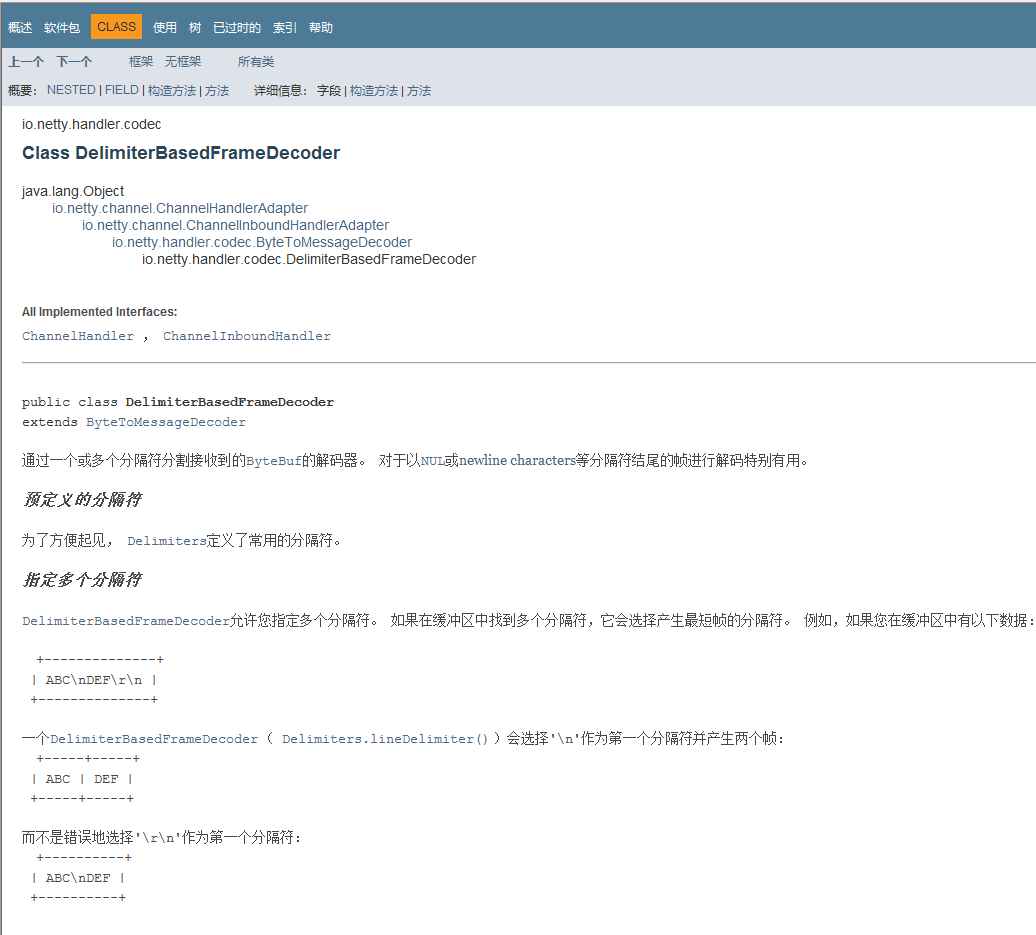
基于分隔符的帧解码器,即会按照指定分隔符对数据进行拆包粘包,解码出 ByteBuf。
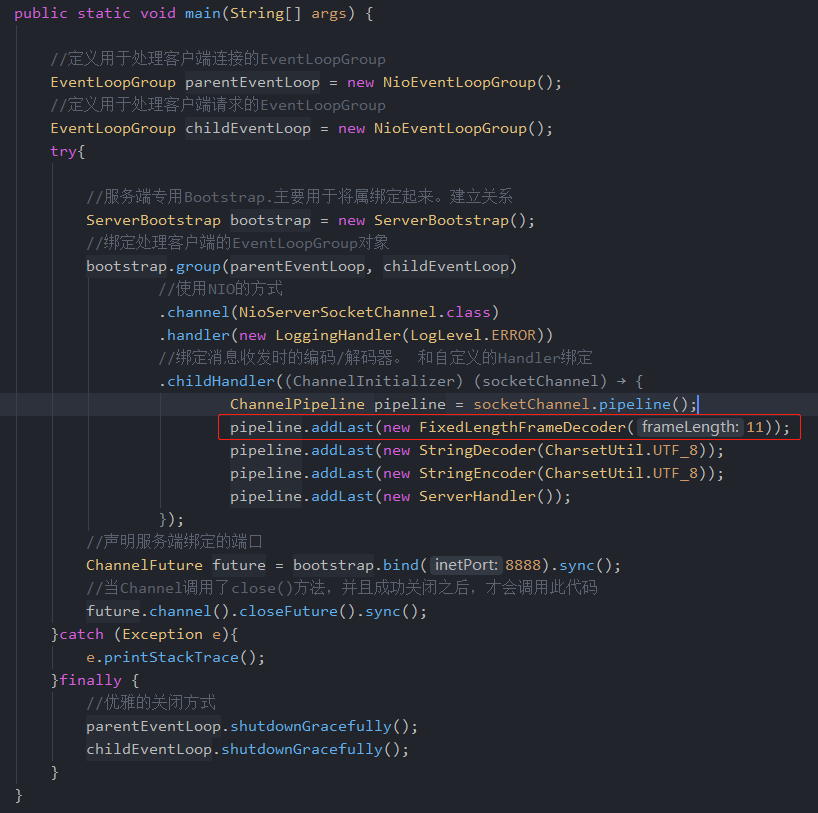
服务端定义解码器
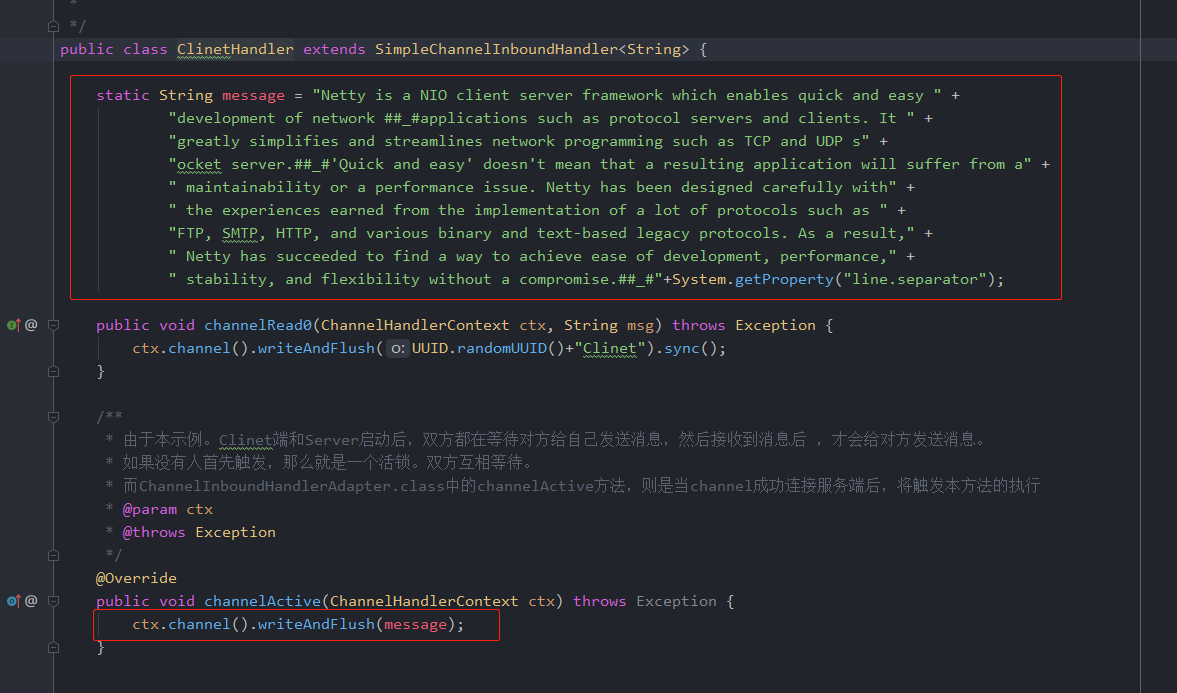
客户端定义发送数据
FixedLengthFrameDecoder