作为开发人员,我们都希望向用户展示吸引人的东西,这也必须是有用的。
在本文中,我们将讨论使您的开发愉快的技巧。
下面以适当的示例描述所有技巧。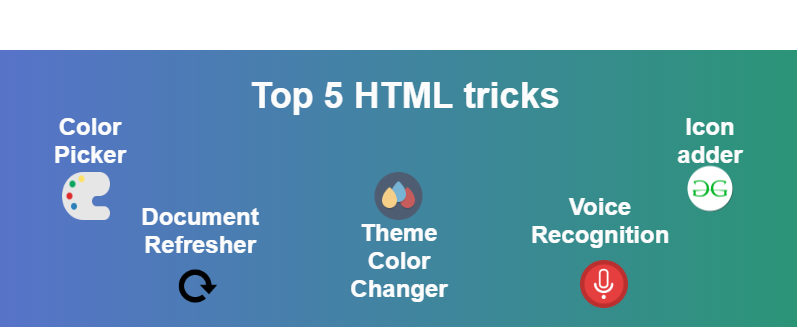
HTML的5大技巧和窍门:
颜色选择器:此技巧用于输入标签中的颜色选择器,您可以将“类型”属性与“颜色”的值一起放置,以将输入字段用作颜色选择器。
例:
<!DOCTYPE html> <html> <head> <title>Color picker in input field</title> <style> .conatiner { text-align: center; } h1 { color: green; } </style> </head> <body> <div class="conatiner"> <h1>GeeksforGeeks</h1> <b>Color picker in input filed: </b> <input type="color"> </div> </body> </html>
输出:

文档刷新器:此技巧用于在提到的时间后自动刷新文档。当您的网站上没有活动时使用。通过使用http-equiv =“ refresh”属性,我们还可以在content属性中定义刷新时间。
例:
<!DOCTYPE html> <html> <head> <title>Document Refresher</title> <meta http-equiv="refresh" content="10"> <style> .conatiner { text-align: center; } h1 { color: green; } </style> </head> <body> <div class="conatiner"> <h1>GeeksforGeeks</h1> <b>Document will refresh after 10sec</b> </div> </body> </html>
输出:

主题颜色更改器:此技巧用于通过使用name =“ theme-color”属性来更改网站的主题颜色,是我们必须在content属性中定义颜色代码。这将更改标题栏的颜色,并在android的Lollipop上最新的Chrome版本中解决该栏。
**注意:**这仅适用于移动设备(Lolipop)。
例:
<!DOCTYPE html> <html> <head> <title>Theme color changer</title> <meta name="theme-color" content="#26F809"> <style> .conatiner { text-align: center; } h1 { color: green; } </style> </head> <body> <div class="conatiner"> <h1>GeeksforGeeks</h1> <b>Theme color changer</b> </div> </body> </html>
图标添加器:此技巧用于在图标图标的位置添加图标。您只需要源文件的路径。将链接标签包含在body标签内,这将在您的收藏夹位置上放置一个图标。
例:
<!DOCTYPE html> <html> <head> <title>Icon adder</title> <meta name="theme-color" content="green;"> <link rel="icon" href="/icon.ico" type="image/x-icon"/> <style> .conatiner { text-align: center; } h1 { color: green; } </style> </head> <body> <div class="conatiner"> <h1>GeeksforGeeks</h1> <b>Icon adder</b> </div> </body> </html>
输出:

语音识别:此技巧用于在输入字段中添加语音搜索。与Google搜索类似,它通过语音识别进行搜索。**注意:**这仅适用于移动设备(仅Lolipop谷歌浏览器)。
例:
<!DOCTYPE html> <html> <head> <title>Voice recognition</title> <style> .conatiner { text-align: center; } h1 { color: green; } </style> </head> <body> <div class="conatiner"> <h1>GeeksforGeeks</h1> <b>Voice recognition</b> <input type="text" x-webkit-speech> </div> </body> </html>