

1、获取页面
import requests #引入包requests
link = "https://blog.csdn.net/qq_45154565/article/details/109261945" #将目标网页的网址定义为link

# 定义请求头的浏览器代理,伪装成火狐浏览器
headers = {'User-Agent' : 'Mozilla/5.0 (Windows; U; Windows NT 6.1; en-US; rv:1.9.1.6) Gecko/20091201 Firefox/3.5.6'}

r = requests.get(link, headers= headers) #请求网页,r是requests的response回复对象,可以从中获取想要的信息
print (r.text)  #r.text是获取的网页内容代码
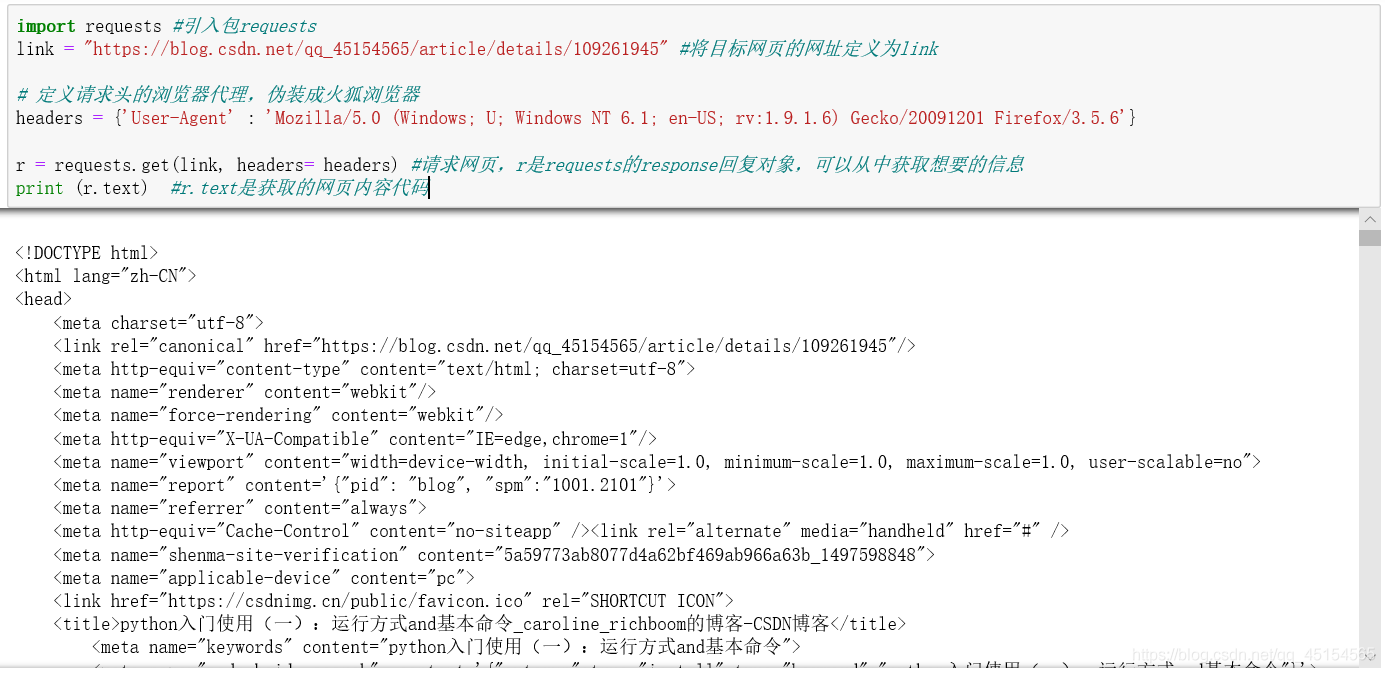
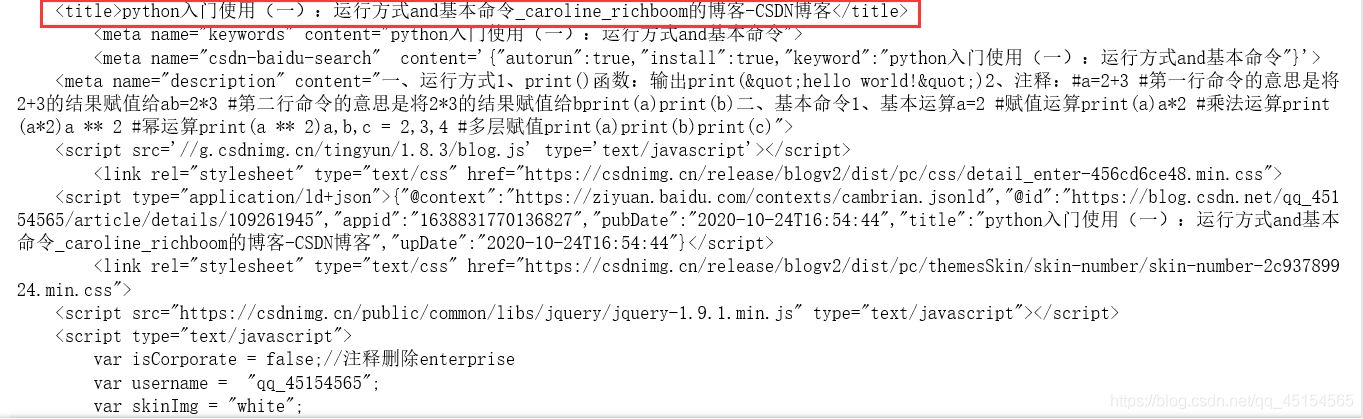
从上述输出结果可以看出文章的标题等内容,它其实获取的是博客页面的HTML代码(一种用来描述网页的语言,我后续会更新博客学习),大家可以理解成网页上呈现出来的内容都是HTML代码。
2、提取需要的数据
在获取整个页面的HTML代码后,就可以从整个网格网页中提取出文章的标题了。
import requests
from bs4 import BeautifulSoup     #从bs4这个库中导入BeautifulSoup

link = "https://blog.csdn.net/qq_45154565/article/details/109261945"
headers = {'User-Agent' : 'Mozilla/5.0 (Windows; U; Windows NT 6.1; en-US; rv:1.9.1.6) Gecko/20091201 Firefox/3.5.6'}
r = requests.get(link, headers= headers)

soup = BeautifulSoup(r.text, "html.parser")  #使用BeautifulSoup解析这段代码,把HTML代码转化为soup对象

#用soup.find函数找到文章标题,定位到class是"post-title"的h1元素,提取a,提取里面的字符串,strip()去除左右空格
title = soup.find("h1", class_="title-article")
print (title)
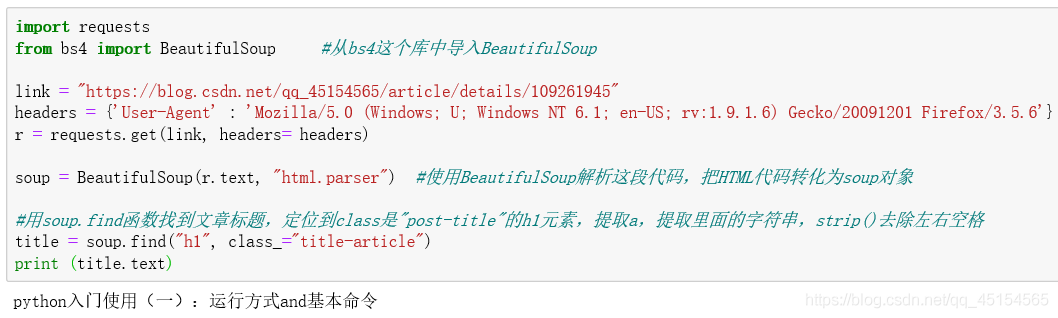
由上图可见,已经提取了指定的标题内容。
3、如何精准定位标题的HTML代码位置
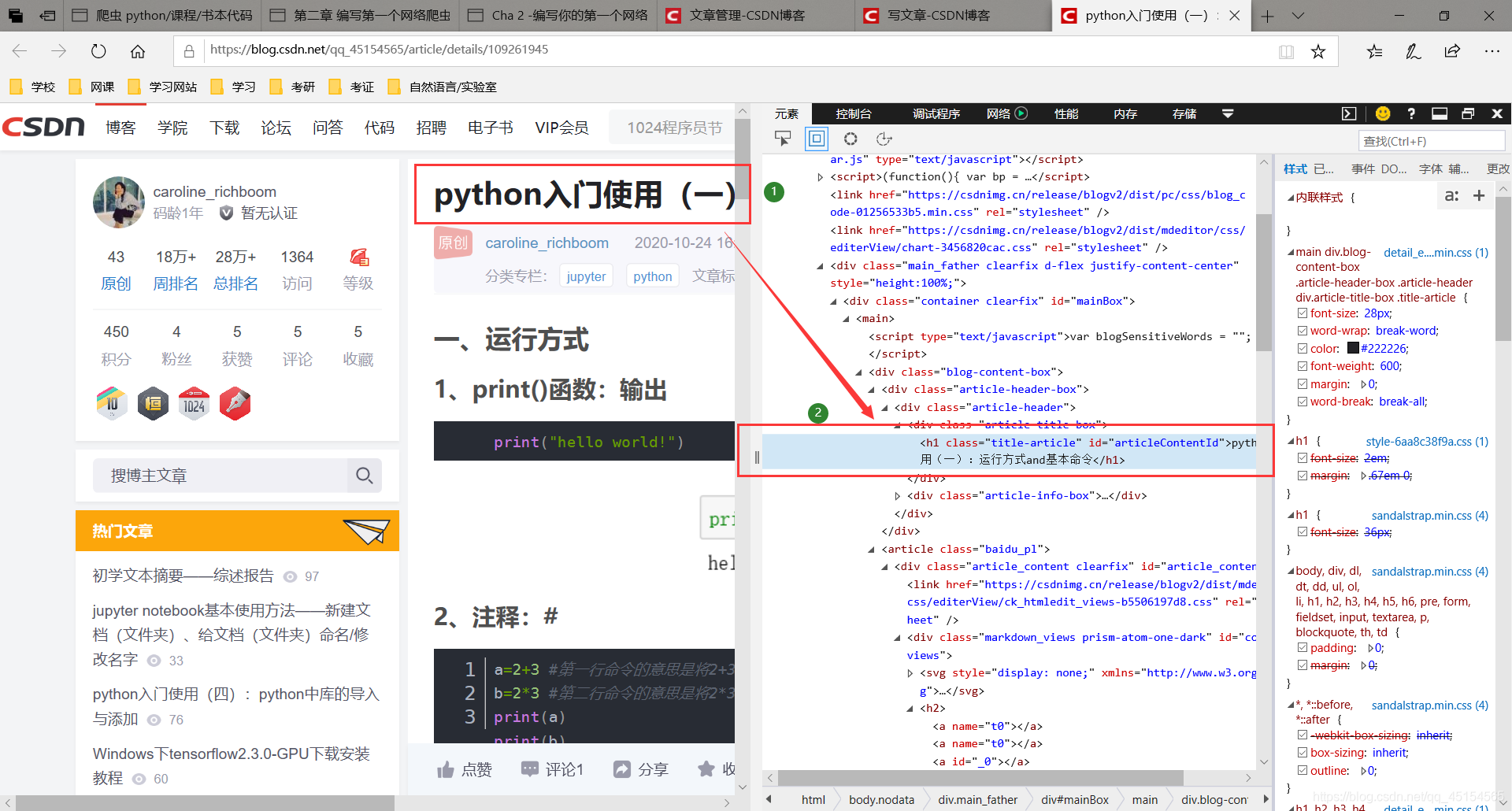
在2中的代码中可以看到这一句代码
#用soup.find函数找到文章标题,定位到class是"post-title"的h1元素,提取a,提取里面的字符串,strip()去除左右空格
title = soup.find("h1", class_="title-article")1
那么soup.find函数中的这些参数是怎么决定的呢?请看下面解释
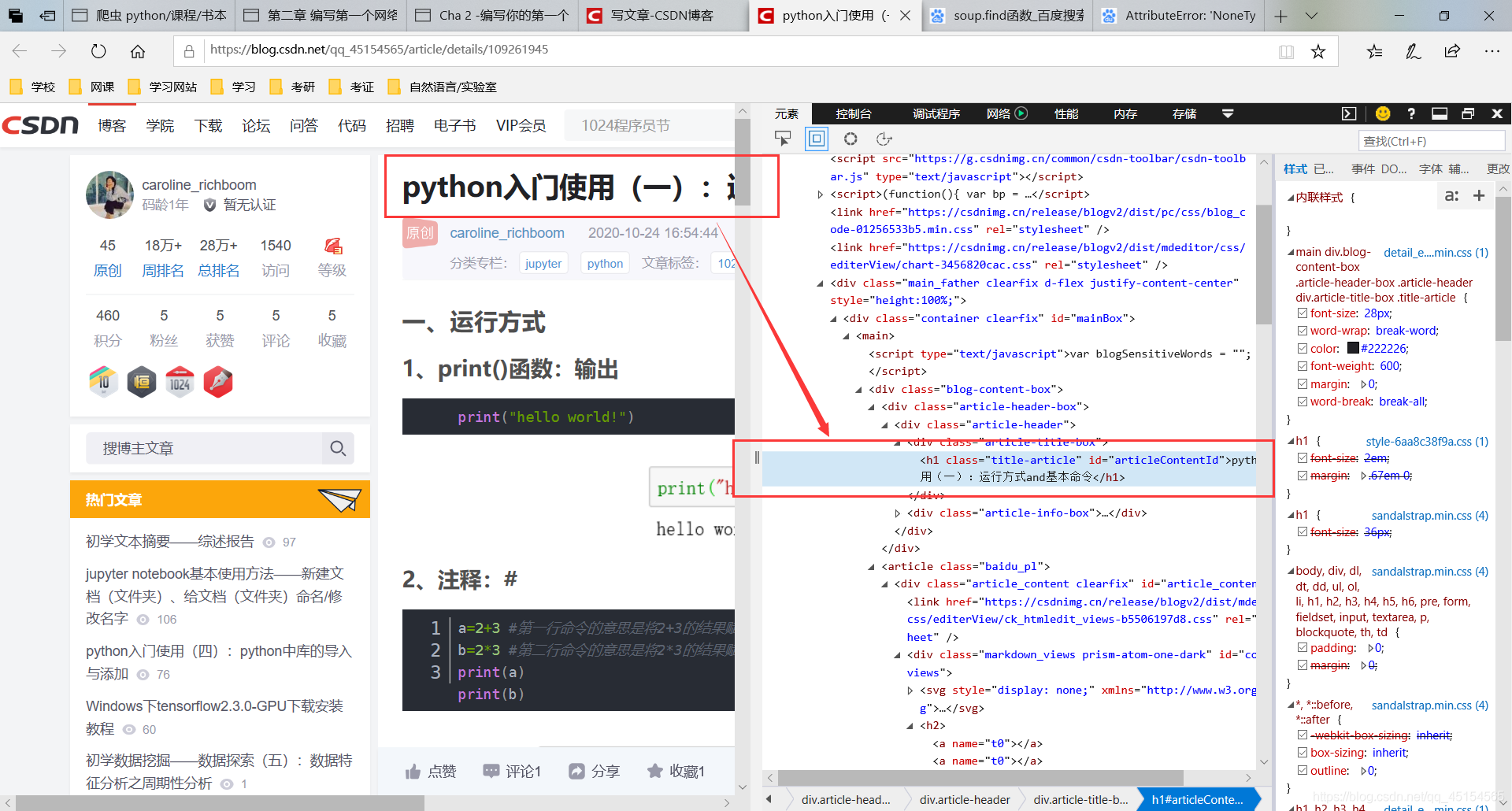
(1)在浏览器右键 > 检查元素(IE)/检查(谷歌)
以下以IE浏览器为例,谷歌同理:
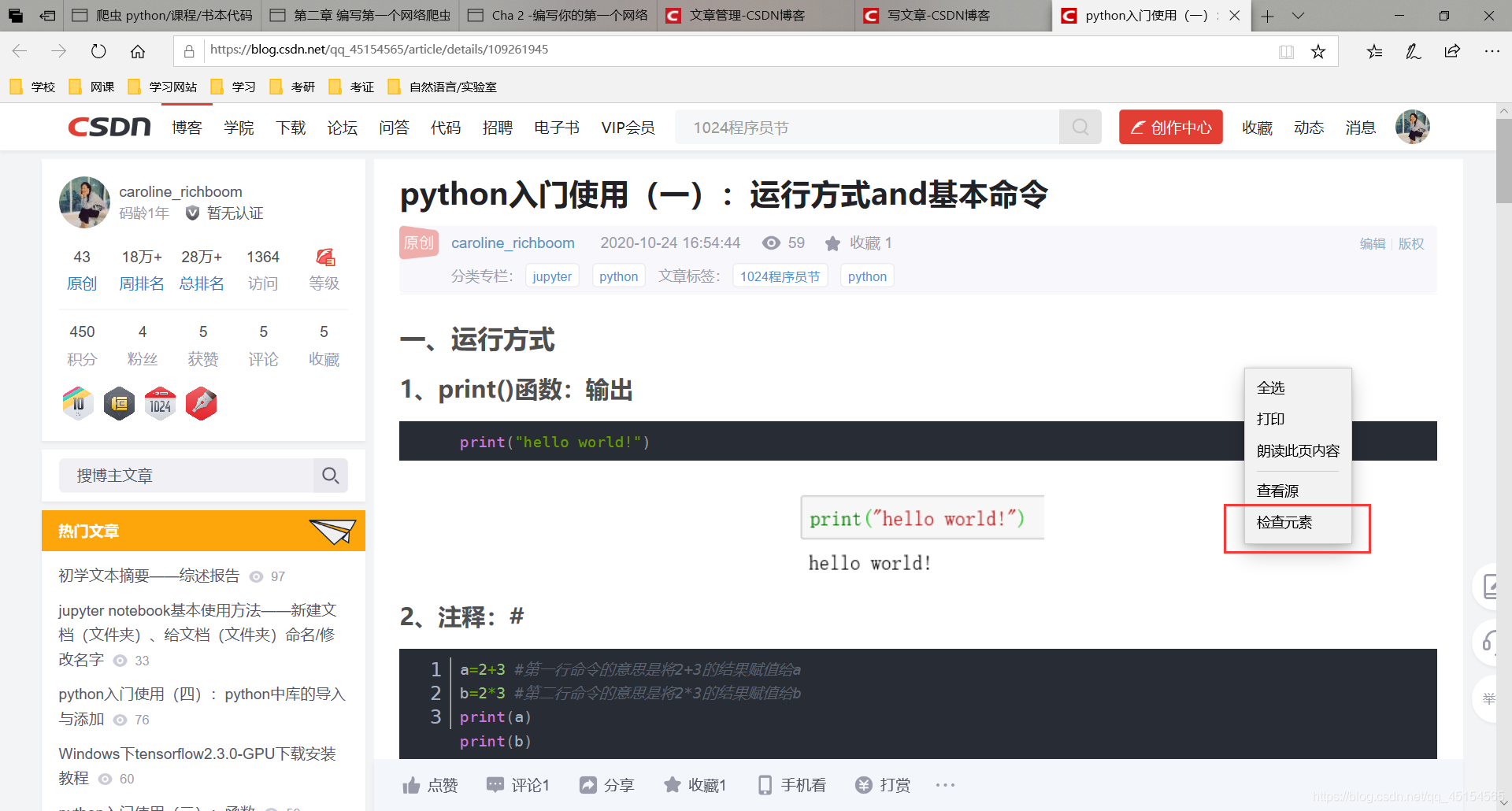
会出现以下界面:
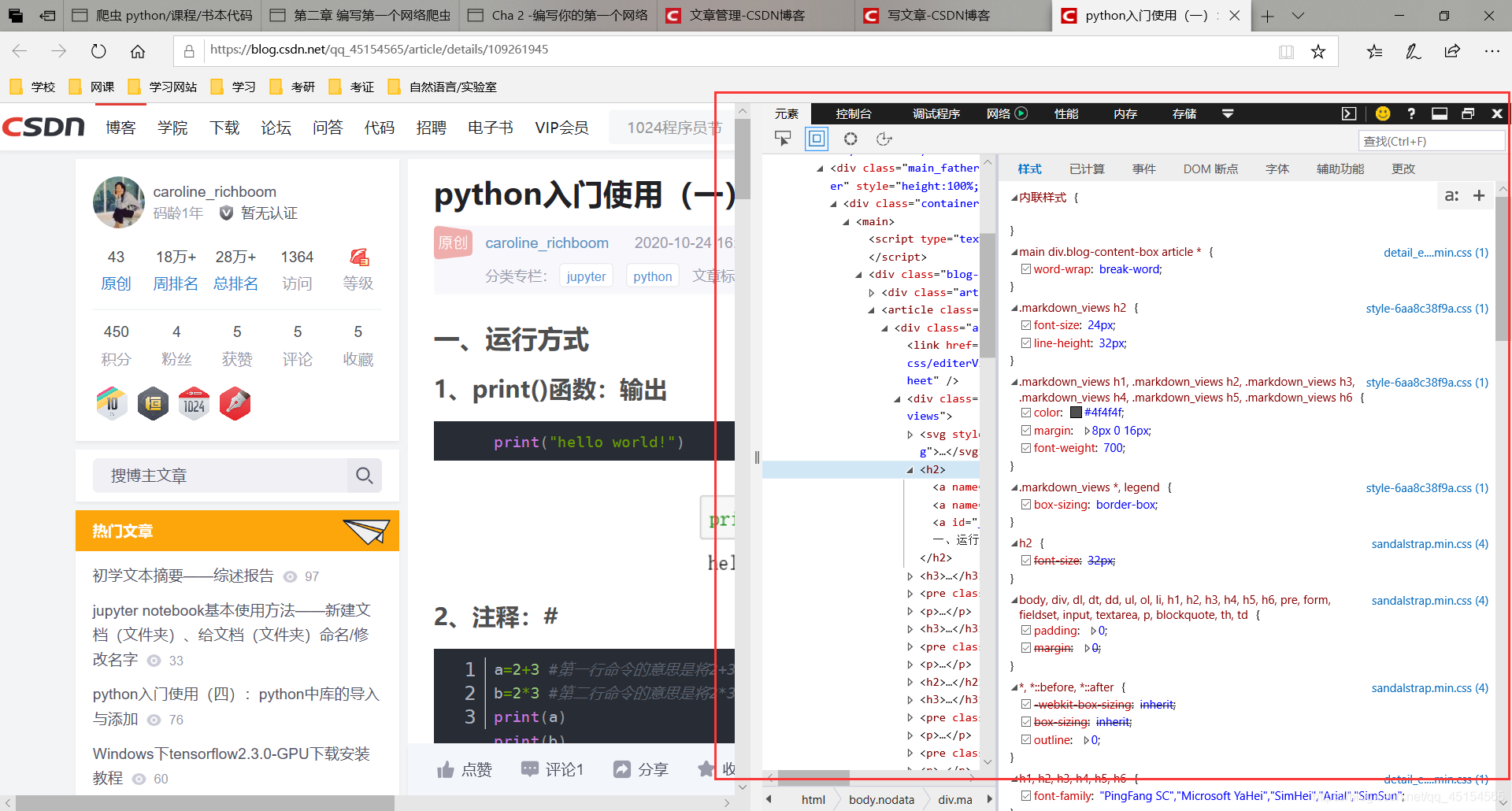
右侧显示的即为HTML代码
(2)点击HTML代码界面左上角的鼠标:
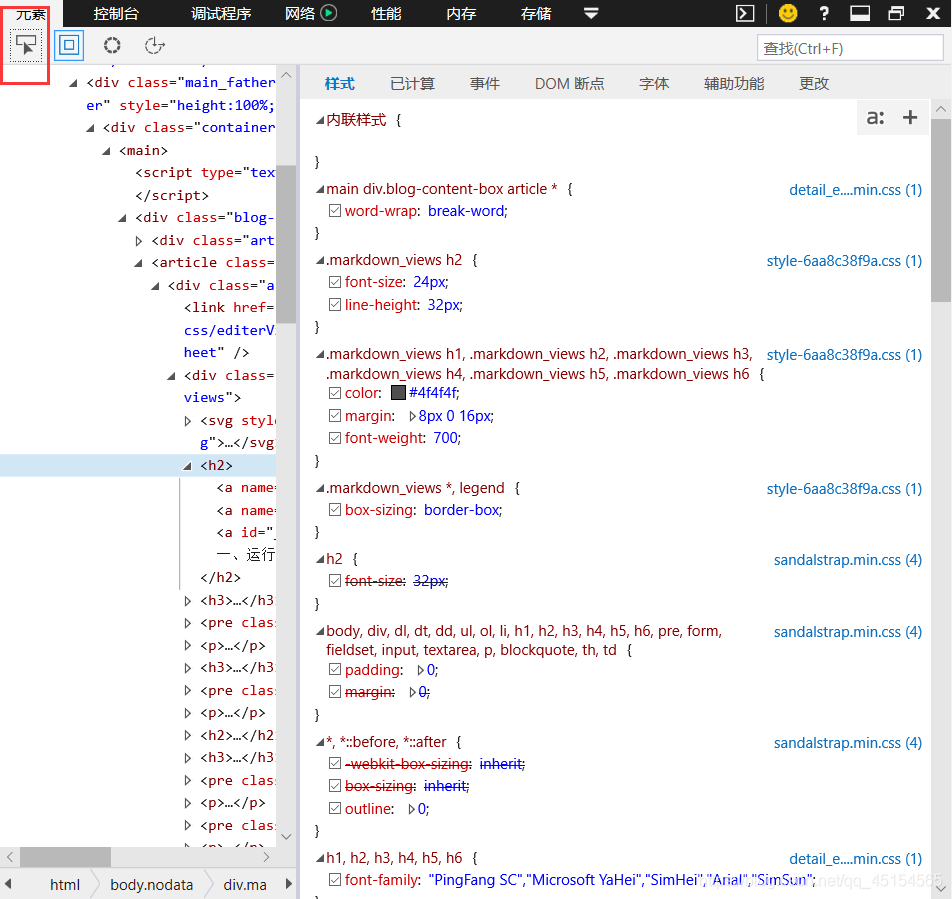
然后用鼠标点击页界面的任意位置,就会出现其对应的HTML代码板块(呈蓝色):
4、存储数据
#coding: utf-8
import requests
from bs4 import BeautifulSoup   #从bs4这个库中导入BeautifulSoup

link = "https://blog.csdn.net/qq_45154565/article/details/109261945"
headers = {'User-Agent' : 'Mozilla/5.0 (Windows; U; Windows NT 6.1; en-US; rv:1.9.1.6) Gecko/20091201 Firefox/3.5.6'}
r = requests.get(link, headers= headers)

soup = BeautifulSoup(r.text, "html.parser")   #使用BeautifulSoup解析这段代码,把HTML代码转化为soup对象

#用soup.find函数找到文章标题,定位到class是"post-title"的h1元素,提取a,提取里面的字符串,strip()去除左右空格
title = soup.find("h1", class_="title-article")
print (title.text)

title1 = str(title)
# 打开一个空白的txt,然后使用f.write写入刚刚的字符串title
with open('title1.txt', "a+") as f:
    f.write(title1)
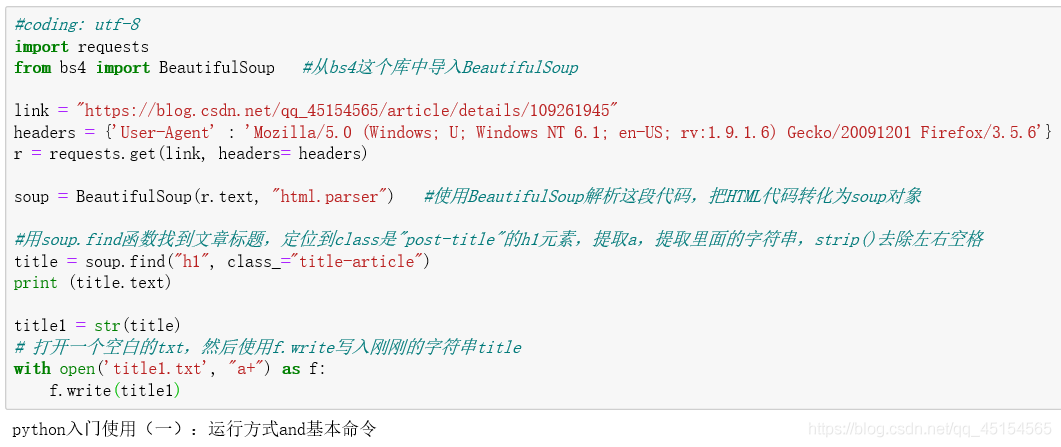
生成的txt文本:

PS:如有需要Python学习资料的小伙伴可以加点击下方链接自行获取

