大家好,我是天空之城
爬取qq音乐歌单
话不多说,代码如下
#--coding:utf-8--
from selenium import  webdriver # 从selenium库中调用webdriver模块
import time
from bs4 import BeautifulSoup

# option = webdriver.ChromeOptions()
# option.add_argument('headless')  # 静默模式
# # 打开chrome浏览器
# driver = webdriver.Chrome(chrome_options=option)

driver = webdriver.Chrome() # 声明浏览器对象

'''
driver.get('http://www.xiachufang.com/explore/') # 访问页面
time.sleep(2) # 暂停两秒,等待浏览器缓冲
tag_name = driver.find_element_by_class_name('normal-recipe-list')
list_name = tag_name.find_elements_by_class_name('info')
for i in list_name:
	name = i.text
	print(name)
driver.close()
'''

driver.get('https://y.qq.com/')
time.sleep(2)
gedan=driver.find_element_by_class_name('mod_header').find_elements_by_class_name('top_subnav__item')[4]
gedan.click()
time.sleep(2) # 等待两秒
pageSource = driver.page_source # 获取Elements中渲染完成的网页源代码
soup = BeautifulSoup(pageSource,'html.parser')  # 使用bs解析网页
comments = soup.find('div',class_='mod_playlist').find_all('li',class_='playlist__item') # 使用bs提取元素
print(len(comments)) # 打印comments的数量

for comment in comments: # 循环
    sweet = comment.find('span',class_='playlist__title_txt') # 提取评论
    print ('歌单名:%s\n ---\n'%sweet.text) # 打印评论
driver.close() # 关闭浏览器 # 关闭浏览器
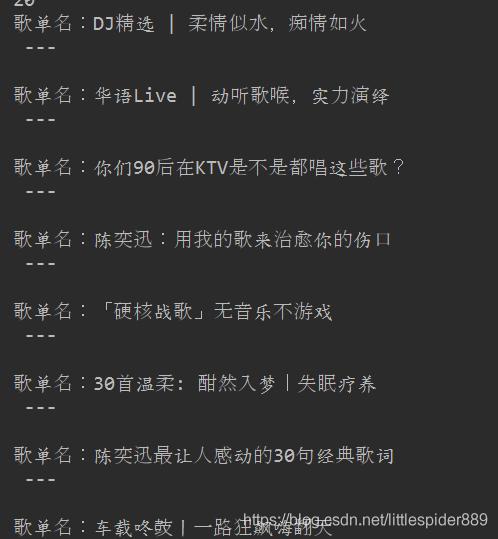
获取数据截图如下