1/ requests是什么
    requests库是⽤Python语⾔编写,基于urllib,采⽤Apache2 Licensed 开源协议的HTTP库。
    它⽐ urllib 更加⽅便,可以节约我们⼤量的⼯作,完全满足HTTP测试需求。
    ⼀句话:Python实现的简单易⽤的HTTP库用到的第三方库

2/ 安装
    pip install requests

3/ requests
   3.1/ 实例引入

3.2/ 各种请求方式

   3.3/ 基本get()请求
        import requests
        response = requests.get('http://httpbin.org/get')  # 只有url参数
        print(response.text)
   3.4/ 带参数的get()请求
        import requests
        response = requests.get("http://httpbin.org/get?name=germey&age=22")
        print(response.text)

        import requests
        data = {'name': 'germey','age': 22}
        response = requests.get("http://httpbin.org/get", params=data)
        print(response.text)

    3.5/ 解析json
        import requests
        import json
        response = requests.get("http://httpbin.org/get")
        print(type(response.text))
        print(response.json())
        print(json.loads(response.text))
        print(type(response.json()))

    3.6/ 添加headers
        import requests
        headers = {'User-Agent': 'Mozilla/5.0 (Macintosh; Intel Mac OS X 10_11_4) AppleWebKit/537.36 (KHTML, like Gecko) Chrome/52.0.2743.116 Safari/537.36'
        }
        response = requests.get("https://www.zhihu.com/explore", headers=headers)
        print(response.text)

     3.7/ 响应
        import requests
        response = requests.get('http://www.jianshu.com')
        print(type(response.status_code), response.status_code)  # 状态吗
        print(type(response.headers), response.headers)  # 请求头
        print(type(response.cookies), response.cookies)  # cookies
        print(type(response.url), response.url)  # url
        print(type(response.history), response.history)

    3.8/ 状态码判断
        import requests
        response = requests.get('http://www.jianshu.com/hello.html')
        exit() if not response.status_code == requests.codes.not_found else print('404 Not Found')

        import requests
        response = requests.get('http://www.jianshu.com')
        exit() if not response.status_code == 200 else print('Request Successfully')

    3.9/ 其他
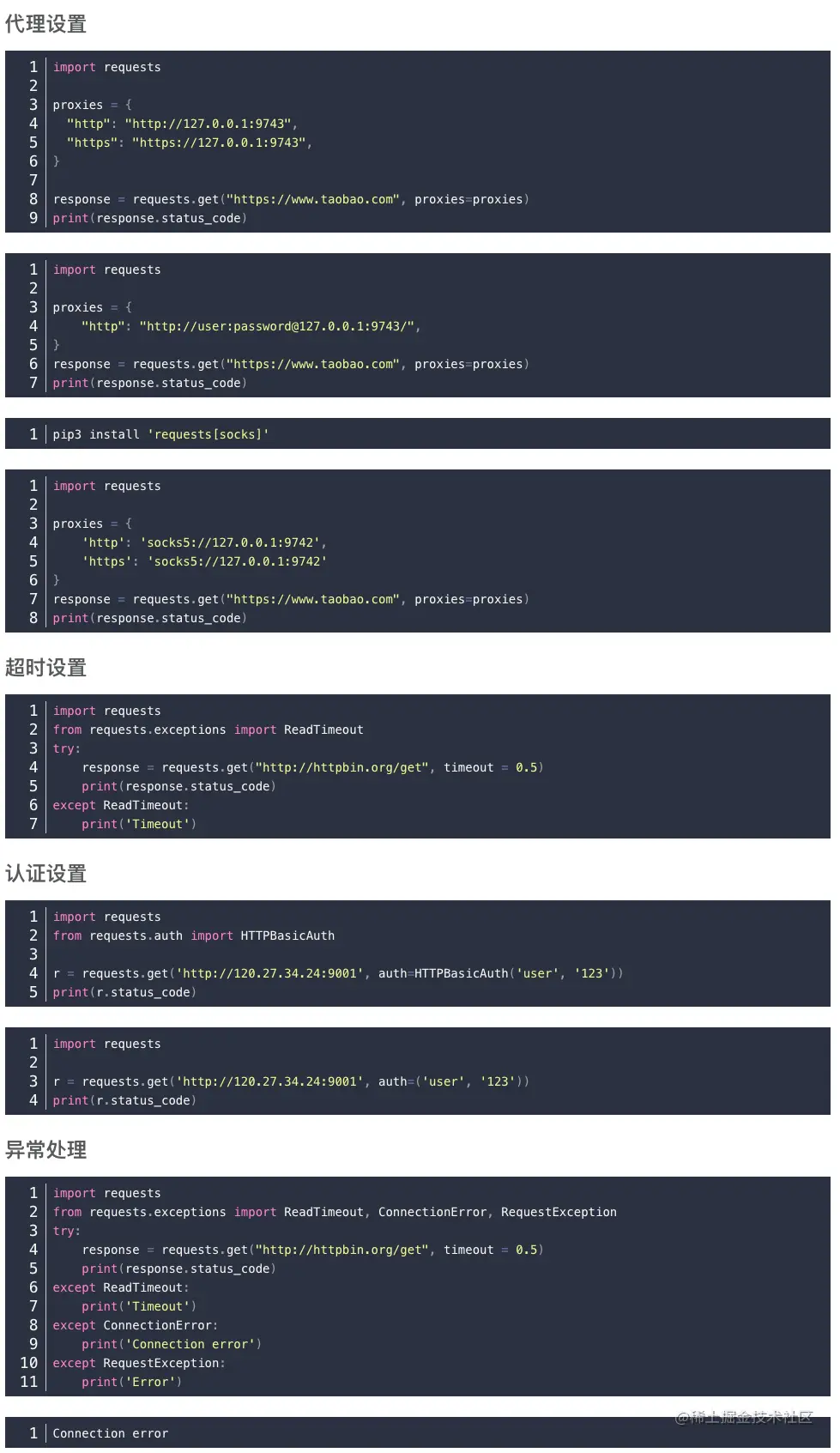
请求头
headers = { "User-Agent": UserAgent(verify_ssl=False).random,
        "Cookie": "_buuid=e72042ba-499d-472e-8ed6-331297fc3d83; guid=GxoZBBsaHQQYGxwEGBkYVhsbGh4YHB8fVhoEGxIFUkVMT1hDbAobGhsaGhsaGAVFQUlPbQoDGgQbEhBcWAoRHxsEGhsKcgp5ZQpJS2cKRk9eRGMKEUJZRV5EQ0lLZwIKGgQfBUtGRkNQRWc=; access_token=1.a1723bdbb37980bf120811526631a78f; u=231084420; maimai_version=4.0.0; channel=www; csrftoken=3qXMkCE5-3qIanL4AovksdxZoAQRTHKQ8yak; is_company_vip=0; has_admin=0; session=eyJzZWNyZXQiOiJyUkFfa1hjck5RRGVGZExTQVpOejlKT3kiLCJ1IjoiMjMxMDg0NDIwIiwiX2V4cGlyZSI6MTYwMjMyNDA1NDE0MywiX21heEFnZSI6ODY0MDAwMDB9; session.sig=vAutrPkEa7Dqpt9f52qK-2UxvqM; seid=s1602237655415",
        'Accept': '*/*',
        'Accept-Language':'zh-CN,zh;q=0.8,zh-TW;q=0.7,zh-HK;q=0.5,en-US;q=0.3,en;q=0.2',
        "Accept-Encoding":"gzip,deflate,br",
        'Referer':'https://maimai.cn/web/search_center?type=gossip&query=%E5%BF%AB%E6%89%8B&highlight=true',
        'Connection':'keep-alive',
        'TE':'Trailers',
        "Host":"maimai.cn"}

1/ url
     url = "https://www.baidu.com"  # 其实也就是api接口

2/ 关于requests.get()方法的headers请求头参数
    User-Agent中文名为用户代理,简称 UA:
    它是一个特殊字符串头,使得服务器能够识别客户使用的操作系统及版本、浏览器的版本、渲染引擎和语言等参数信息。
    该用户代理是一个长长的字串,在request.get()中需要以字典的形式进行表示:
    headers = { "User-Agent": "Mozilla/4.0 (compatible; MSIE 7.0; Windows NT 5.1; 360SE)") }
    在爬虫的时候,我们最好是经常更换用户代理,因为正常的浏览器是不能在短时间内频繁访问服务器的,容易被服务器检测出来是机器在访问,很容易被封禁。

    技巧:
        可以将所有的User Agent放在一个list中,然后使用random.choice()来从该list中随机选取一个
        user_agent_list = ["Mozilla/4.0 (compatible; MSIE 7.0; Windows NT 5.1; 360SE)",
                           "Mozilla/4.0 (compatible; MSIE 7.0; Windows NT 5.1; Avant Browser)"]
        headers = { "User-Agent":random.choice(user_agent_list) }

        或者是随机产生用户代理
        headers = { "User-Agent": UserAgent(verify_ssl=False).random }

 3/ 代理ip
 三:关于requests.get()的proxy代理服务器的问题
      Proxy对象:proxy={'协议':'ip:端口'}
      示例:proxies = {"proxies":{"http":"183.159.94.169:18118"}}
      使用:requests.get(url,headers=headers,proxies=proxies)

 4/ response = requests.get(url,headers=headers,proxies=proxies)
      r.status_code HTTP请求的返回状态,200表示连接成功,404表示失败
      r.text HTTP响应内容的字符串形式,即url对应的页面内容
      r.encoding 从HTTP header中猜测的响应内容编码方式(
      r.apparent_encoding 从内容中分析出的响应内容编码方式(备选编码方式)
      r.content HTTP响应内容的二进制形式

 5/ requests.request(method,url,**kwargs)