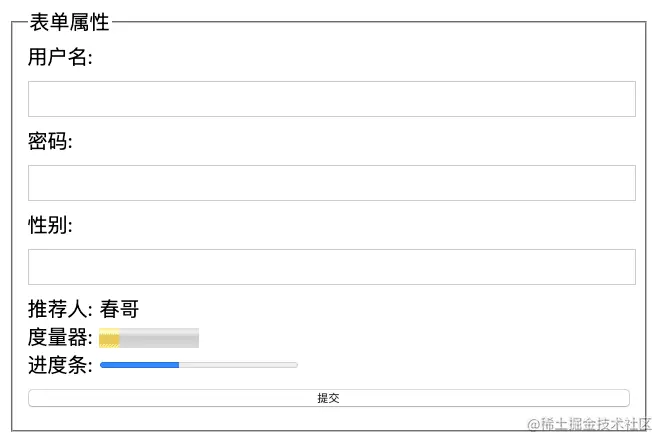
<style>
  form{
    width: 100%;
    max-width: 640px;
    min-width: 320px;
    margin: 0 auto;
    font-family: "Microsoft Yahei";
    font-size: 20px;
  }
  input{
    display: block;
    width: 100%;
    height: 30px;
    margin: 10px 0;
  }
</style>
<form action="">
<fieldset>
<legend>表单元素</legend>
<label for="username">
用户名: <input type="text" name="username" id="username">
</label>
<label for="pwd">
密码: <input type="password" name="pwd" id="pwd">
</label>
<label for="sex">
性别: <input type="text" name="sex" list="sexData" id="sex">
</label>
<datalist id="sexData">
<option>男</option>
<option>女</option>
<option>未知</option>
</datalist>
<label for="">
推荐人: <output>春哥</output>
</label>
<br />
<label for="">
度量器: <meter value="20" max="100" min="0" low="30" high="80"></meter>
</label>
<br />
<label for="">
进度条: <progress value="40" max="100" min="0"></progress>
</label>
<input type="submit" value="提交">
</fieldset>
</form>