<!DOCTYPE html>
<html lang="en">
<head>
  <meta charset="UTF-8">
  <meta name="viewport" content="width=device-width, initial-scale=1.0">
  <title>Document</title>
  <style>
    * {
      margin: 0;
      padding: 0;
      list-style: none;
    }
    html, body {
      height: 100%;
    }
    .img-box {
      position: absolute;
      width: 100%;
      height: 100%;
      z-index: 0;
    }
    .img-box img {
      width: 100%;
      height: 100%;
      position: absolute;
      left: 0;
      top: 0;
    }
    .img-box img:target {
      z-index: 5;
    }
    .img-box img:nth-child(1):target {
      animation: showLeft 1s;
    }
    .img-box img:nth-child(2):target {
      animation: showTop 1s;
    }
    .img-box img:nth-child(3):target {
      animation: showRot 1s;
    }
    .img-box img:nth-child(1) {
      z-index: 1;
    }
    ul {
      position: absolute;
      z-index: 1;
      width: 300px;
      height: 80px;
      left: 50%;
      bottom: 20px;
      margin-left: -150px;
    }
    ul li {
      float: left;
    }
    ul li a {
      display: block;
      width: 80px;
      height: 80px;
      background-color: pink;
      border-radius: 50%;
      margin-left: 20px;
      text-align: center;
      line-height: 80px;
      font-size: 30px;
      color: red;
      text-decoration: none;
    }
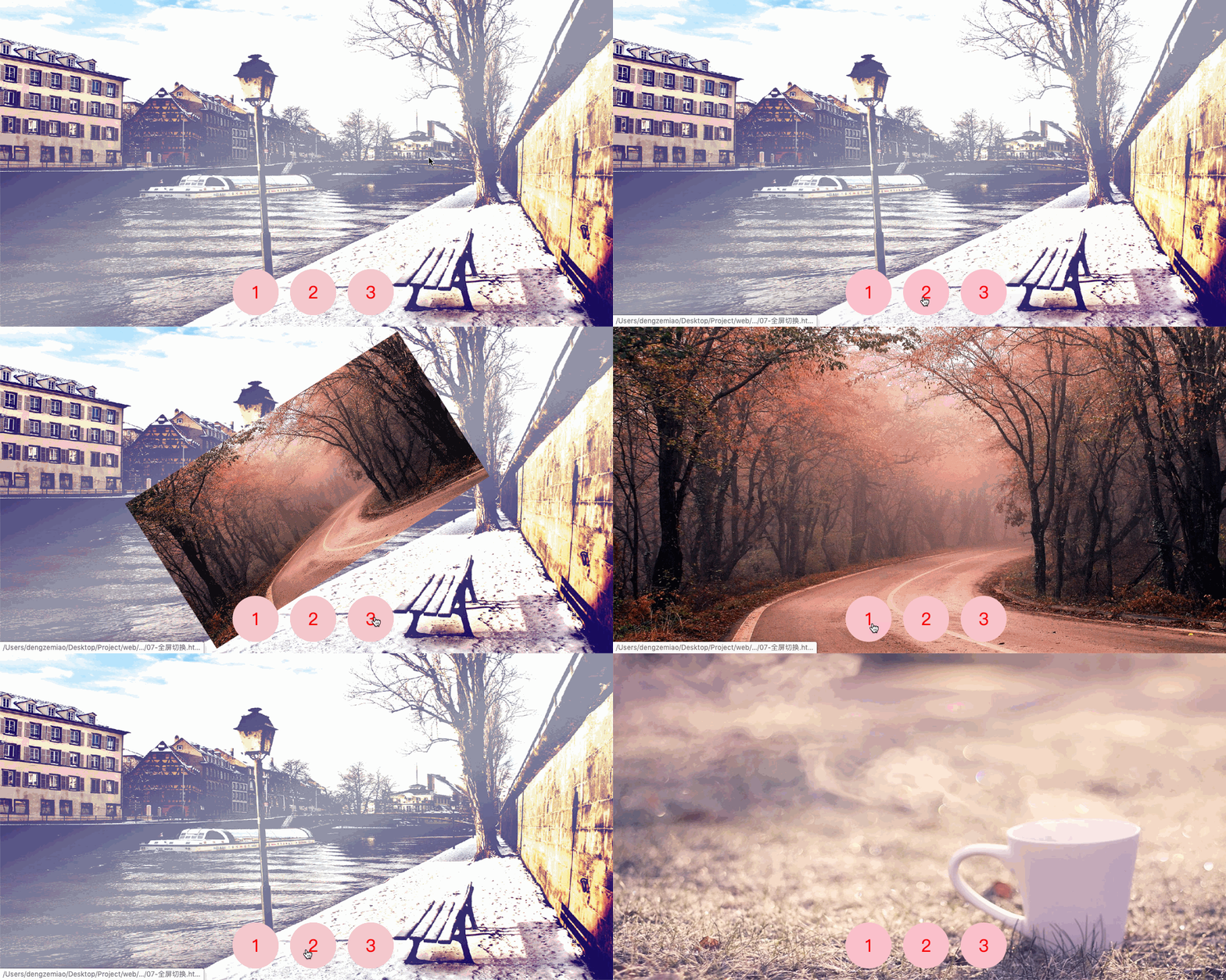
    @keyframes showLeft {
      0% {
        transform: translateX(-2000px);
      }
      100% {
        transform: translateX(0px);
      }
    }
    @keyframes showTop {
      0% {
        transform: translateY(-1000px);
      }
      100% {
        transform: translateY(0px);
      }
    }
    @keyframes showRot {
      0% {
        transform: scale(0.5) rotate(345deg);
      }
      100% {
        transform: scale(1) rotate(0deg);
      }
    }
  </style>
</head>
<body>
  <div class="img-box">
    <img src="DemoMaterial/animation/bg2.jpg" id="img1" alt="">
    <img src="DemoMaterial/animation/bg3.jpg" id="img2" alt="">
    <img src="DemoMaterial/animation/bg4.jpg" id="img3" alt="">
  </div>
  <ul>
    <li><a href="#img1">1</a></li>
    <li><a href="#img2">2</a></li>
    <li><a href="#img3">3</a></li>
  </ul>
</html>