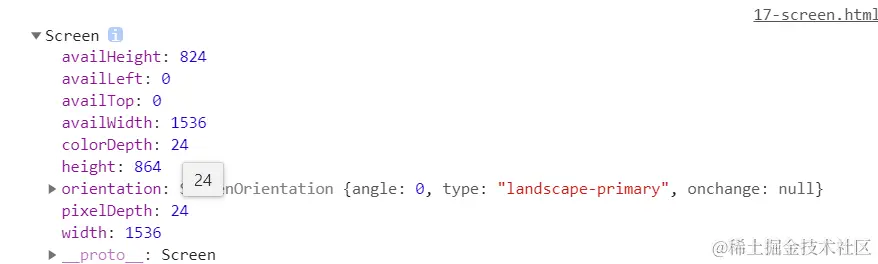
window
console.dir(window)
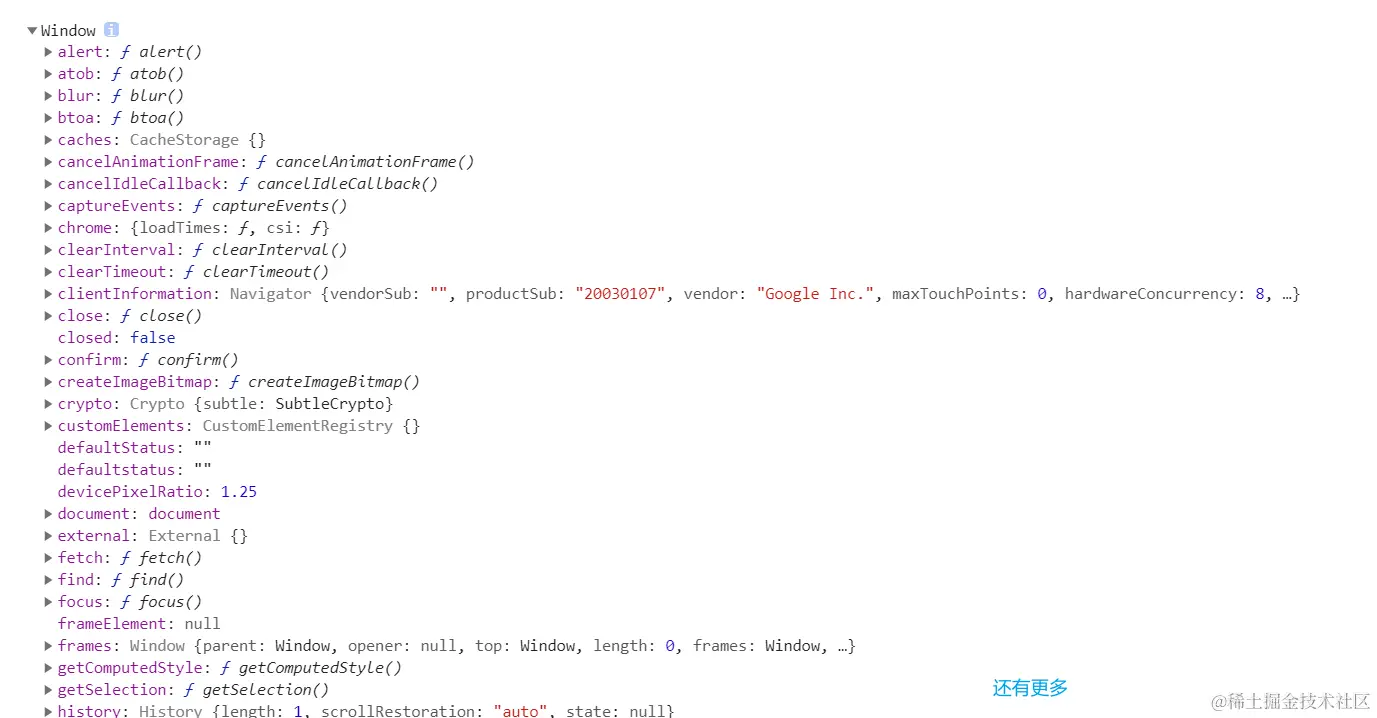
innerWidth/innerHeight
window.innerWidth 可视区宽度
window.innerHeight 可视区高度
open
window.open()
window.open(URL,target,specs,replace)
URL 新窗口地址
target 属性 新窗口打开方式
- _blank 新窗口打开
- _self 当前窗口打开
specs 新窗口规格
- width=pixels 窗口的宽度.最小.值为100
- height=pixels 窗口的高度。最小.值为100
- location=yes|no|1|0 是否显示地址字段.默认值是yes
- menubar=yes|no|1|0 是否显示菜单栏.默认值是yes
- resizable=yes|no|1|0 是否可调整窗口大小.默认值是yes
- scrollbars=yes|no|1|0 是否显示滚动条.默认值是yes
- status=yes|no|1|0 是否要添加一个状态栏.默认值是yes
- titlebar=yes|no|1|0 是否显示标题栏.被忽略,除非调用HTML应用程序或一个值得信赖的对话框.默认值是yes
- toolbar=yes|no|1|0 是否显示浏览器工具栏.默认值是yes
实例:
let win = window.open("http://www.baidu.com","_blank","width=200,height=200,menubar=yes,resizable = no,titlebar = no,left = 500,top = 500")
返回值是新打开的窗口的window对象
close
window.close()
各类弹框
alert("弹出消息");

console.log(confirm("你确定吗?"));
//确定返回true  取消返回false

console.log(prompt("你的梦想是什么","找到工作"));
//确定返回输入内容  取消返回null
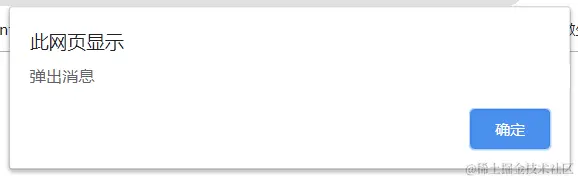
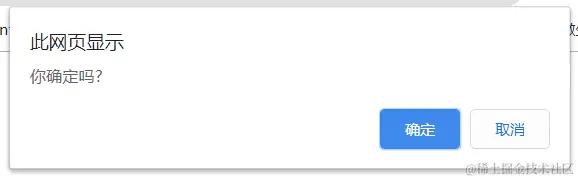
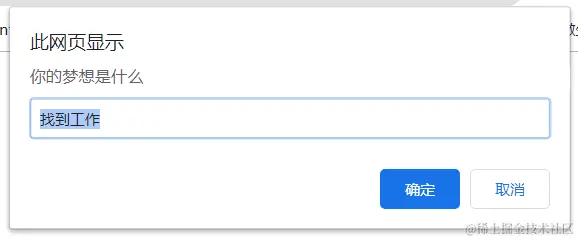
小案例结合window事件实现居中弹框
<!DOCTYPE html>
<html lang="en">
<head>
<meta charset="UTF-8">
<meta name="viewport" content="width=device-width, initial-scale=1.0">
<meta http-equiv="X-UA-Compatible" content="ie=edge">
<title>Document</title>
<style>
.inner {
  height: 1000px;
  border: 2px solid #000;
}
#banner {
  position: absolute;
  left: 0;
  top: 0;
  width: 200px;
  height: 200px;
  background: #000;
  font: 20px/50px "宋体";
  color:#fff;
}
</style>
<script>

window.onload=function(){

function a(){
    let banner=document.querySelector("#banner");
    let l=(window.innerWidth-banner.offsetWidth)/2;
    let t=(window.innerHeight-banner.offsetHeight)/2;
    let y=document.body.scrollTop||document.documentElement.scrollTop;
    let x=document.body.scrollLeft||document.documentElement.scrollLeft;
    banner.style.top=t+y+'px';
    banner.style.left=l+x+'px';
}

	a();

  window.onresize=()=>{

      a();
  }

  window.onscroll=()=>{
    banner.style.transition="1s"
    a();
  }
}


</script>
</head>
<body>
<div id="banner">广告弹窗</div>
<div class="inner">页面内容</div>
<div class="inner">页面内容</div>
<div class="inner">页面内容</div>
<div class="inner">页面内容</div>
<div class="inner">页面内容</div>
<div class="inner">页面内容</div>
</body>
</html>
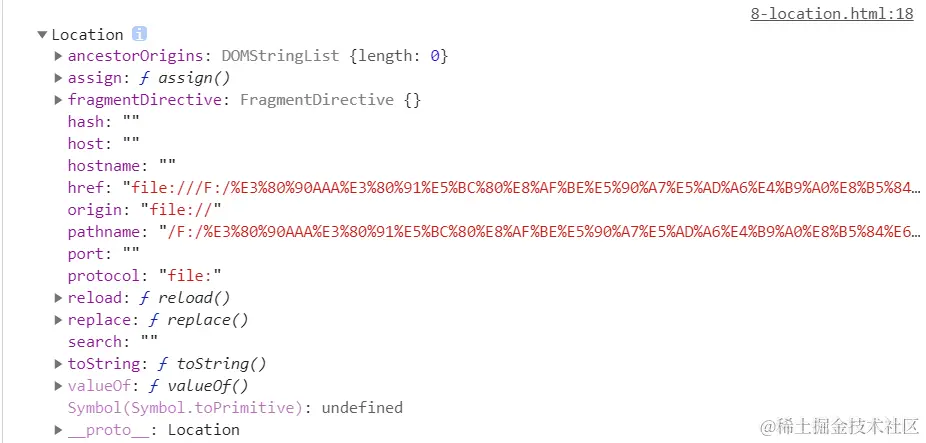
location
location 地址: 地址栏相关的信息

host: "127.0.0.1" 主机信息  域名 + 端口(默认80端口)
hostname: "localhost" 主机地址 || 域名
href 完整的地址
port: 端口
pathname: 路径
protocol: "http"||"https"
hash #后边跟随的是hash
search  代表了?后边跟随的内容
location.href既可以获取又可以设置
location.replace()
location.href = "https://www.baidu.com/s?name=lth"
location.replace("https://www.baidu.com/s?name=lth");
刷新页面
location.reload()
location.href = location.href
利用哈希实现路由的应用
路由(routing):根据路径决定前端显示的视图
location.hash
<!DOCTYPE html>
<html lang="en">
<head>
<meta charset="UTF-8">
<meta name="viewport" content="width=device-width, initial-scale=1.0">
<meta http-equiv="X-UA-Compatible" content="ie=edge">
<title>Document</title>
</head>
<body>
<nav>
<a href="#view1">视图1</a>
<a href="#view2">视图2</a>
<a href="#view3">视图3</a>
</nav>
<div id="view">
视图一
</div>
<script>
let view = document.querySelector("#view");
setView();
window.onhashchange = setView;
function setView(){
let hash = location.hash;
console.log(hash);
switch(hash){
case "":
case "#view1":
view.innerHTML = "视图一";
break;
case "#view2":
view.innerHTML = "视图二";
break;
case "#view3":
view.innerHTML = "视图三";
break;
}
}
</script>
</body>
</html>
history
history.forward()
history.back()
history.go(-2)
history.go(2)
navigator
navigator.userAgent
navigator.onLine
// 判断PC
function IsPC() {
var userAgentInfo = navigator.userAgent
var Agents = ["Android", "iPhone",
"SymbianOS", "Windows Phone",
"iPad", "iPod"]
var flag = true
for (var v = 0
if (userAgentInfo.indexOf(Agents[v]) > 0) {
flag = false
break
}
}
return flag
}
var ua = navigator.userAgent.toLowerCase();
if (/android|adr/gi.test(ua)) {
}else if(/\(i[^;]+;( U;)? CPU.+Mac OS X/gi.test(ua)){
}
// 判断不同客户端:新浪微博为1,QQ客户端为2,微信低于6.0.2版本为3,高于6.0.2版本为4,其他为0。
var ua = navigator.userAgent.toLowerCase()
if(ua.match(/weibo/i) == "weibo"){
console.log(1)
}else if(ua.indexOf('qq/')!= -1){
console.log(2)
}else if(ua.match(/MicroMessenger/i)=="micromessenger"){
var v_weixin = ua.split('micromessenger')[1]
v_weixin = v_weixin.substring(1,6)
v_weixin = v_weixin.split(' ')[0]
if(v_weixin.split('.').length == 2){
v_weixin = v_weixin + '.0'
}
if(v_weixin < '6.0.2'){
console.log(3)
}else{
console.log(4)
}
}else{
console.log(0)
}
var ua=navigator.userAgent.toLowerCase();
if(/msie/i.test(ua) && !/opera/.test(ua)){
alert("IE");
return ;
}else if(/firefox/i.test(ua)){
alert("Firefox");
return ;
}else if(/chrome/i.test(ua) && /webkit/i.test(ua) && /mozilla/i.test(ua)){
alert("Chrome");
return ;
}else if(/opera/i.test(ua)){
alert("Opera");
return ;
} else if(/webkit/i.test(ua) &&!(/chrome/i.test(ua) && /webkit/i.test(ua) && /mozilla/i.test(ua))){
alert("Safari");
return ;
}else{
alert("unKnow");
}
screen