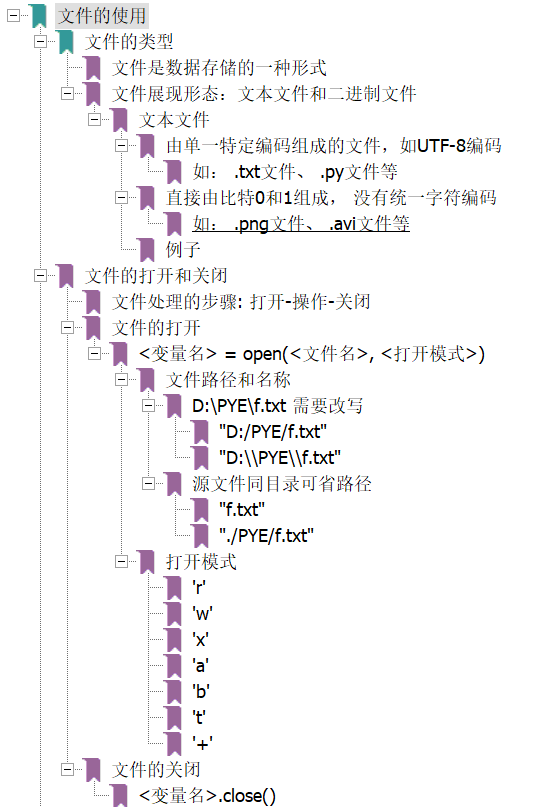
7.1 文件的使用
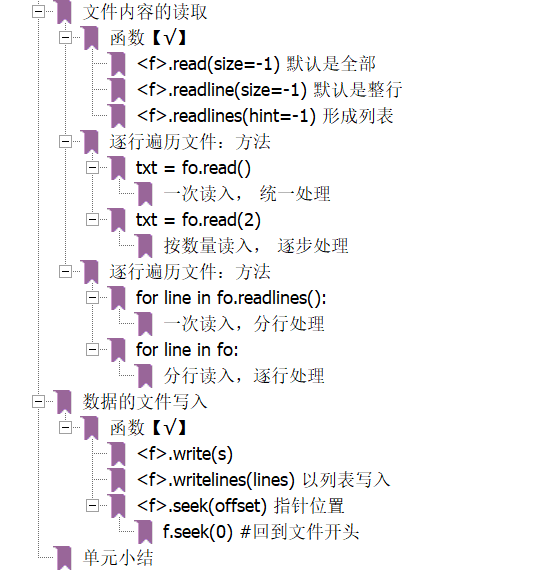
7.2 实例11: 自动轨迹绘制
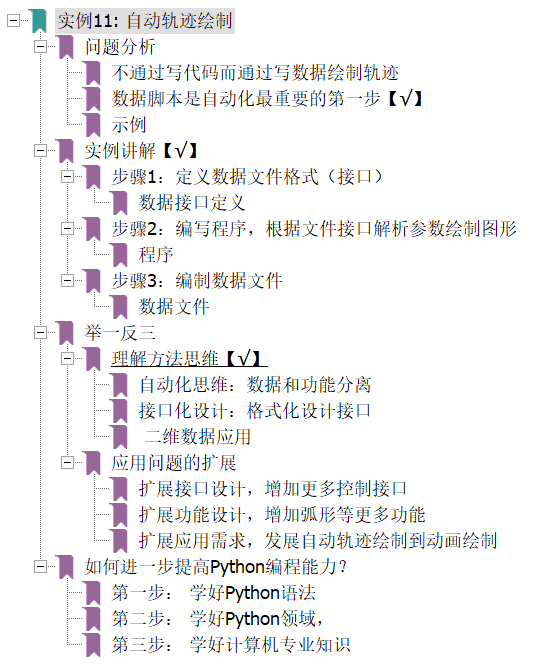
#AutoTraceDraw.py 参考代码
import turtle as t

#初始化
t.title('自动轨迹绘制')
t.setup(800, 600, 0, 0)
t.pencolor("red")
t.pensize(5)

#数据读取
datals = []
f = open("data.txt")
for line in f:
    line = line.replace("\n","")
    datals.append(list(map(eval, line.split(","))))
                  #先每个元素都执行eval,然后再把得到map转化成list
f.close()

#自动绘制
for i in range(len(datals)):
    t.pencolor(datals[i][3],datals[i][4],datals[i][5]) # 颜色
    t.fd(datals[i][0])      # 前进距离
    if datals[i][1]:        # 转向
        t.rt(datals[i][2])  # 角度
    else:
        t.lt(datals[i][2])
7.3 一维数据的格式化和处理
7.4 二维数据的格式化和处理
7.5 模块6: wordcloud库的使用
原理示意图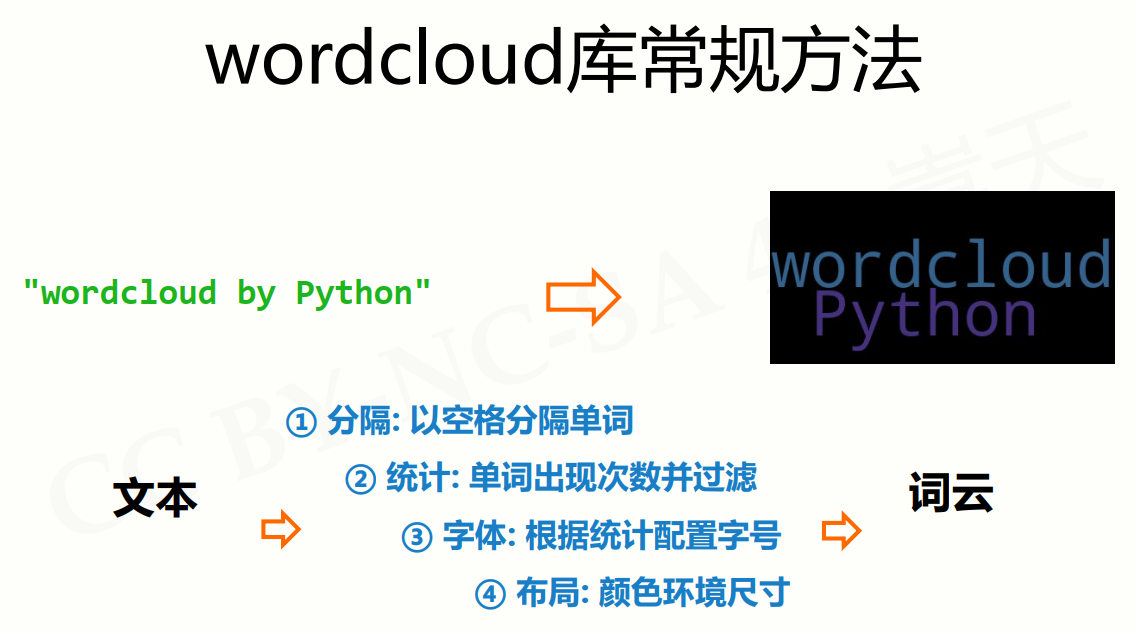
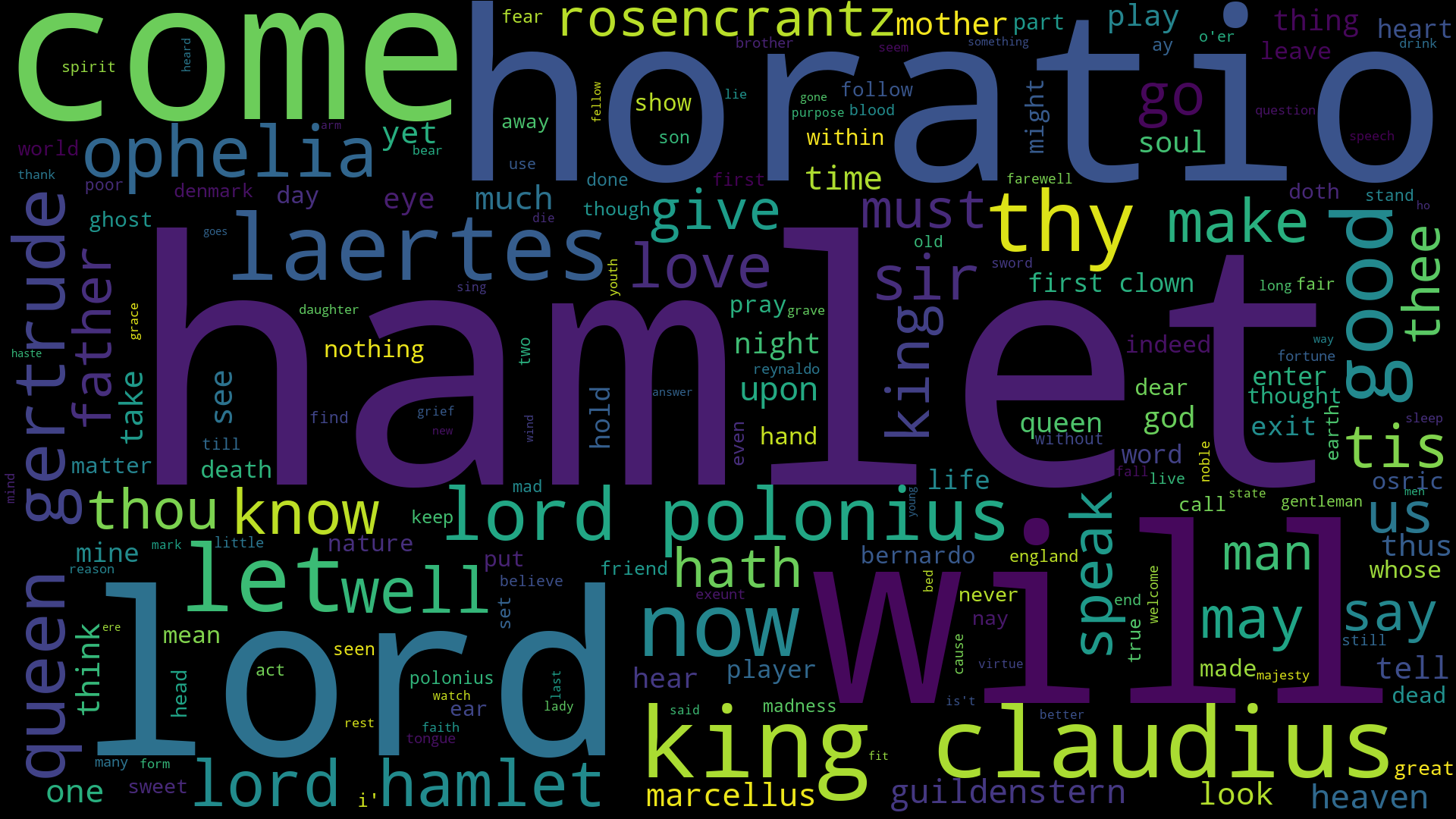
英文 hamlet.txt
# wordCloudHalmet.py

import wordcloud

# 读取txt
txt = open("E:\\21_git\\pythonMOOC\\week6\\hamlet.txt", "rt").read()
# 归一化处理【√】
txt = txt.lower()                               # 全部转化为小写
for ch in '!"#$%&()*+,-./:;<=>?@[\\]^_‘{|}~':   # 替换掉所有特殊字符
    txt = txt.replace(ch, " ")
# 至此,已转化为以空格分隔的字符串

# 生成词云
wc = wordcloud.WordCloud(width = 1920, height = 1080)
wc.generate(txt)
wc.to_file('wordCloudHamlet.png')
中文 三国演义
# wordCloudthreeKingdoms.py

import wordcloud
import jieba

# 读取txt
threeKingdomsTxt = open("E:\\21_git\\pythonMOOC\\week6\\threekingdoms.txt", "rt", \
    encoding = 'utf-8').read()
# 利用jieba库 分词 【√】
words = jieba.lcut(threeKingdomsTxt)
for word in words:
    if len(word) == 1:
        del word
# 转化为以空格分隔的字符串
txt = " ".join(words)

# 生成词云
wc = wordcloud.WordCloud(width = 1920, height = 1080, font_path="msyh.ttc") # 注意需要加载中文字体
wc.generate(txt)
wc.to_file('wordCloudthreeKingdoms.png')

7.6 实例12: 政府工作报告词云
# wordCloudthreeKingdoms.py

import wordcloud
import jieba
from imageio import imread #【√】
mask = imread("star2.png")  #【√】

# 读取txt
threeKingdomsTxt = open("新时代中国特色社会主义.txt", \
                            "rt", encoding = 'utf-8').read()
# 利用jieba库 分词 【√】
words = jieba.lcut(threeKingdomsTxt)
# for word in words:
#     if len(word) == 1:
#         del word
# 转化为以空格分隔的字符串
txt = " ".join(words)

# 生成词云                # 注意图片大小实际取决于mask   # 注意需要加载中文字体
wc = wordcloud.WordCloud(width = 1920, height = 1080, font_path="msyh.ttc", \
                            background_color = 'white', mask = mask) #【√】
wc.generate(txt)
wc.to_file('wordCloud新时代中国特色社会主义.png')

吐血心得:
原来mask所需要的图片,并不是透明的png……只是不填充白色区域……
所以下载了透明的png之后,需要转一下jpg。如 png2jpg.com/zh/
测试题
1. 文本的平均列数
打印输出附件文件的平均列数,计算方法如下:
(1)有效行指包含至少一个字符的行,不计算空行;
(2)每行的列数为其有效字符数;
(3)平均列数为有效行的列数平均值,采用四舍五入方式取整数进位。
f = open('1.txt', 'r', encoding='utf-8')
count = 0
columnCount = 0
for line in f:
    line = line.strip("\n") ## 重要
    column = len(line)
    if column > 0 :
        count += 1
        columnCount += column
ave = round(columnCount/count)
print(ave)
# 结果
48
2. CSV格式清洗与转换
附件是一个CSV格式文件,提取数据进行如下格式转换:
(1)按行进行倒序排列;
(2)每行数据倒序排列;
(3)使用分号(;)代替逗号(,)分割数据,无空格;
按照上述要求转换后将数据输出。
f = open('data.csv', 'r', encoding = 'utf-8')
lines = f.readlines()
lines = lines[::-1] ## 重要【√】审题,需要所有行先倒序
for line in lines:
    line = line.strip("\n") ## 重要
    line = line.replace(' ','') ## 重要【√】去空格
    ls = line.split(',')
    ls = ls[::-1]
    print(';'.join(ls))
# 结果
3;8;6;1;7;4;2;5
'k';'j';'i';'c';'z';'x';'b';'y';'a'
'x';'y';'j';'i';'k';'a';'b';'c';'z'
'x';'a';'z';'y';'i';'c';'j';'b';'k'
'k';'j';'i';'z';'y';'x';'c';'b';'a'
2;4;7;5;8;3;1;6
5;6;4;1;7;2;3;8
7;6;5;4;3;2;1