

如果对代码有疑惑,可以看我的个人视频 www.bilibili.com/video/BV1vV…
效果

静止太极图
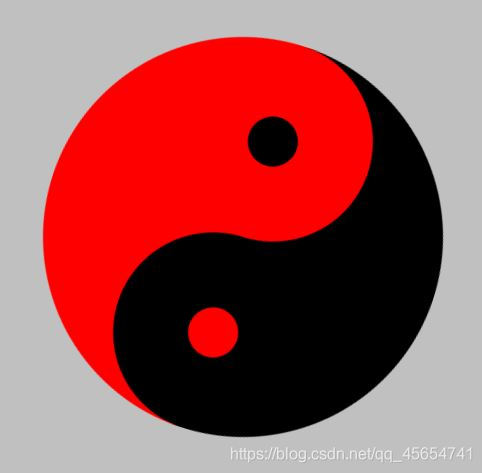
动态太极图
动态太极图代码
  body {
            background: silver;
            height: 2000px;
        }

        #canvas {
            position: absolute;
            top: 20%;
            left: 50%;
            margin-left: -250px;
            animation: rotate1 .1s linear infinite;
        }

        @keyframes rotate1 {
            100% {
                transform: rotate(360deg);
            }
        }

    <div>
        <!-- canvas画布 -->
        <!-- IE9 -->
        <canvas id="canvas" width="500" height="500"></canvas>
    </div>

 let ctx = document.getElementById("canvas").getContext("2d");
        // 创建context对象
        // 左大半圆
        ctx.beginPath();
        // 起始路径
        ctx.fillStyle = "red";
        // 填充颜色
        ctx.arc(250, 250, 200, Math.PI / 2, Math.PI * 1.5, false);
        // 创建弧/曲线
        //arc(x,y,r,起始角,结束角,顺时针)
        ctx.closePath();
        // 从当前点返回起始路径
        ctx.fill();
        // 填充绘图
        // 右大半圆
        ctx.beginPath();
        ctx.fillStyle = "#000";
        ctx.arc(250, 250, 200, Math.PI / 2, Math.PI * 1.5, true);
        ctx.closePath();
        ctx.fill();
        // 右小半圆
        ctx.beginPath();
        ctx.fillStyle = "red";
        ctx.arc(250, 150, 100, Math.PI / 2, Math.PI * 1.5, true);
        ctx.closePath();
        ctx.fill();
        // 左小半圆
        ctx.beginPath();
        ctx.fillStyle = "#000";
        ctx.arc(250, 350, 100, Math.PI / 2, Math.PI * 1.5, false);
        ctx.closePath();
        ctx.fill();
        // 上小圆
        ctx.beginPath();
        ctx.fillStyle = "#000";
        ctx.arc(250, 150, 25, 0, Math.PI * 2);
        ctx.closePath();
        ctx.fill();
        // 下小圆
        ctx.beginPath();
        ctx.fillStyle = "red";
        ctx.arc(250, 350, 25, 0, Math.PI * 2);
        ctx.closePath();
        ctx.fill();

