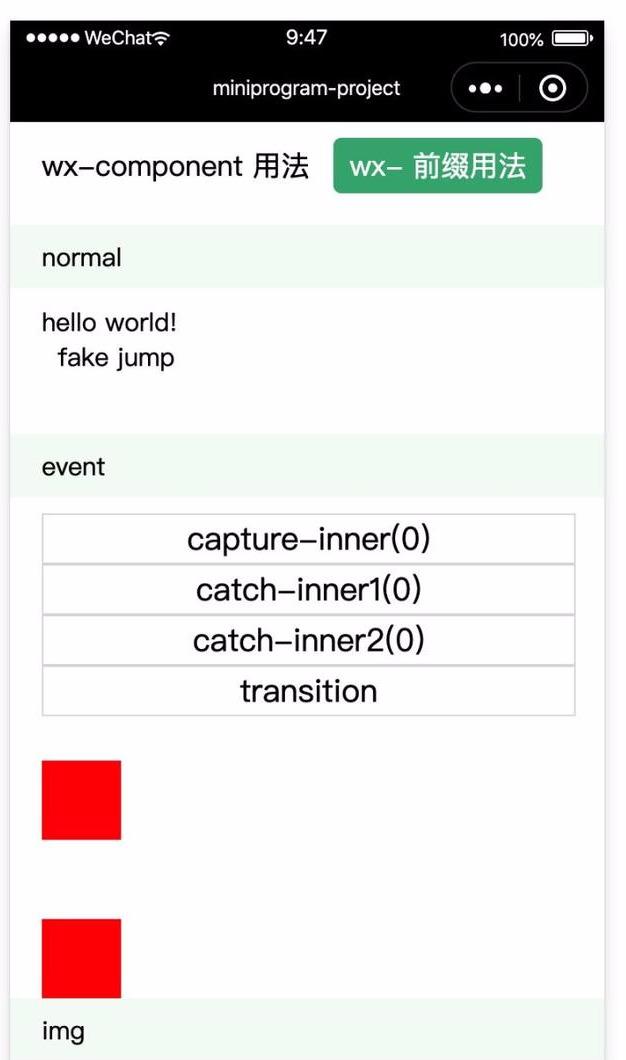
2.5 编写系列组件
2.5.1 App.vue
在 src/index 下创建 App.vue 文件,内容如下:
<template> <div> <ul class="tab"> <li class="tab-item" :class="{selected: wxPrefix === 0}" @click="wxPrefix = 0">wx-component 用法</li> <li class="tab-item" :class="{selected: wxPrefix === 1}" @click="wxPrefix = 1">wx- 前缀用法</li> <!-- <li class="tab-item" :class="{selected: wxPrefix === 2}" @click="wxPrefix = 2">无前缀用法</li> --> </ul> <Comp :wxPrefix="wxPrefix" /> </div></template><script>import Comp from './Component.vue'export default { name: 'App', components: { Comp, }, data() { return { wxPrefix: 1, // 0 - wx-component 用法,1 - wx- 前缀用法,2 - 无前缀用法(需要配置 runtime.wxComponent 字段) } },}</script><style>.tab { padding: 10px;}.tab-item { display: inline-block; margin-bottom: 10px; font-size: 18px; padding: 5px 10px; border-radius: 5px;}.tab-item.selected { background: #3eaf7c; color: #fff;}</style>
2.5.2 Component.vue
在 src/index 下创建 Component.vue 文件,内容如下:
详细参考:https://lurongtao.github.io/felixbooks-kbone/advanced/03-%E4%BD%BF%E7%94%A8%E5%B0%8F%E7%A8%8B%E5%BA%8F%E5%86%85%E7%BD%AE%E7%BB%84%E4%BB%B6.html#242-componentvue
2.5.3 Inner.vue
在 src/index 下创建 Inner.vue 文件,内容如下:
<template> <div> <div class="controls" @click="onVideoControlsClick"> <div> img1: <img class="video-img" src="https://i.loli.net/2019/07/27/5d3c141367f2784840.jpg"/> </div> <div> img2: <img class="video-img" src="https://i.loli.net/2019/07/27/5d3c143497e6d38917.jpg"/> </div> <div>this is video</div> </div> <div class="btn-cnt"> <wx-component class="video-btn" behavior="button" open-type="share">分享</wx-component> </div> </div></template><script>export default { name: 'Inner', methods: { onVideoControlsClick(evt) { console.log('onVideoControlsClick') }, }}</script><style>.controls { display: flex; width: 100%; height: 60px; background: #ddd; align-items: center;}.controls .video-img { width: 40px; height: 40px;}.btn-cnt { position: relative; width: 100%;}.btn-cnt .video-btn { margin: 10px auto; width: 100px; height: 30px; color: #fff; background: #07c160; text-align: center; line-height: 30px; border-radius: 10px;}</style>
在 src/index 下创建 Inner2.vue 文件,内容如下:
<template> <div :class="type[0] === 'x' ? 'inner2-x' : 'inner2-y'"> <div :id="type + 'block1'" class="block block1"></div> <div :id="type + 'block2'" class="block block2"></div> <div :id="type + 'block3'" class="block block3"></div> <div :id="type + 'block4'" class="block block4"></div> <div :id="type + 'block5'" class="block block5"></div> </div></template><script>export default { name: 'Inner2', props: ['type'],}</script><style>.inner2-x { display: flex;}.block { width: 100%; height: 50px;}.inner2-x .block { flex: 0 0 125px; width: 125px; height: 125px;}.block1 { background: #dff0d8;}.block2 { background: #f5f5f5;}.block3 { background: #d9edf7;}.block4 { background: #fcf8e3;}.block5 { background: #f2dede;}</style>
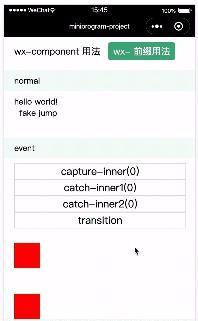
2.5.5 小程序端效果预览
npm run mp