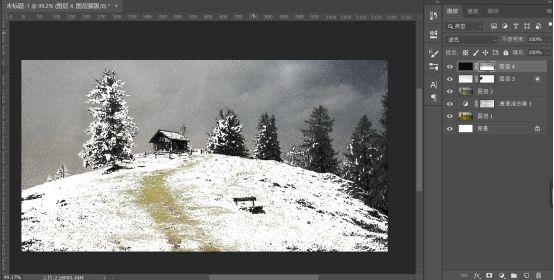
如何用PS把夏天变成冬天

302 阅读1分钟

如何用PS把夏天变成冬天

1. 将素材图拖进PS中
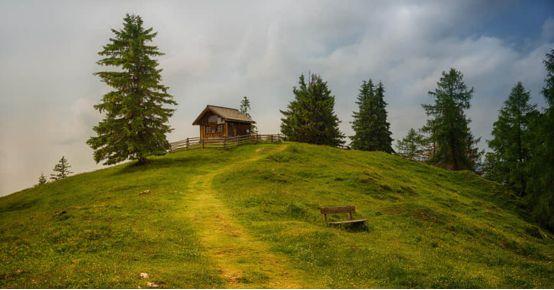
![如何用PS把夏天变成冬天](https://p1-tt.byteimg.com/large/pgc-image/5a11762983c5466dacec28ef30120660?from=pc)

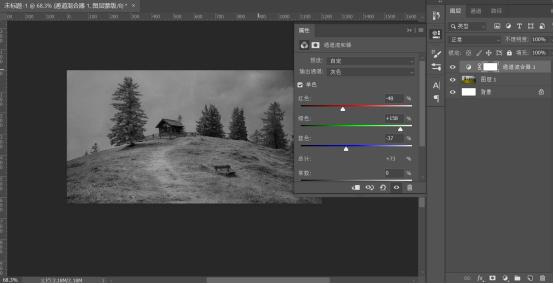
2.新建通道混合器调整图层,调整参数

![如何用PS把夏天变成冬天](https://p6-tt.byteimg.com/large/pgc-image/887691fb2404486a8cc64a10d7e9cefb?from=pc)

3.选择通道面板,选中RGB通道并创建选区,返回图层面板,选中通道混合器的蒙版,填充黑色
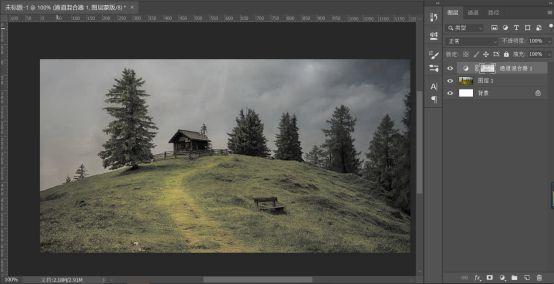
![如何用PS把夏天变成冬天](https://p3-tt.byteimg.com/large/pgc-image/20b3a210a4ba434eb39006e0f010b882?from=pc)

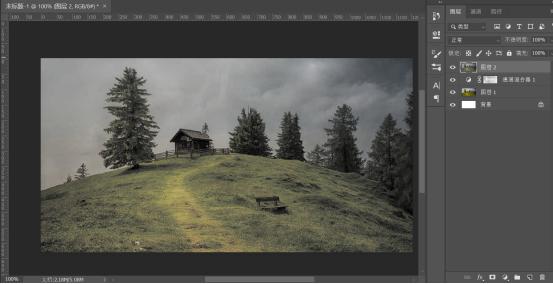
4.CTRL shift alt E盖印图层

![如何用PS把夏天变成冬天](https://p1-tt.byteimg.com/large/pgc-image/fc2c02f077d9499f94659f06fce15096?from=pc)

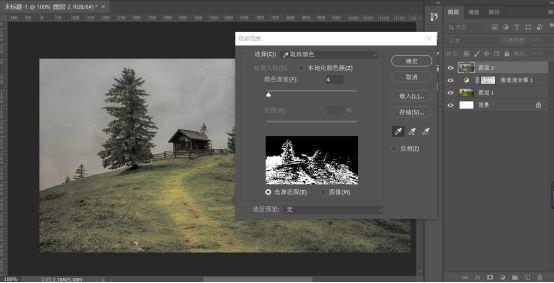
5. 选择-色彩范围

![如何用PS把夏天变成冬天](https://p6-tt.byteimg.com/large/pgc-image/5be92727a92741d2852b3438de60a63a?from=pc)

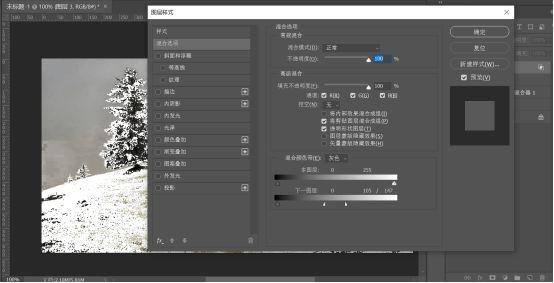
6. 新建图层,填充为白色,右键 设置混合选项的混合颜色带

![如何用PS把夏天变成冬天](https://p3-tt.byteimg.com/large/pgc-image/ca2125a0000441a8945664d857fce4f3?from=pc)

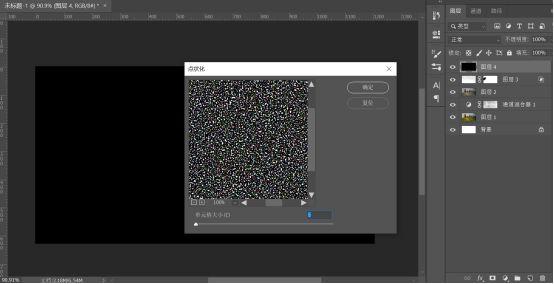
7. 新建图层,填充为黑色,滤镜-像素化-点状化

![如何用PS把夏天变成冬天](https://p6-tt.byteimg.com/large/pgc-image/e00c293a93134f4c8391bbef846d15a0?from=pc)

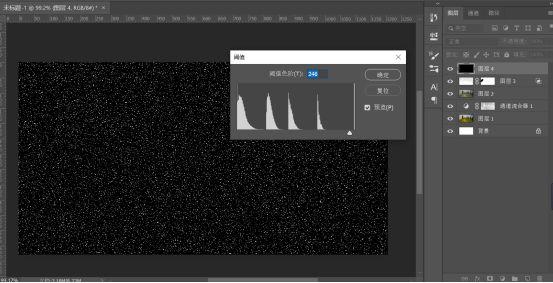
8. 图像-调整-阈值

![如何用PS把夏天变成冬天](https://p1-tt.byteimg.com/large/pgc-image/bb94691141974eef8c35fdf9b59e8b5c?from=pc)

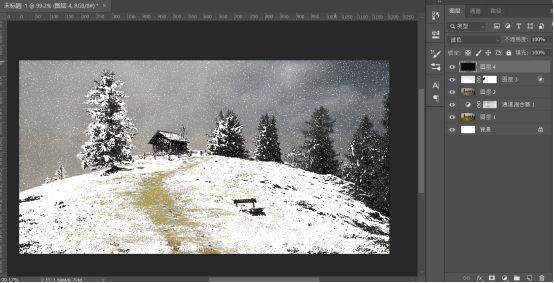
9. 将图层混合模式改为滤色

![如何用PS把夏天变成冬天](https://p3-tt.byteimg.com/large/pgc-image/38e7feaf347c483cac4a18f71a137ae0?from=pc)

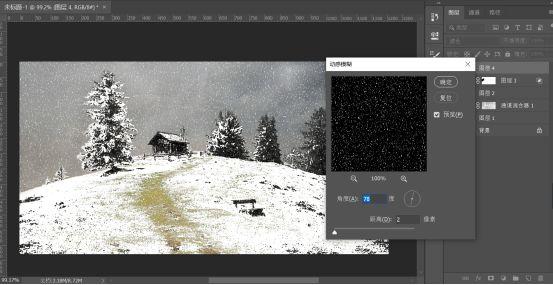
10. 滤镜-模糊-动感模糊

![如何用PS把夏天变成冬天](https://p6-tt.byteimg.com/large/pgc-image/9784878d2fea4770a2c05c936cdc0a87?from=pc)

11. 添加图层蒙版,擦除部分雪花,即可完成啦

![如何用PS把夏天变成冬天](https://p3-tt.byteimg.com/large/pgc-image/e2a6dead251047dbbc0212a9a15f188c?from=pc)