题记
人最怕的孤独,怕还是精神上的吧,因为巴尔扎克说过:“在各种孤独中间,人最怕精神上的孤独”。赫胥黎也这样描叙过孤独,他说:“越伟大、越有独创精神的人越喜欢孤独"。
先来看看效果图:
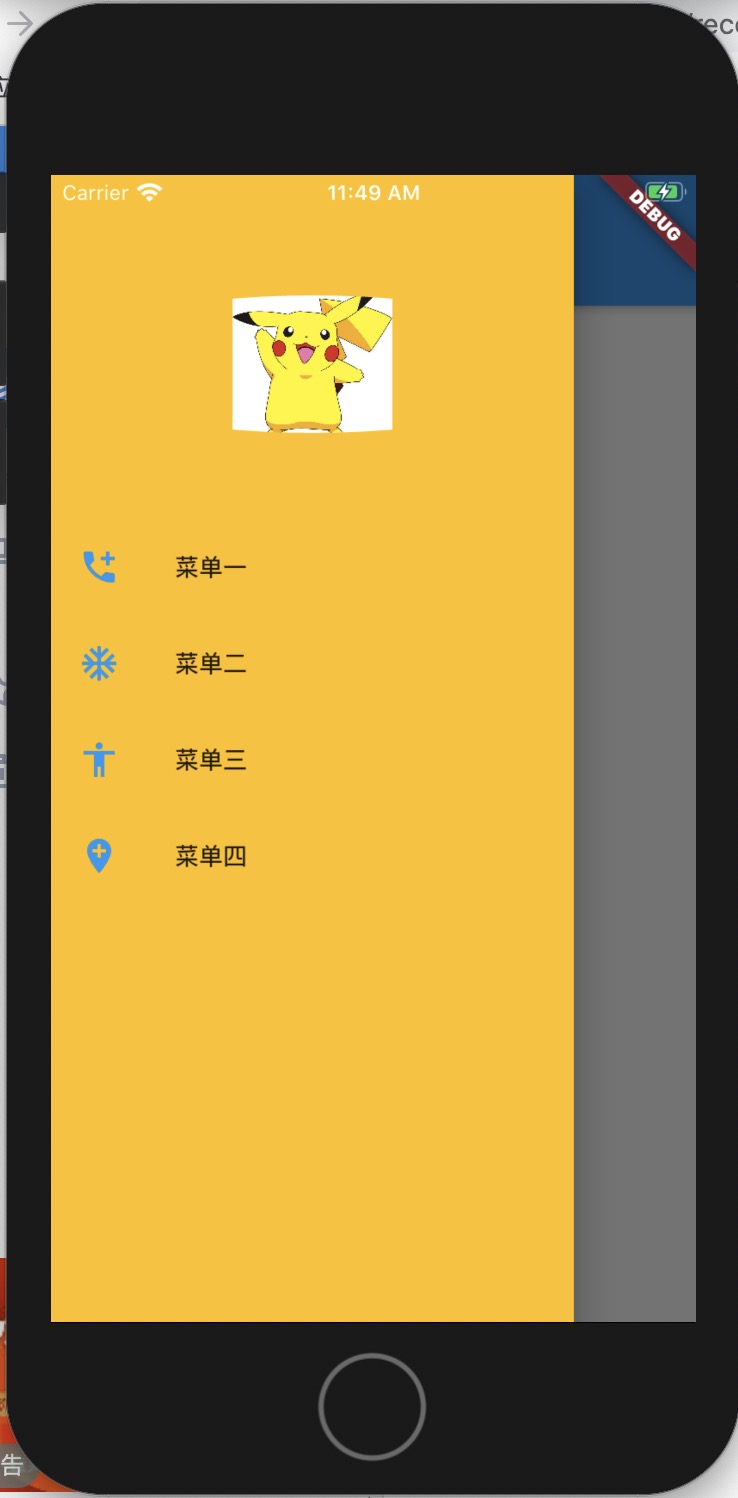
Drawer是一个抽屉导航组件, 用法如下
Scaffold(
	appBar: AppBar(),
	drawer: Drawer(),
)
eg:
return Scaffold(
      drawer: Drawer(
        child: Container(
          color: Colors.amber,
          child: ListView(
            children: <Widget>[
              SizedBox(height: 50),
              ClipOval(
              ///这里图片没有圆形 估计和jpeg有关
                child: Image.asset('images/timg.jpeg', width: 80,
                  height: 80,
                  fit: BoxFit.contain,),
              ),
              SizedBox(height: 50),
              ListTile(title: Text('菜单一'),
                leading: Icon(Icons.add_call, color: Colors.blue,),),
              ListTile(title: Text('菜单二'),
                leading: Icon(Icons.ac_unit, color: Colors.blue,),),
              ListTile(title: Text('菜单三'),
                leading: Icon(Icons.accessibility, color: Colors.blue,),),
              ListTile(title: Text('菜单四'),
                leading: Icon(Icons.add_location, color: Colors.blue,),),
            ],
          ),
        ),
      ),

      appBar: AppBar(
      ///注意: 如果不设置leading的话会默认出现一个Drawer的图标 如果你设置了 你可以在这里或者其他地方自己自定义点击事件
    这里单独定义Action() 是因为出现错误Scaffold.of() called with a context that does not contain a Scaffold.
        leading: Action(),
        title: Text('Drawer'), actions: <Widget>[

      ],),
Action类
class Action extends StatefulWidget {
  @override
  _ActionState createState() => _ActionState();
}

class _ActionState extends State<Action> {
  @override
  Widget build(BuildContext context) {
    return Container(
        child: InkWell(child: Icon(Icons.more_horiz),
            onTap: () {
            ///隐藏抽屉
            /// Navigator.of(context).pop();
            ///打开抽屉
              Scaffold.of(context).openDrawer();
            }
        )
    );
  }
}
最后总结:
- 错误Scaffold.of() called with a context that does not contain a Scaffold. 要定义一个state类 在State类里处理
- 关于Drawer, 如果设置了AppBar,而没有设置AppBar的leading属性,在AppBar的左侧默认出现抽屉的图标,