template部分:
<!-- 搜索页面 -->
<template>
   <div>
     <el-dialog :visible.sync="dialogVisible" width="90%">
       <div class="container">
       <el-card>
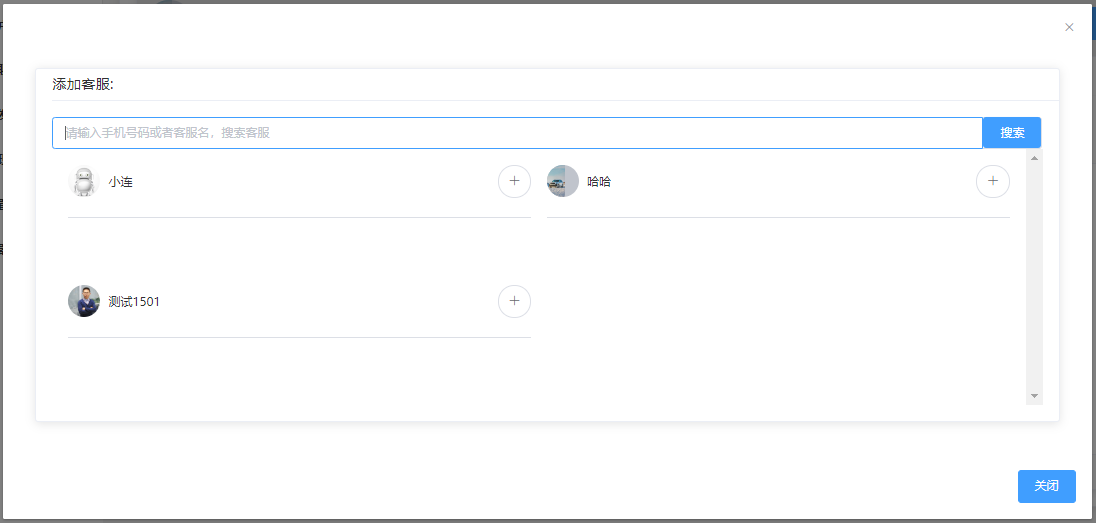
        <template slot="header">添加客服:</template>
       <div class="body">
          <el-input v-model="search" placeholder="请输入手机号码或者客服名,搜索客服">
              <template slot="append">
                <div>
                  <el-button type="primary" @click="Search">搜索</el-button>
                </div>
              </template>
            </el-input>
<!-- 搜索后的 -->
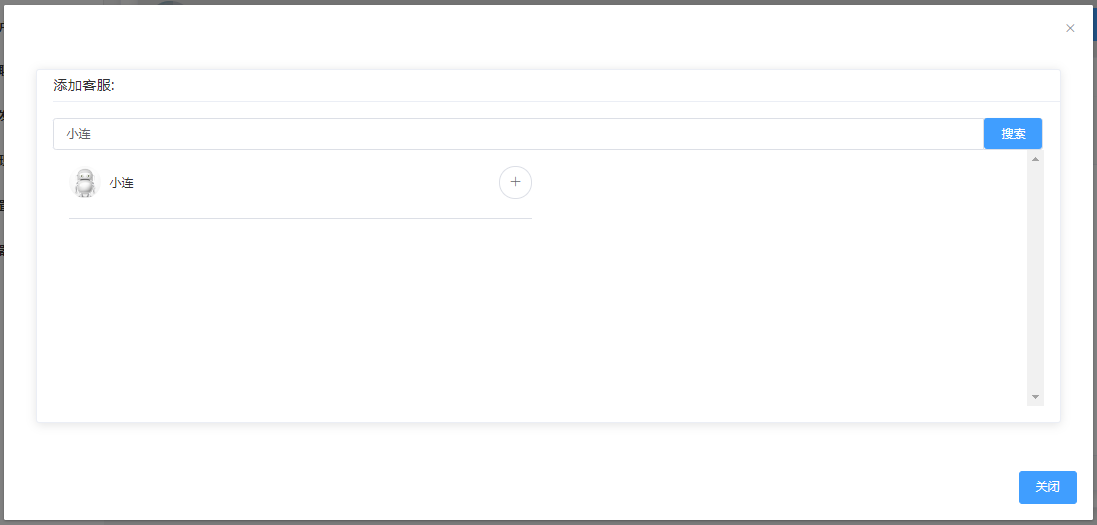
            <div class="list" v-if="searchData.length>0">
              <div class="item" v-for="(item, index) in searchData" :key="index">
                <div class="top">
                  <div class="userInfo">
                    <el-avatar :src="$baseImgUrl(item.logo)"></el-avatar>
                    <div class="name">{{item.user_name}}</div>
                  </div>
                  <el-button circle icon="el-icon-plus" @click=
                      "changeName(item.user_name,item.user_id,item.logo)">
                  </el-button>
                </div>
                <div>
                  <el-divider></el-divider>
                </div>
              </div>
            </div>
<!-- 搜索前的 -->
            <div class="list" v-else>
              <div class="item" v-for="item in list" :key="item.user_id">
                <div class="top">
                  <div class="userInfo">
                    <el-avatar :src="$baseImgUrl(item.logo)"></el-avatar>
                    <div class="name">{{item.user_name}}</div>
                  </div>
                  <el-button circle icon="el-icon-plus" @click=
                     "changeName(item.user_name,item.user_id,item.logo)">
                  </el-button>
                </div>
                <div>
                  <el-divider></el-divider>
                </div>
              </div>
            </div>
          </div>
        </el-card>
      </div>
      <div slot="footer">
        <el-button type="primary" @click="isShowDialogVisible">关闭</el-button>
      </div>
    </el-dialog>
  </div>
</template>
js部分:
<script>import Vue from "vue";

export default {
  props: {
    list: {
      default: () => [], //原本展示数据
      type: Array
    }
  },
  data() {
    return {
      search: "",
      searchData: [], //搜索后的展示数据
      dialogVisible: false,
      input: "",
      user_id: this.$getUserInfo("user_id"),
      user_name: this.$getUserInfo("user_name"),
      logo: this.$getUserInfo("logo"),
      begin: 0,      len: 1000    };  },
  methods: {
    isShowDialogVisible() {
      this.dialogVisible = !this.dialogVisible;
      this.searchData.length = 0;
      this.search = ''    },
    changeName(name, id, logo) {
      this.$emit("refreshTable", name, id, logo);
      this.dialogVisible = !this.dialogVisible;
      this.$message.success('添加成功')
      this.searchData.length = 0;
      this.search = ''    },
   //获取接口中数据的方法
    async getAllConsoleUser() {
      let params = {
        begin: this.begin,
        len: this.len
      };
let res = await this.$http.queryAllConsoleUser(params);
      this.list = res.list;
      //list 就是原始数据
    },
    Search() {
      console.log("客服列表:");
      console.log(this.list);
      // search 是 v-model="search" 的 search
      var search = this.search;
      if (search) {
        this.searchData = this.list.filter(function(service) {
          // 每一项数据
          // console.log(product)
          return Object.keys(service).some(function(key) {
            // 每一项数据的参数名
            // console.log(key)
            return (
              String(service[key])
                // toLowerCase() 方法用于把字符串转换为小写。
                .toLowerCase()
                // indexOf() 方法可返回某个指定的字符串值在字符串中首次出现的位置。
                .indexOf(search) > -1
            );
          });
        });
      }else if(search.length === 0){
        this.searchData = this.list;
      }else{
        return this.searchData;
      }
    },
    created() {
      this.getAllConsoleUser(); //获取的接口数据
    }
  }};
</script>
效果: