

问题:
自动填充前:
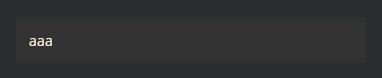
自动填充后:

可以看出,自动填充后,input背景颜色变成了白色, 解决办法:
1纯色阴影覆盖底色
input:-webkit-autofill {
    box-shadow: 0 0 0 1000px #333333 inset;
    -webkit-text-fill-color: #fff;
}

注意: 这个方法有个问题,就是input 输入框,不能有 圆角(border-radius),而且只适用于纯色背景框。

可以看到,两边有明显的白色…
2.设置透明:
    input:-internal-autofill-previewed,
    input:-internal-autofill-selected {
        -webkit-text-fill-color: #807c7c;
        transition: background-color 5000s ease-out 0.5s;
    }
效果:

3.利用动画延迟
input:-webkit-autofill,
input:-webkit-autofill:hover,
input:-webkit-autofill:focus,
input:-webkit-autofill:active {
	transition-delay: 99999s;
    transition: color 99999s ease-out, background-color 99999s ease-out;
    -webkit-transition-delay: 99999s;
    -webkit-transition: color 99999s ease-out, background-color 99999s ease-out;
    -webkit-text-fill-color: #807c7c;
}
效果:

推荐使用后面两种

